

See what happens after every email
Mailtrackio brings email opens, link clicks, activity history, performance signals, and fill-and-sign requests into one focused workspace so you can follow up with better timing and more context.
Turn email activity into useful next steps
Mailtrackio keeps the signals that matter visible, searchable, and connected so you can understand engagement without moving between multiple tools or manually organizing scattered updates.
Understand attention
See when tracked messages are viewed and use recent activity to understand where a conversation may be gaining momentum.
Measure link interest
Review link interactions to distinguish a simple email open from stronger engagement with an offer, document, or resource.
Move documents forward
Send fill-and-sign requests, follow completion progress, and access signed documents from the same organized workspace.
Everything you need to understand what happens after send
Every Mailtrackio feature is designed to remove guesswork, organize engagement signals, and help you choose the next action with more confidence.
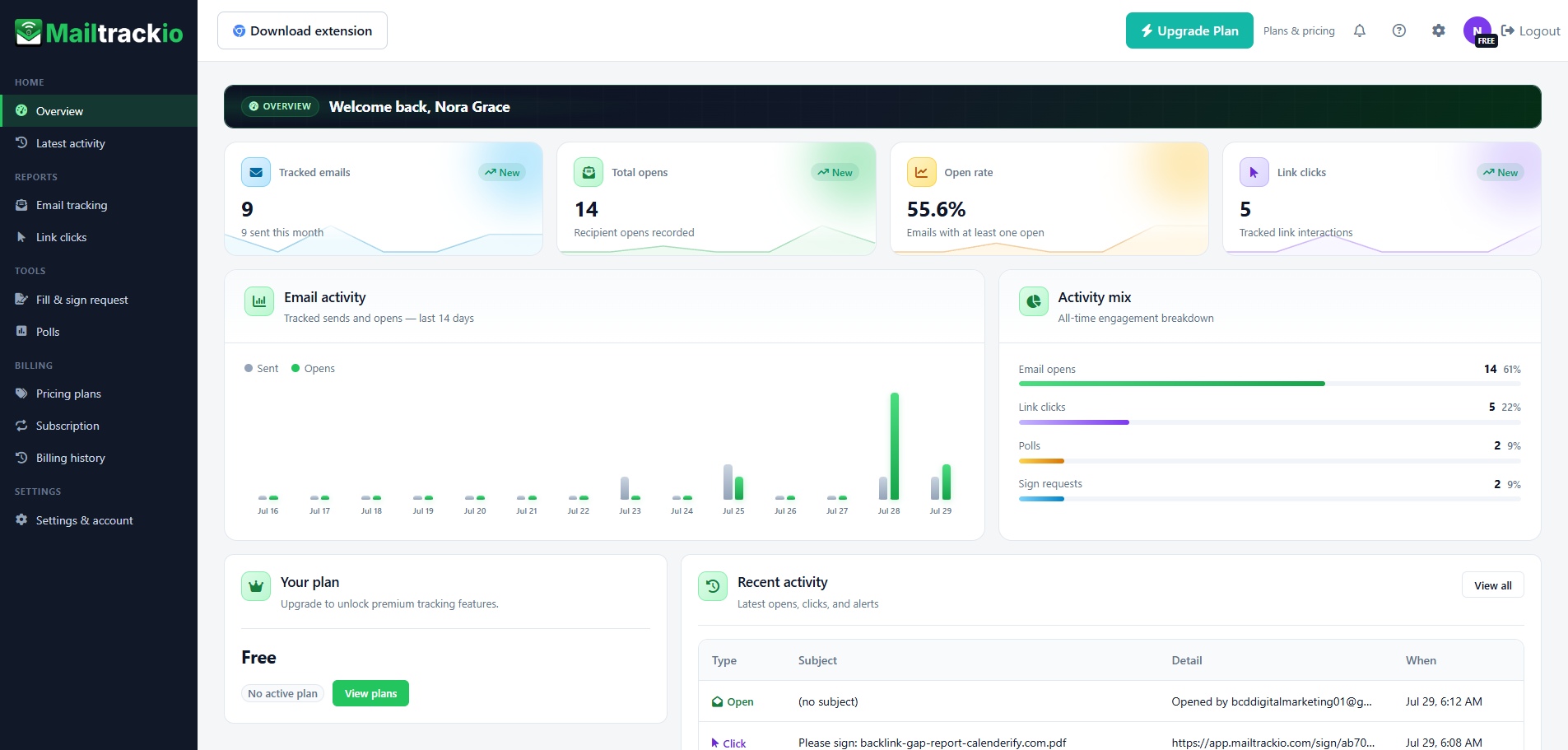
Start every day with a clear view of your email performance
See tracked emails, total opens, open rate, link clicks, recent activity, and plan details in a single dashboard that keeps the most useful information visible.
- Review core engagement metrics without building a manual report.
- Compare email activity and engagement mix at a glance.
- Jump directly into recent opens, clicks, and alerts.
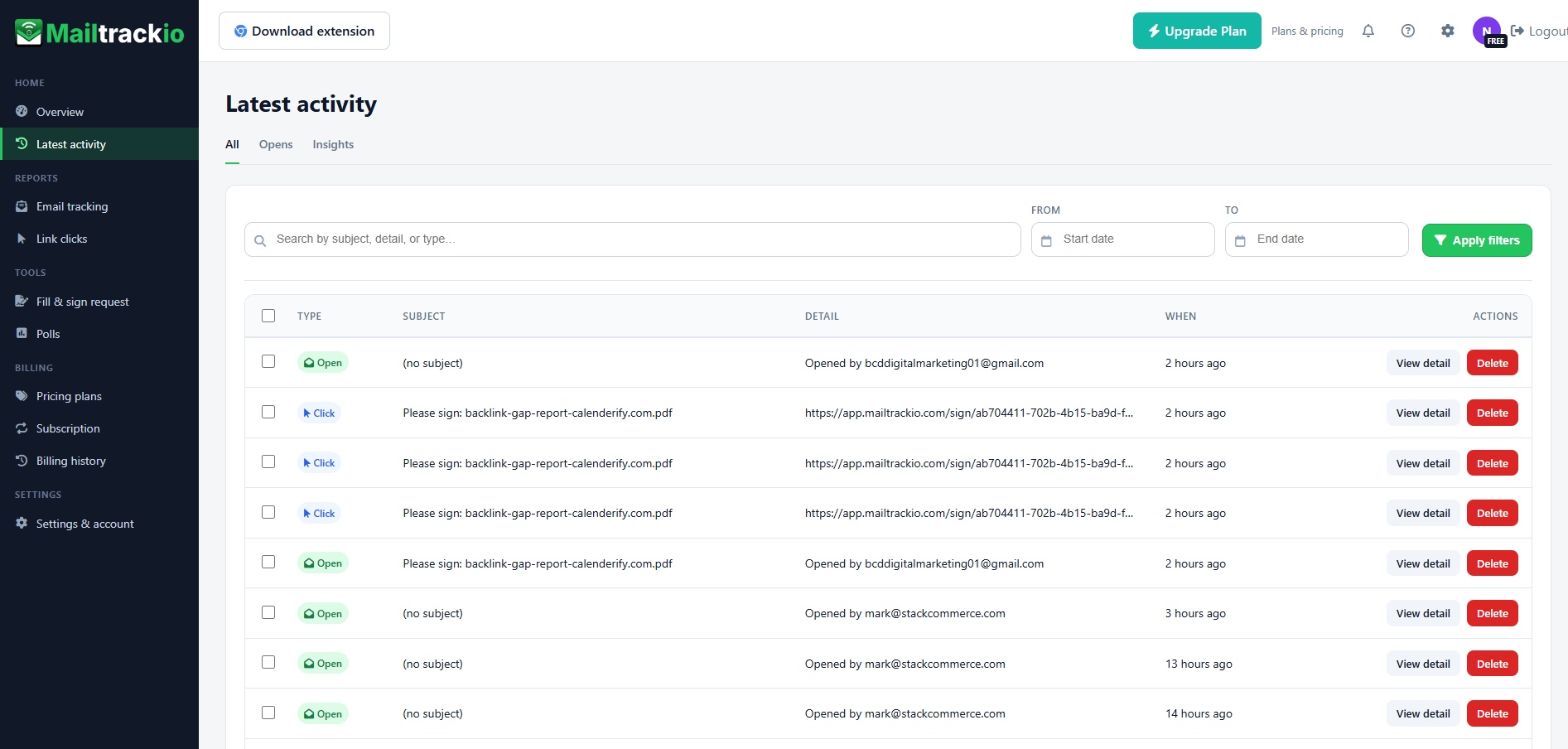
Follow every open, click, and alert in a searchable timeline
Use the activity stream to understand who engaged, what happened, and when it happened. Search by subject or detail, filter by date, and open individual records when you need more context.
- Search engagement events by subject, detail, or activity type.
- Filter activity by date range to review a specific period.
- Separate opens and insights for faster analysis.
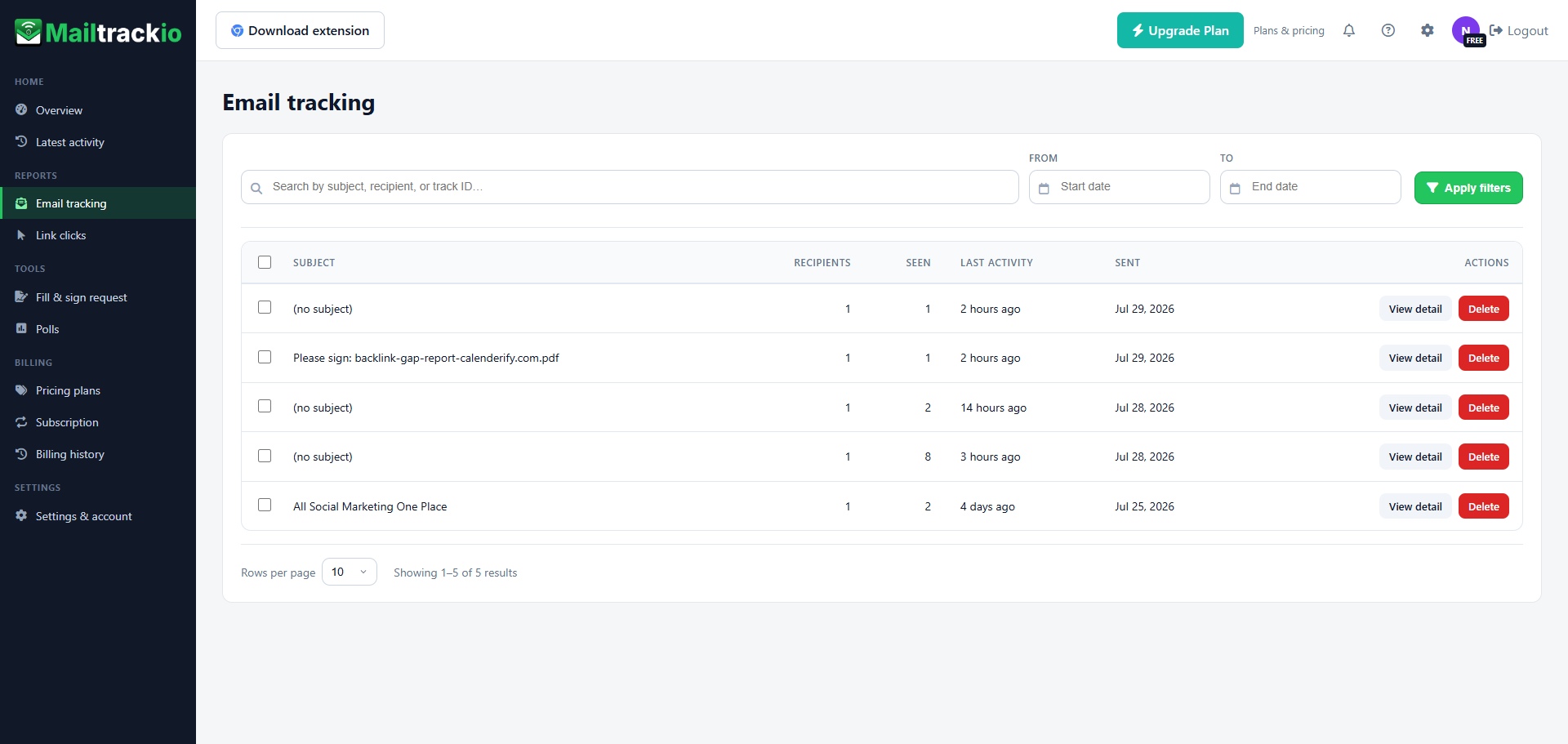
Know which emails are being seen and where attention is building
Review each tracked message by subject, recipient count, views, last activity, and send date. Open a detailed record when you need to understand a specific conversation.
- See recipient and view information for every tracked email.
- Sort attention by last activity instead of guessing.
- Search by subject, recipient, or tracking ID.
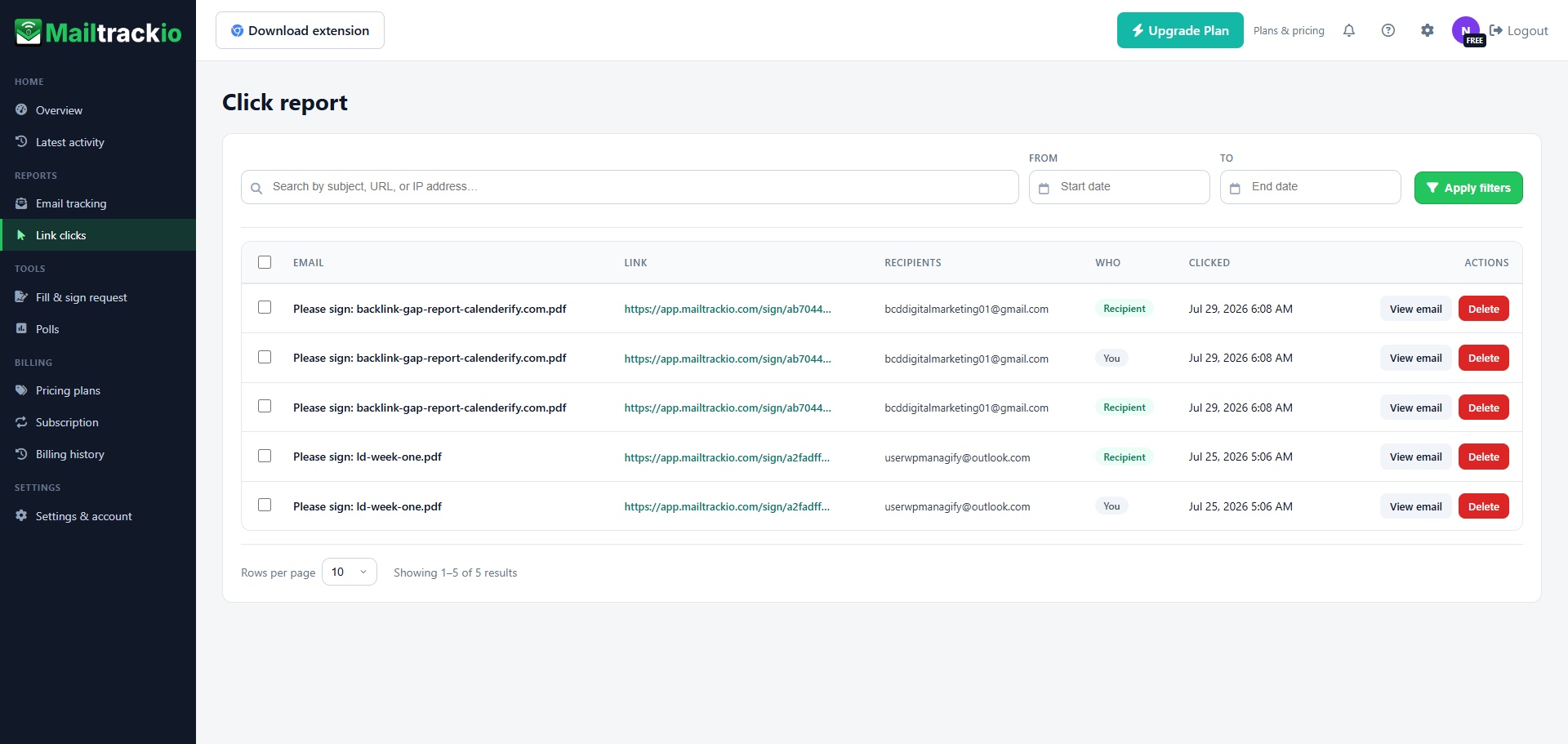
See which links attract attention after an email is opened
Understand which recipient clicked, which link they used, and when the action happened. Click reporting helps distinguish casual opens from stronger interest in your offer, document, or next step.
- Review the destination link connected to each click.
- Identify whether the recipient or sender generated the event.
- Search by subject, URL, or IP address when needed.
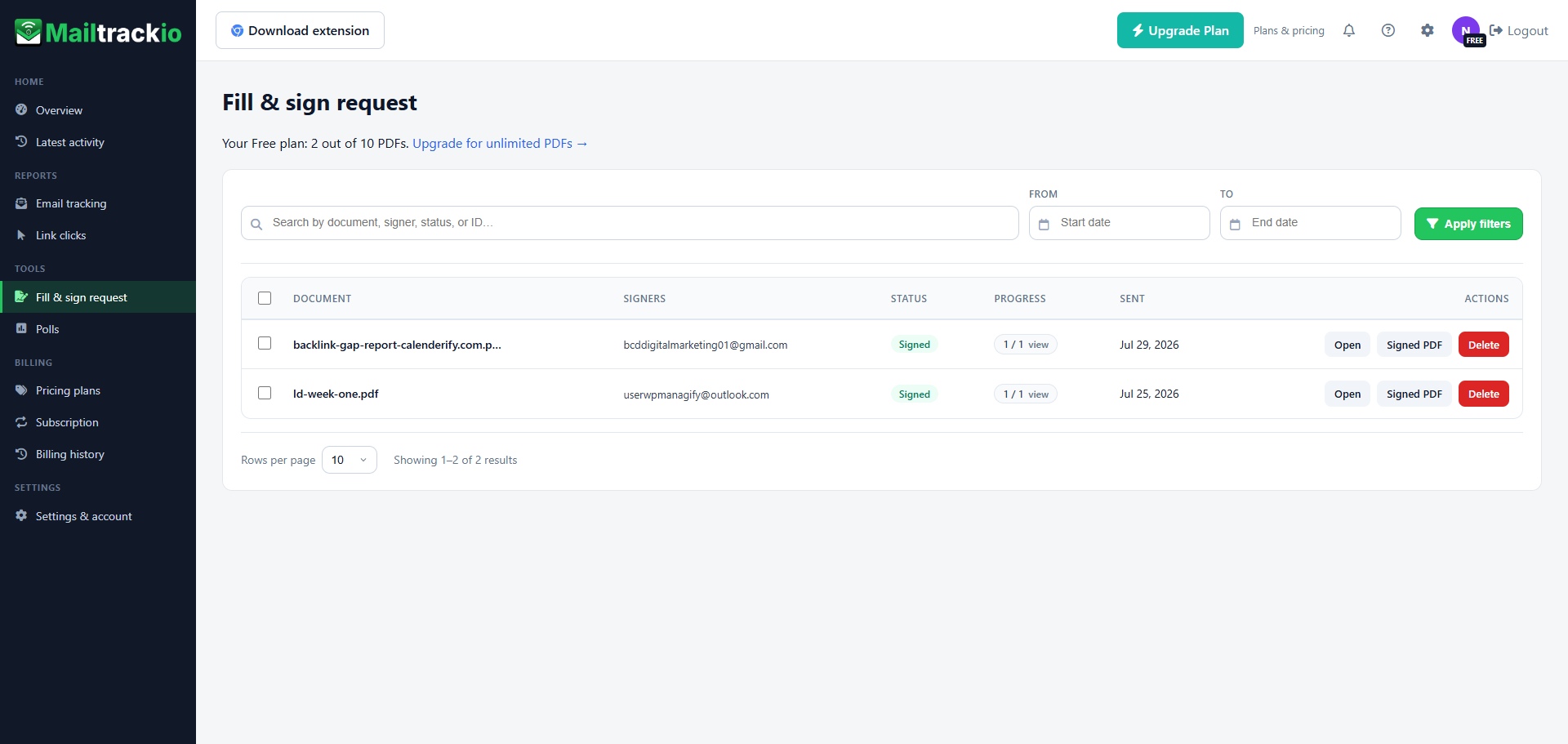
Keep document requests and signing progress beside email activity
Send a document for signature, see who needs to sign, check the current status, review progress, and open the signed PDF from the same workspace.
- Track pending and completed signature requests.
- View signer details and completion progress.
- Access the signed PDF directly from the request list.
Move from sending to informed follow-up
Mailtrackio gives your email process a simple flow that keeps engagement visible and makes the next action easier to decide.
Send your message
Start a tracked conversation and keep important email activity connected to one organized workspace.
Watch engagement
Review message views, clicks, and recent activity as recipients interact with your communication.
Prioritize interest
Use engagement context to identify which conversations may deserve faster or more relevant follow-up.
Complete the next step
Continue the conversation, share the right information, or move a document forward with fill-and-sign requests.
Useful for every team that depends on timely email follow-up
From outreach and recruitment to support and document approval, Mailtrackio helps teams understand engagement before deciding what to do next.
Sales teams
Identify engagement around proposals, follow-ups, and sales resources so active conversations receive attention sooner.
Marketing teams
Understand which links and messages attract attention when sharing campaigns, launches, content, or announcements.
Recruiters
Track candidate communication and use recent activity to make interview and follow-up timing more informed.
Support teams
See whether important instructions, updates, and help resources have been viewed before sending another message.
Business teams
Keep communication, document requests, and signing progress connected when coordinating everyday operations.
More context without a more complicated workflow
Mailtrackio keeps email engagement and document progress organized in one focused interface, helping you spend less time searching for updates and more time acting on useful signals.
- One workspace for opens, clicks, activity, and signature requests.
- Search and filter tools that make past engagement easier to find.
- Clear dashboard summaries that reduce manual reporting work.
- Faster access to the context you need before following up.
Everything you need to know before getting started
Learn how the main Mailtrackio features work together to organize engagement and improve follow-up decisions.
Ask another questionWhat information can I see in the dashboard?
The dashboard brings tracked-email activity, opens, open-rate information, link clicks, recent activity, and account details into one overview.
Can I review activity from a specific date range?
The latest-activity area includes date filtering and search controls so you can narrow the timeline to a relevant period or find a specific event.
What does email tracking help me understand?
Email tracking helps you review views, recipient details, send information, and recent activity connected to each tracked message.
What can I learn from click reports?
Click reports show the destination link, connected email, clicker context, and event time, helping you understand which resources receive attention.
Can I manage signing requests in Mailtrackio?
The fill-and-sign area lets you review request status, signer details, completion progress, and available signed PDF documents from the request list.
Who can benefit from these features?
Mailtrackio can support sales, marketing, recruitment, customer support, and business teams that rely on timely email communication and document follow-up.
Stop guessing what happened after you pressed send
Bring email views, link clicks, activity history, and fill-and-sign requests into one clear Mailtrackio workspace.