

Choose an AI assistant to open this article URL with a summary request. Review generated summaries against the original article.
| QUICK ANSWER: Use email marketing by setting one clear goal, building a permission-based subscriber list, segmenting people by need or behavior, and sending useful messages with one primary call to action. Authenticate your domain, make unsubscribing easy, track clicks and conversions, and improve the program through consistent testing rather than sending more email by default. |
What Email Marketing Is
Email marketing is direct digital communication used to educate prospects, promote offers, support customers, and strengthen loyalty. It includes newsletters, welcome series, product updates, lead nurturing, event invitations, abandoned-cart reminders, post-purchase messages, and re-engagement campaigns. The channel works best when people expect the email and the content helps them make a useful decision.
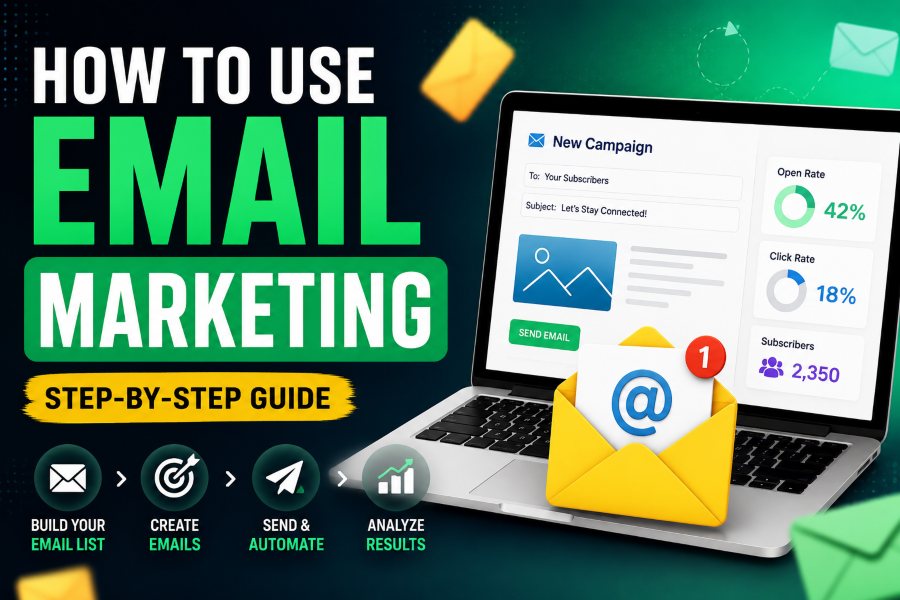
Learning how to use email marketing is less about sending a large number of messages and more about building a repeatable system. That system connects permission, audience data, content, delivery, automation, measurement, and improvement. The following steps provide a practical foundation for a small business or growing team.
Step 1: Choose One Goal and Audience
Start with a specific outcome. Examples include generating product trials, booking consultations, increasing repeat purchases, activating new users, renewing subscriptions, or bringing inactive customers back. Write the goal in measurable terms and choose the audience most likely to benefit. A campaign for new leads should not use the same promise as a message for long-term customers.
- Goal: What business or customer outcome should change?
- Audience: Who has the relevant need, permission, and context?
- Promise: What useful value will the recipient receive?
- Action: What is the single most important next step?
- Measure: Which conversion or behavior will define success?
Step 2: Select the Right Email Platform
Choose a platform based on the program you actually need. Important capabilities include list management, segmentation, templates, automation, authentication support, analytics, consent records, suppression handling, and integrations with your website or CRM. A simple tool is often better for a small team than a complex platform that remains poorly configured.
For individual Gmail messages where follow-up timing matters, Mailtrackio adds open tracking, live alerts, and a tracking dashboard. For large newsletters and automated marketing flows, use an email service designed for bulk sending, preference management, deliverability, and unsubscribe processing. The two use cases can complement each other when data and privacy responsibilities are clearly defined.
Step 3: Build a Permission-Based Email List
Invite people to subscribe through relevant forms, checkout options, events, account settings, or valuable resources. Explain what they will receive and how often. A useful lead magnet solves a real problem: a checklist, template, calculator, short course, or industry briefing. The offer should match the emails that follow so the subscriber’s expectation remains intact.
Avoid purchased, scraped, or guessed lists. They produce weak engagement, more complaints, higher bounce rates, and legal risk. Store the signup source, date, consent language, and preferences where required. Consider confirmed opt-in when it improves list quality or is appropriate for the jurisdiction and risk. Make it easy to update preferences or leave.
Step 4: Authenticate the Sending Domain
Authentication helps receiving systems verify that your platform is authorized to send for your domain. Configure SPF and DKIM, then implement DMARC with an appropriate policy and monitoring process. Use a recognizable From name, a functioning reply address, and a domain your audience expects. Large-volume senders should also review current Gmail and Yahoo sender requirements, including complaint control and easy unsubscribe.
Warm up new sending patterns gradually. Google’s sender guidance recommends consistent volume, sending first to engaged users, and monitoring server responses, spam rate, and domain reputation. Authentication is necessary, but it does not compensate for unwanted mail or a poor-quality list.
Step 5: Segment Subscribers by Meaningful Differences
Segmentation makes content more relevant. Begin with a few categories your team can maintain: lifecycle stage, product interest, customer status, recent behavior, location, plan, or acquisition source. Do not create dozens of tiny segments without a clear content or offer difference.
A useful segment changes the message. New subscribers may need orientation and proof; active customers may need advanced education; lapsed customers may need a reminder of value or a friction-reducing offer. Review segment rules regularly so people do not remain trapped in an outdated category.
Step 6: Plan the Customer Email Journey
Map the emails a person should receive after key moments. Start with the highest-value journeys instead of automating everything. A simple welcome sequence may introduce the promise, deliver a quick win, address a common concern, show proof, and invite the next action. A post-purchase sequence may confirm the order, help the customer succeed, request feedback, and suggest a relevant next product.
- Welcome: Set expectations and deliver the first useful result.
- Education: Explain the problem, options, and best practices.
- Conversion: Present a relevant offer with proof and a clear next step.
- Onboarding: Help new customers reach value quickly.
- Retention: Share progress, tips, updates, and renewal value.
- Re-engagement: Ask whether the subscriber still wants the content before suppressing inactivity.
Step 7: Write an Email People Can Act On
Create a clear subject line
The subject line should accurately signal value or relevance. Keep it specific, avoid deceptive urgency, and make the sender recognizable. The preview text should extend the idea rather than repeat it. Test curiosity against clarity only when both versions truthfully represent the message.
Make the body easy to scan
Lead with the recipient’s problem, goal, or context. Use short paragraphs, descriptive subheads, and enough whitespace for mobile reading. Explain one central idea and remove unnecessary links. The email should make sense even when images do not load. Add descriptive alternative text for meaningful images and maintain sufficient color contrast.
Use one primary call to action
Tell the reader what happens after the click. A concrete action such as Start the checklist, Reserve a seat, or Review the proposal is clearer than Learn more. You may repeat the same primary CTA in a long email, but avoid competing actions that divide attention.
Step 8: Meet Legal and Trust Requirements
Email laws differ by jurisdiction. In the United States, the FTC’s CAN-SPAM guidance requires accurate header information and subject lines, identification of advertising, a valid physical postal address, and a clear way to opt out of future marketing. It also states that companies remain responsible for vendors sending on their behalf. Other regions may require consent or impose additional rules.
For people covered by European data-protection rules, organizations must identify a valid legal basis, provide transparent information, respect objections to direct marketing, and follow applicable ePrivacy requirements. Consent must be as easy to withdraw as to give. Treat compliance as part of customer trust, not as a footer task added after the campaign.
Step 9: Test Every Campaign Before Sending
- Send test messages to common desktop and mobile inboxes.
- Check the From name, reply address, subject line, and preview text.
- Click every linked element and verify campaign parameters.
- Confirm the plain-text version and image alternative text.
- Test personalization fallbacks so blank or incorrect fields never appear.
- Review the audience, exclusions, suppression list, time zone, and scheduled time.
- Confirm the physical address, preference link, and unsubscribe path.
Use a second reviewer for high-impact campaigns. A short checklist catches broken links, wrong segments, outdated prices, accidental test copy, and misleading personalization before they become expensive.
Step 10: Measure Results That Match the Goal
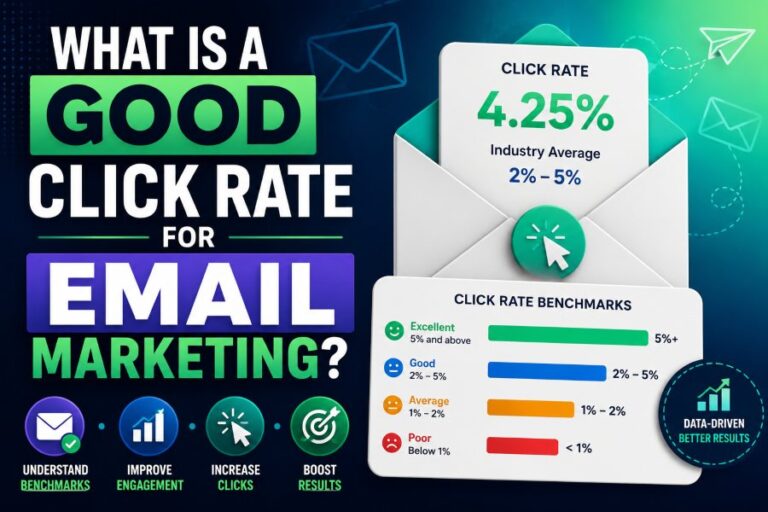
Track delivered messages, bounces, unique clicks, conversion rate, revenue or pipeline, unsubscribes, complaints, and list health. Use open tracking as a directional signal because image blocking, proxies, and automated activity can distort it. Apple Mail Privacy Protection, for example, hides IP addresses and prevents senders from reliably determining whether a person opened a message.
Tag links consistently and connect campaign IDs to website analytics, CRM stages, or orders. Compare similar campaign types and segments. A welcome email and a flash sale have different intent, timing, and expected behavior, so a single universal benchmark is not enough.
Step 11: Improve With Focused Experiments
Write a hypothesis, choose one primary metric, and change one major variable. Test subject lines to improve the open decision; test the offer, proof, CTA, or landing page to improve downstream action. Wait for the planned measurement window and record what you learned. Repeated small tests build a more dependable playbook than copying isolated best practices.
Build a Sustainable Content Calendar
A content calendar connects customer needs with business moments. List the questions, objections, milestones, product events, and seasonal needs that matter to each segment. Then assign a purpose to every send: educate, activate, convert, retain, or learn. Leave room for timely messages rather than scheduling promotions into every available date.
For each campaign, record the audience, promise, CTA, owner, draft date, review date, send date, and primary metric. Mark automated messages separately so a subscriber does not receive an onboarding email, newsletter, and promotion on the same day. A suppression or priority rule can prevent overlapping journeys from creating fatigue.
Balance value and promotion
There is no universal ratio, but the inbox should not feel like a sequence of demands. Useful education, tools, customer examples, and product guidance give subscribers a reason to stay even when they are not ready to buy. Promotional messages then work within an established relationship instead of repeatedly asking for attention without returning value.
A Simple 30-Day Email Marketing Plan
Week 1: Foundation
Define the goal and audience, select the platform, configure authentication, create a permission-based form, and establish naming and tracking standards.
Week 2: Content and journey
Write one welcome email and one useful campaign. Prepare a focused landing page, create mobile-friendly templates, and set the expected sending rhythm.
Week 3: Launch and observe
Send to the most engaged appropriate segment first. Watch delivery, bounces, complaints, clicks, replies, and conversions. Fix technical or audience problems before increasing volume.
Week 4: Learn and improve
Compare results with the campaign goal, interview a few customers if possible, document one insight, and design the next test. Clean invalid contacts and refine the welcome journey.
Common Email Marketing Mistakes
- Sending without clear permission or subscriber expectations.
- Treating the entire list as one audience.
- Using deceptive subjects, fake replies, or manufactured urgency.
- Optimizing opens while ignoring clicks, conversions, complaints, and revenue.
- Sending too frequently because short-term volume looks productive.
- Using a beautiful template with weak mobile readability or an unclear CTA.
- Failing to connect campaign data with website, CRM, product, or sales outcomes.
- Ignoring inactive subscribers until reputation and engagement decline.
Frequently Asked Questions
How often should a business send marketing emails?
There is no universal frequency. Start with a rhythm you can sustain, such as weekly or twice monthly, set expectations at signup, and adjust using clicks, conversions, unsubscribes, complaints, and customer feedback.
Can I use Gmail for email marketing?
Gmail works well for personal communication and smaller, targeted follow-ups. Use a purpose-built email service for bulk campaigns, automation, list management, compliance, and deliverability. Mailtrackio can add engagement signals to appropriate Gmail messages.
What should my first marketing email say?
Welcome the subscriber, remind them why they signed up, deliver the promised value, explain what to expect, and offer one simple next step. Make it easy to reply or manage preferences.
How long does email marketing take to work?
Transactional and high-intent offers can produce immediate action, while education, trust, retention, and list growth develop over time. Judge results using a window that fits the customer journey and buying cycle.
Put the Insights Into Action
Use Mailtrackio to add Gmail open tracking, live alerts, and practical follow-up visibility to the messages where timing matters. Visit Mailtrackio and combine engagement signals with replies, clicks, conversions, and respectful communication.

Comments
0 responsesNo comments yet. Be the first to share your thoughts.