

Choose an AI assistant to open this article URL with a summary request. Review generated summaries against the original article.
A good Snov.io alternative should solve the part of your outreach workflow that costs you the most time, money, or missed opportunities.
That matters more today because sales teams still spend much of their week away from actual selling. Salesforce reports that the average seller spends only about 40% of their time selling, while HubSpot’s recent sales research found that just 8% of surveyed salespeople were not using AI at all. Email also remains commercially important. Litmus reported in 2025 that 35% of companies generated between $10 and $36 for every $1 invested in email.
The alternatives below approach that opportunity differently. Some track engagement. Others find verified prospects, automate outreach, enrich CRM data, or manage multichannel sales campaigns.
When You Should Switch to a Snov.io Alternative
A Practical Sales Team Scenario
Imagine a five-person B2B sales team using one platform for prospect research, verification, campaigns, and tracking. The platform works, but the team gradually realizes its main bottleneck isn’t lead discovery. Salespeople actually need clearer email engagement signals so they know which conversations deserve immediate follow-up.
Instead of paying mainly for broader functionality they rarely use, the team adds a specialized email tracking solution. Reps can see opens and clicks inside the email workflow and prioritize people who have demonstrated engagement. The change does not magically create sales, but it removes guesswork from follow-up.
This type of decision is increasingly relevant. Salesforce reported in 2024 that sellers spent about 70% of their time on non-selling work, which makes workflow efficiency more than a convenience. Every unnecessary research step, manual update, or disconnected tool takes time away from conversations with prospects.
When Snov.io No Longer Matches Your Main Requirement
You may want another platform when your primary need becomes specialized email tracking rather than prospect discovery. You may also need larger prospect databases, more sending infrastructure, stronger direct-dial data, or deeper enterprise forecasting.
Pricing can create another reason to compare. Credit-based systems are useful when consumption is predictable, but they become harder to budget when your team frequently finds, verifies, enriches, and contacts thousands of leads.
Your workflow should determine the decision. A specialized tool can make sense when one task drives most of your results, while an all-in-one sales platform works better when you genuinely use prospecting, sequencing, enrichment, CRM syncing, and reporting together.
Must-know Tip: Do not switch platforms because another tool has a longer feature list. Switch when you can identify a measurable bottleneck that the new tool handles better.
Why Are Users Looking for Snov.io Alternatives?
More Specialized Email Engagement Data
Some teams find enough prospects already. Their problem is knowing which sent emails attracted genuine attention and when a follow-up should happen.
That creates demand for tools built specifically around email opens, link clicks, engagement history, and real-time notifications. A focused tracker can be easier to use when prospect discovery, database enrichment, and CRM functionality are secondary requirements.
Email measurement is not a minor concern. Litmus found in its 2025 research that 20% of respondents struggled with low email engagement, while 22% had difficulty measuring or proving email ROI. Better visibility does not guarantee a reply, but it helps you distinguish activity from meaningful engagement.
Different Prospecting and Data Requirements
Sales teams do not all need the same database. One business may prioritize verified work emails, another may depend on mobile numbers, and another may source almost every prospect through LinkedIn or Sales Navigator.
This explains why specialized databases remain competitive with all-in-one platforms. UpLead, for example, advertises 95% email-data accuracy, while Lusha structures usage around individual email and phone data reveals.
Data quality also affects time. Bad or incomplete contact records create verification work, bounced messages, CRM cleanup, and wasted prospecting effort before a salesperson even begins a conversation.
More Automation and Scale
High-volume outbound teams often care less about having every sales feature inside one interface and more about mailbox capacity, warm-up, sending volume, reply management, and deliverability controls.
This is where products such as Instantly and Reply.io take a different approach. Instantly offers unlimited email accounts on its Outreach plans, while Reply combines email, LinkedIn, phone, SMS, and other channels on its multichannel tier.
AI is strengthening this shift. HubSpot’s 2025 research found that 84% of surveyed sellers said AI saves time and optimizes processes, while 83% said it helps personalize prospect interactions. Buyers increasingly expect sales software to reduce manual work, not just store more information.
10 Snov.io Alternative Tools Worth Comparing in 2026
The right option depends on what you are replacing. Mailtrackio focuses sharply on Gmail engagement tracking, while Apollo.io combines prospect data and engagement, Instantly emphasizes scalable cold email, and Lusha and UpLead lean more heavily into sales intelligence. Other products on this list add multichannel sequencing, enrichment, AI, or enterprise revenue workflows.
Instead of asking which tool has the most features, compare what each one does best, what you would lose by switching, and what the full pricing model looks like as your volume grows.
1. Mailtrackio
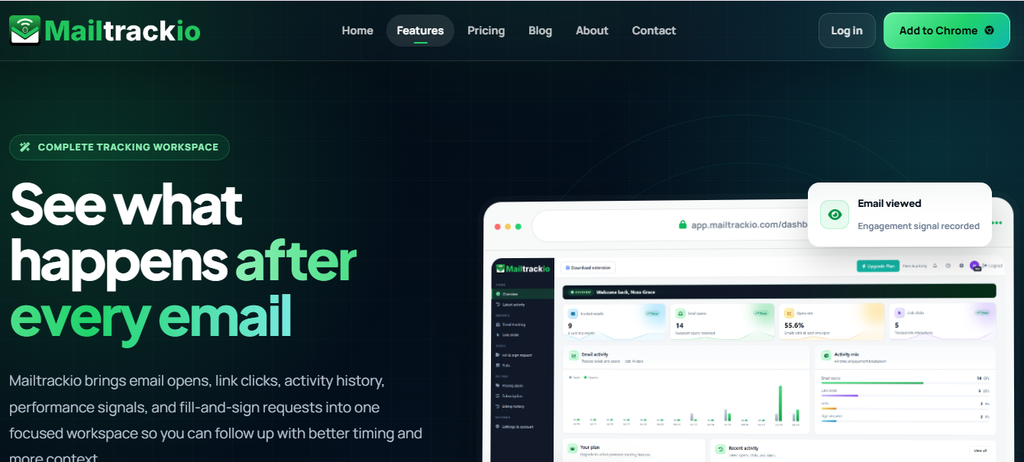
Mailtrackio takes a narrower approach than a broad sales intelligence suite. It is built around a simple but commercially important question: what happened after you sent your Gmail message? Its tracking shows when an email is opened, whether a tracked link is clicked, and how engagement develops after sending.
That focus makes Mailtrackio useful when you already know who you want to contact. You do not need to search a massive B2B database just to discover whether a proposal, introduction, partnership request, or sales message received attention. Engagement data helps you decide whether to follow up, change your message, or focus elsewhere.
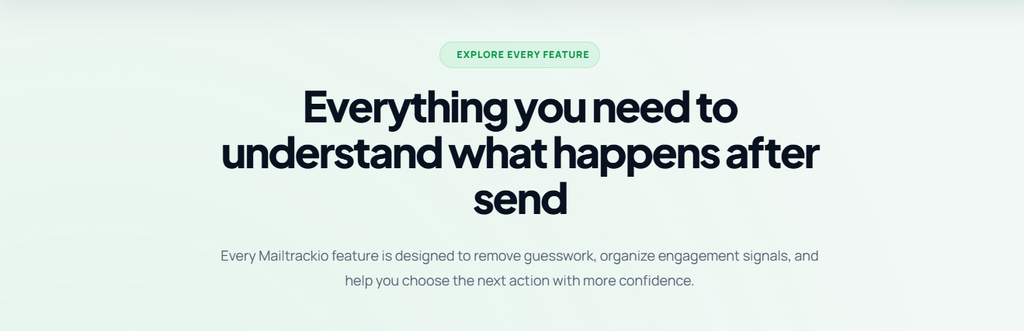
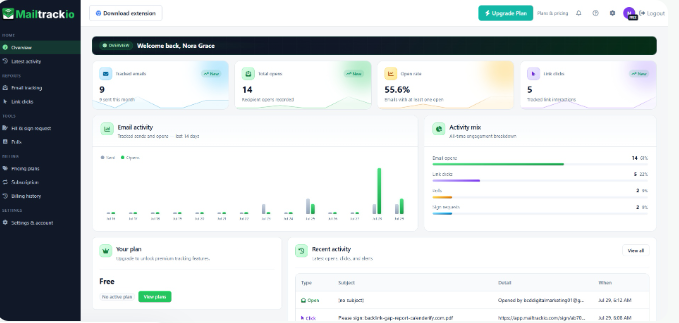
Mailtrackio also keeps much of the experience close to Gmail. Status indicators in the sent-mail workflow reduce the need to keep opening a separate sales platform, while real-time notifications can alert you when engagement happens. Its dashboard adds history and analytics when you need more context than a simple opened-or-not-opened indicator.
The product also includes engagement helpers such as polls and e-sign functionality within the Gmail workflow. Those features can make a tracked message more actionable because recipients can do more than simply read it. Mailtrackio therefore makes the strongest sense as a Snov.io alternative when your priority is tracking and acting on email engagement rather than replacing every prospecting and CRM capability in Snov.io.
Mailtrackio Key Features
- Email open tracking: Shows when recipients open tracked Gmail messages, giving you a clearer signal for follow-up timing.
- Link click tracking: Identifies engagement with links inside your emails so you can see which recipients went beyond simply opening a message.
- Real-time notifications: Alerts you when tracked opens or clicks occur, reducing the delay between engagement and your response.
- Gmail status indicators: Adds tracking information directly to the Gmail sent-mail experience so you can review activity without changing your normal workflow.
- Engagement dashboard: Provides open history and analytics that help you review activity across tracked messages.
- Poll and e-sign helpers: Adds interactive options to the compose workflow when you need recipients to respond, choose, or sign, not just read.
Mailtrackio Pros
- Focused specifically on email engagement instead of overwhelming you with unrelated sales features.
- Works around Gmail, which reduces the learning curve for teams already using Google Workspace.
- Tracks both email opens and link clicks.
- Real-time notifications can help you follow up while interest is fresh.
- Historical engagement data gives you more context than a simple read receipt.
- Sent-folder indicators make day-to-day checking straightforward.
- Interactive helpers extend the product beyond basic pixel tracking.
Mailtrackio Cons
- It is not designed to replace a full B2B prospect database or sales-intelligence platform.
- Teams needing sophisticated multichannel sequencing may still require another outreach product.
Mailtrackio Pricing Plans
Monthly pricing: Starter costs $9 per month for up to 3,000 tracked emails and 10 fill-and-sign requests. Professional costs $19 per month for up to 15,000 tracked emails and 50 signing requests, while Business costs $39 per month for up to 50,000 tracked emails, five connected team members, custom tracking-domain support, and 200 signing requests.
Yearly pricing: Starter costs $90 per year,
Professional costs $190 per year, and Business costs $390 per year.
Lifetime launch pricing: Starter Lifetime is
$149 one-time, Professional Lifetime is $299 one-time, and Business Lifetime is
$599 one-time, subject to the published lifetime limits and continued offer
availability.
2. Apollo.io
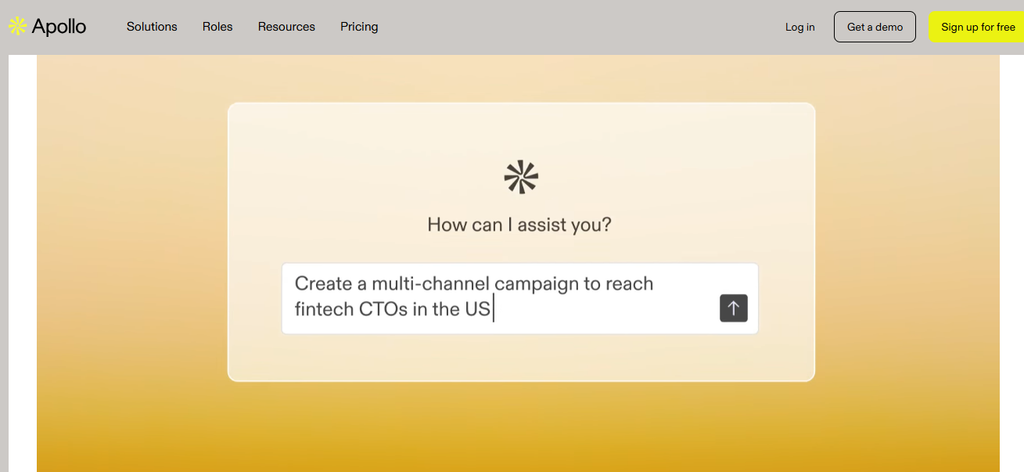
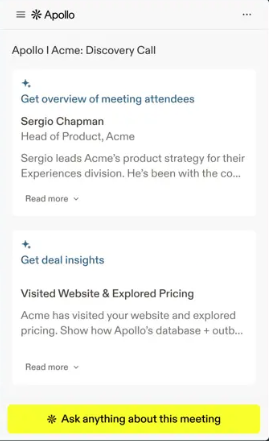
Apollo.io is much broader than an email tracker. It combines contact and account data, prospecting filters, sequences, AI research, enrichment, CRM integrations, meeting tools, and sales engagement in one platform. That scope is attractive if you want one system to handle research and outbound work, but it can feel excessive if your real need is only email engagement tracking.
Scale is one of Apollo’s main advantages. The company says more than 600,000 companies use the platform, and its current pricing page shows a 4.7/5 rating based on more than 9,600 reviews. The concern is its credit model: verified emails, phone numbers, enrichment, AI research, and some calling activity consume credits at different rates.
Apollo.io Key Features
- B2B contact database: Lets you search companies and decision-makers using detailed prospecting filters.
- Sales sequences: Automates structured follow-up rather than relying on one-off emails.
- Waterfall enrichment: Adds data from multiple sources to improve contact records.
- CRM integrations: Connects with systems including Salesforce, HubSpot, and Pipedrive on eligible plans.
- Deliverability tools: Paid plans include email warm-up and deliverability functionality.
Apollo.io Pros
- Combines prospecting and outreach in one system.
- Offers a permanent free tier.
- Strong filtering and enrichment options.
- Includes AI research and lead-scoring capabilities.
- Professional and Organization tiers support larger automation workflows.
Apollo.io Cons
- Credit consumption can take time to understand.
- Phone numbers currently cost considerably more credits than an email reveal.
- The lowest advertised paid prices require annual billing.
- Organization requires at least three seats.
Apollo.io Pricing Plans
Free costs $0 and currently includes 900 credits per seat per year. Basic is $49 per seat/month billed annually with 30,000 annual credits. Professional costs $79 per seat/month annually with 48,000 credits, while Organization costs $119 per seat/month annually, requires at least three seats, and includes 72,000 annual credits per seat.
3. Instantly
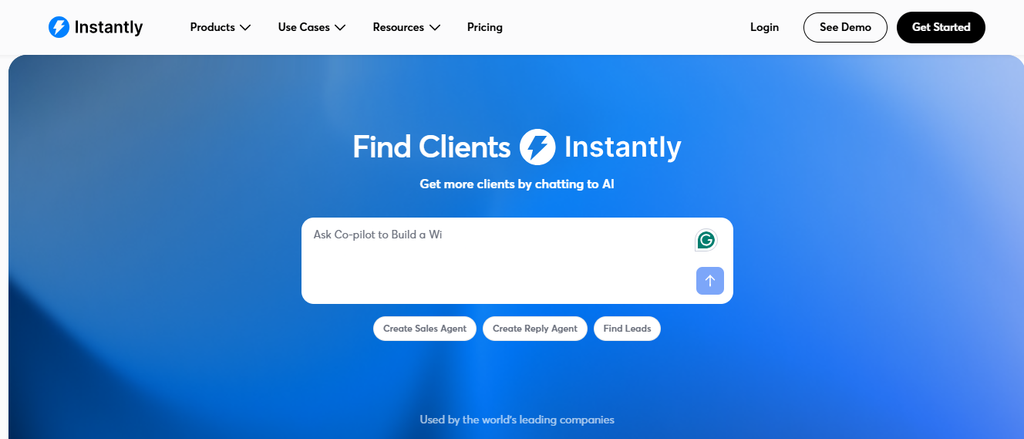
Instantly is built around scalable cold email. Its Outreach products let you connect unlimited email accounts and use unlimited warm-up, while higher tiers substantially increase monthly sending and uploaded-contact limits. If your main reason for leaving Snov.io is high-volume email infrastructure, that specialization deserves attention.
Its trade-off is pricing complexity. Instantly separates Outreach, prospecting credits, bundles, and higher-end service options, so the cheapest plan on the page does not necessarily represent the cost of the complete workflow you need. You may need both sending capacity and data credits.
Instantly currently advertises access to a database of more than 450 million B2B leads. That figure shows how far cold-email platforms have moved beyond simple sequencing tools and into prospect-data territory.
Instantly Key Features
- Unlimited email accounts: Lets you distribute outreach across multiple sending accounts.
- Unlimited warm-up: Supports mailbox preparation without a separate warm-up allowance.
- B2B lead database: Gives credit-plan users access to a 450M+ contact database.
- Waterfall enrichment: Uses multiple providers to improve work-email discovery.
- AI agents: Includes research, writing, sales, and reply-focused AI capabilities depending on plan.
Instantly Pros
- Strong infrastructure for high-volume cold email.
- Unlimited sending accounts on Outreach tiers.
- Separate prospect-data products let you choose what you actually need.
- AI tools can reduce manual prospect research and message preparation.
- Higher plans support very large sending volumes.
Instantly Cons
- Outreach and data pricing are separate unless you buy a bundle.
- The pricing page contains several product tracks to compare.
- High-volume plans become expensive quickly.
- It is more email-outreach focused than a traditional full CRM.
Instantly Pricing Plans
Outreach costs $47/month for Growth, $97/month for Hypergrowth, and $358/month for Light Speed, with Enterprise priced by quote. Annual equivalents displayed are about $37.60, $77.60, and $286.30 per month. Bundle pricing is $94/month for Starter, $194 for Scale, and $555 for Agency, or $85, $175, and $500 per month on annual billing. Credit plans start at $47/month for Growth, rise to $97 for Supersonic, and start at $197 for Hyper Credits.
4. Reply.io
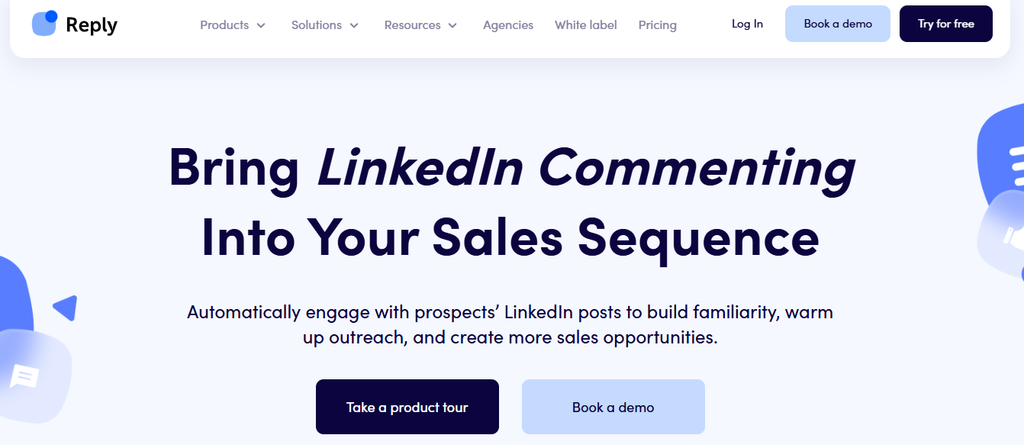
Reply.io is built for teams that want multiple outreach channels rather than email alone. Its current Multichannel plan combines email automation with LinkedIn, calls, SMS, WhatsApp semi-automation, and Zapier-based channel steps. That can reduce the need to build several disconnected outreach workflows.
The downside is that pricing needs careful reading. Reply offers an Email Volume structure based on active contacts, a separate Multichannel plan, paid channel add-ons, and its Jason AI SDR product. Teams that only need email tracking may find the system much broader than necessary.
Reply also states that its live-data system accesses a pool of 1 billion B2B contacts. Its paid outreach plans include email warm-up and deliverability functionality.
Reply.io Key Features
- Email automation: Runs outbound sequences across connected mailboxes.
- LinkedIn automation: Adds LinkedIn activity to supported outreach workflows.
- Calls and SMS: Extends prospect communication beyond email.
- Email warm-up: Included with connected mailboxes on eligible plans.
- Live B2B data: Provides monthly live-data credits for prospect discovery.
Reply.io Pros
- Strong multichannel coverage.
- Unlimited email follow-ups within active-contact allowances.
- Built-in warm-up reduces the need for another tool.
- Combines prospect data and execution.
- Useful reporting is available for team and channel performance.
Reply.io Cons
- The pricing structure is more complicated than a simple per-seat subscription.
- LinkedIn costs extra on the Email Volume track.
- Calls and SMS also require an add-on on that track.
- Multichannel pricing is less attractive if you only use email.
Reply.io Pricing Plans
Email Volume starts at $49 per user/month billed annually for 1,000 active contacts and rises through $59, $69, $89, $159, $259, $459, and $899 as contact capacity increases to 100,000. Multichannel starts at $89 per user/month annually or $99 monthly. LinkedIn automation is $69/month per account and Calls & SMS automation costs $29/month per account on the Email Volume track. Jason AI SDR starts at $500/month.
5. Lusha
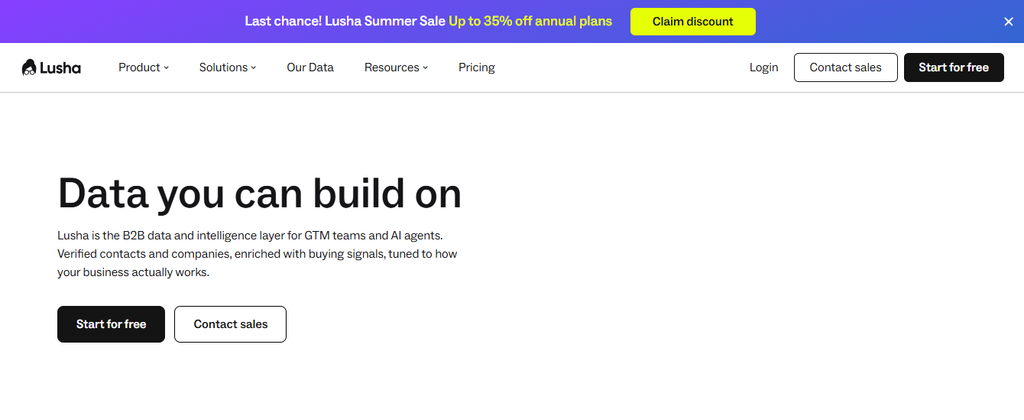
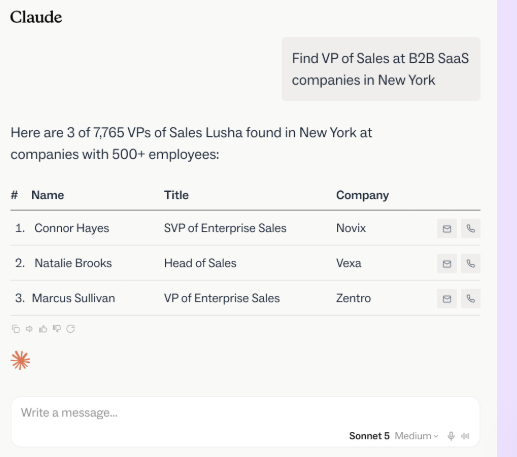
Lusha concentrates heavily on B2B contact and company intelligence. You can reveal business emails, phone numbers, use a browser extension, enrich records, work with buying signals, and connect data to other sales systems. This makes it useful when inaccurate or incomplete contact information is the main reason you are evaluating a Snov.io alternative.
The biggest consideration is credits. Lusha currently charges one credit to reveal a verified email and ten credits for a phone number on its public pricing page. That difference matters if direct dialing is central to your sales motion because phone-heavy prospecting consumes the allowance much faster.
Lusha Key Features
- Verified contact data: Provides business emails and phone information for prospecting.
- Browser extension: Lets you access contact information while researching prospects.
- Data enrichment: Updates existing sales records with additional contact and company details.
- Buyer intelligence: Helps prioritize prospects using business and buying signals.
- CRM and API access: Moves Lusha data into wider sales and RevOps workflows.
Lusha Pros
- Easy to start with a free plan.
- Strong focus on contact-data discovery.
- Supports both email and phone prospecting.
- Includes integrations that reduce manual data transfer.
- Credits can be used across several Lusha workflows.
Lusha Cons
- Phone reveals use substantially more credits than email reveals.
- Credit limits can become restrictive for call-heavy teams.
- It is not primarily a high-volume cold-email sending platform.
- Higher-volume team pricing rises sharply.
Lusha Pricing Plans
Free costs $0 and includes up to 40 credits each month. Starter is listed at $49.90/month or about $37/month when billed annually. Professional is $69.90/month or roughly $52/month annually, while Premium is $399.90/month, with annual pricing around $300/month. Scale uses custom pricing.
6. UpLead
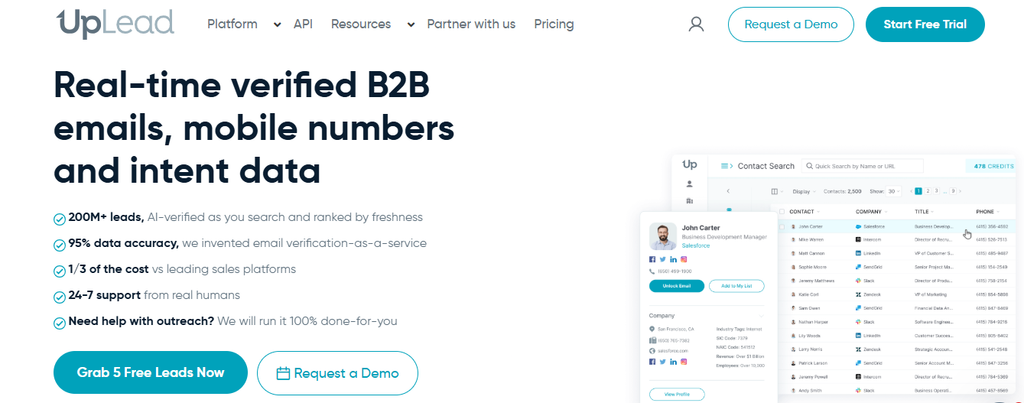
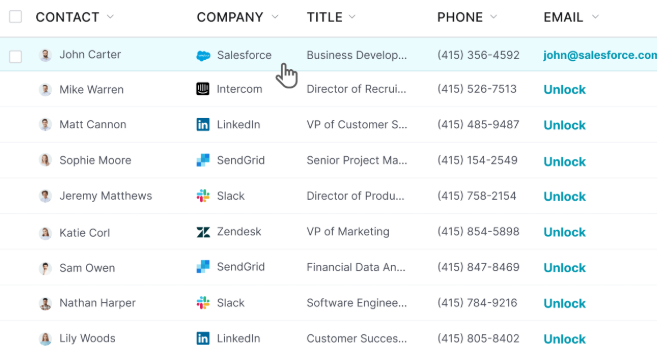
UpLead is a prospecting and data platform, not a complete sales-engagement replacement. It emphasizes verified email information, mobile direct dials, enrichment, buyer intent, technographics, and prospect search. Its current site states that emails are verified with a 95% data-accuracy rate.
That makes UpLead attractive when your first priority is clean prospect information. The compromise is that the standard Essentials and Plus plans are single-user products, while team management is reserved for Professional. You may also need another platform for sophisticated multistep outreach.
UpLead Key Features
- Verified business emails: Checks email data before making it available for prospecting.
- Mobile direct dials: Provides phone information for direct sales conversations.
- Data enrichment: Updates existing contact and company records.
- Buyer intent: Helps eligible users identify companies demonstrating purchasing interest.
- Chrome extension: Surfaces contact information while you browse websites and LinkedIn.
UpLead Pros
- Strong emphasis on verified data.
- One credit unlocks a contact for export and available contact details.
- Includes both email and mobile data.
- Useful enrichment capabilities.
- Professional adds API and team-oriented functionality.
UpLead Cons
- Essentials and Plus are limited to one user.
- Credits cap how many contacts you can unlock.
- Full sales sequencing is not its central use case.
- Professional pricing is not publicly displayed.
UpLead Pricing Plans
The seven-day Free Trial costs $0 and includes five credits. Essentials costs $99/month for 170 credits or $74/month billed annually with 2,040 yearly credits. Plus costs $199/month for 400 credits or $149/month billed annually with 4,800 yearly credits. Professional is annual-only with custom pricing, seats, and credits.
7. Skrapp
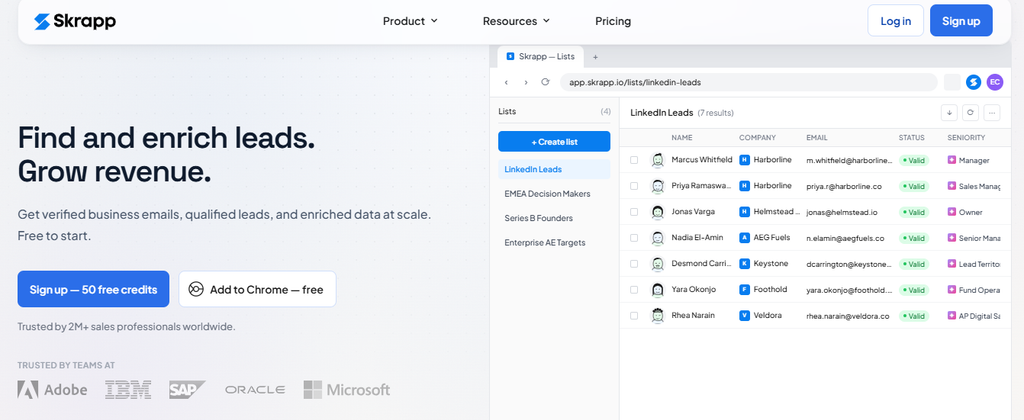
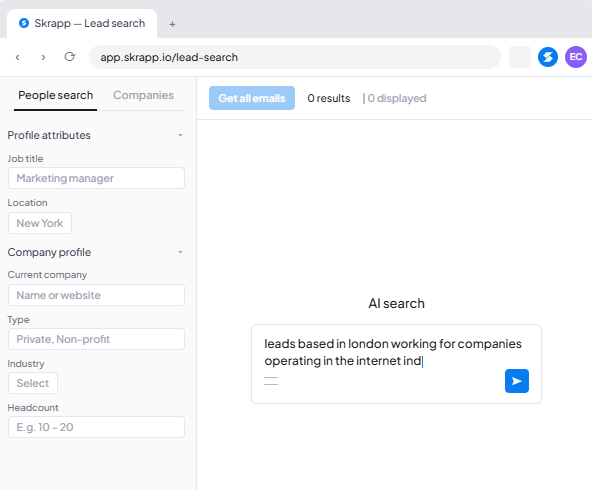
Skrapp focuses on finding and verifying professional email addresses. You can search leads, find emails from names and domains, work from LinkedIn and Sales Navigator, verify addresses, and enrich prospect lists. The product is easier to understand than many broad sales suites because the core use case stays close to B2B data discovery.
That specialization also creates a limitation. Skrapp is not built to replace every outreach, CRM, calling, forecasting, and campaign-management feature found in broader sales platforms. API access, SSO, accelerated support, and a dedicated account manager are also reserved for Enterprise.
Skrapp says more than 2 million professionals use the platform and reports an average rating of 4.7 across more than 900 combined reviews.
Skrapp Key Features
- Email Finder: Finds professional addresses from a person’s name and company.
- Email Verifier: Checks individual or bulk email addresses.
- LinkedIn integration: Supports LinkedIn Basic, Sales Navigator, and Recruiter workflows.
- AI enrichment: Adds prospect information to lists on paid plans.
- CRM list sync: Helps paid users move prospect lists into connected sales systems.
Skrapp Pros
- Simple email-finding use case.
- Free plan requires no paid commitment.
- Integrates directly with several LinkedIn products.
- Paid-plan credits roll over.
- Professional includes two users at its entry capacity.
Skrapp Cons
- Free usage is limited to 50 credits.
- Full API access requires Enterprise.
- It does not replace advanced multichannel sales engagement.
- Large-volume Enterprise plans are significantly more expensive.
Skrapp Pricing Plans
Free costs $0 and includes 50 credits. Professional starts at $39/month for 2,000 monthly credits, or $29/month billed annually. Enterprise starts at $349/month for 50,000 credits, or $262/month billed annually. Higher credit capacities are available within the paid tiers.
8. GetProspect
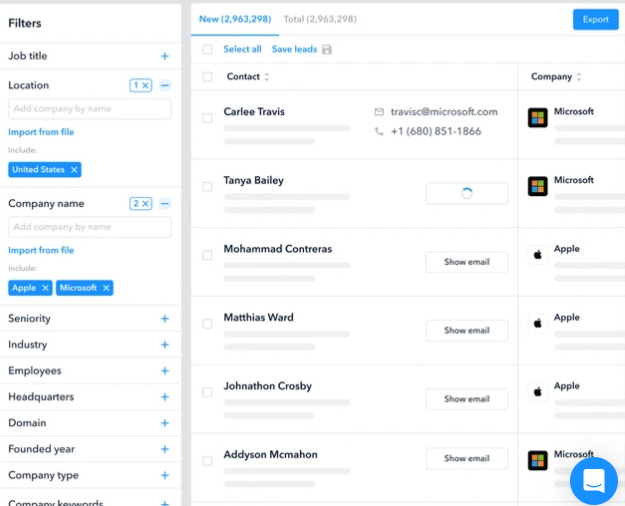
GetProspect combines email discovery with verification, enrichment, a LinkedIn extension, a B2B database, API access, and basic cold-email functionality. That mix is useful when you want to take a prospect from discovery into initial outreach without buying a large enterprise sales platform.
The concern is depth. GetProspect’s cold-email capabilities are useful, but teams that need advanced multichannel sequencing, heavy mailbox infrastructure, calling, forecasting, and complex sales coaching will find more specialized products elsewhere. Its included phone-number allowance is also small on the standard Starter and Growth tiers.
GetProspect Key Features
- Email Finder: Finds verified business email addresses for prospects.
- LinkedIn extension: Enriches prospects directly from LinkedIn and Sales Navigator.
- Bulk verification: Checks existing email lists for deliverability.
- CSV enrichment: Adds email, phone, and company information to uploaded records.
- Cold email: Lets you create email sequences from the same prospecting environment.
GetProspect Pros
- Free plan is available.
- You are not charged for duplicate contacts already found.
- Supports CSV and XLSX exports.
- Includes API and CRM integration options.
- Credits can roll over within the stated allowance rules.
GetProspect Cons
- Included phone-number credits are limited on standard subscriptions.
- Growth becomes expensive at higher email volumes.
- Outreach functionality is less comprehensive than dedicated sales-engagement suites.
- Advanced calling and multichannel orchestration are not its main strength.
GetProspect Pricing Plans
Free costs $0 with 50 valid emails and 100 email verifications. Starter costs $49/month and includes 1,000 valid emails plus 2,000 verifications. Growth 5K costs $99/month, Growth 20K costs $199/month, and Growth 50K costs $399/month. The pricing page also advertises 30% savings with annual billing.
9. Overloop

Overloop combines prospect data with AI-assisted email and LinkedIn outreach. Its current platform includes a B2B database, email finding and verification, AI list building, smart segments, a LinkedIn Chrome extension, and multichannel campaigns. This is closer to a genuine sales-workflow replacement than a single-purpose email tracker.
Usage limits are the main concern on lower tiers. Starter includes one connected email account and three active campaigns, while Growth raises that to three email accounts and ten campaigns. You need Enterprise for unlimited email accounts and campaigns.
Overloop currently advertises a database of more than 450 million prospects. That puts its prospecting scale in the same conversation as several larger outbound platforms.
Overloop Key Features
- B2B prospect database: Lets you build lists from a large contact pool.
- Email Finder and Verifier: Finds addresses and returns verification status.
- AI list building: Creates prospect lists from your targeting criteria.
- Email and LinkedIn campaigns: Supports multichannel prospect engagement.
- Smart segments: Automatically updates prospect groups as records meet your rules.
Overloop Pros
- Combines data discovery and outreach.
- Supports both email and LinkedIn activity.
- Offers a 14-day free trial.
- CRM integrations appear on Growth and above.
- Enterprise supports unlimited campaigns and email accounts.
Overloop Cons
- Starter supports only one connected email account.
- Starter is capped at three campaigns.
- Growth remains limited to three email accounts and ten campaigns.
- Unlimited usage requires custom-priced Enterprise.
Overloop Pricing Plans
Starter costs $69 per user/month and includes 250 monthly credits. Growth costs $99 per user/month with 500 credits. Enterprise has custom pricing and includes 1,000 credits per user/month, unlimited connected email accounts, and unlimited campaigns.
10. Outreach
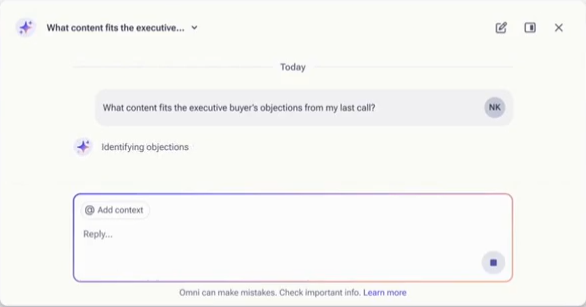
Outreach targets larger revenue teams rather than individual email trackers or lightweight prospecting workflows. Its current packages combine AI agents, multichannel sequences, meeting scheduling, conversation intelligence, deal management, forecasting, coaching, enrichment, and advanced analytics.
That breadth is also its biggest barrier for smaller buyers. Pricing is custom instead of self-service, implementation is more involved, and AI consumption is partly credit based. If you only need to know who opened an email or clicked a link, Outreach is far more platform than you need.
Its 2026 packaging shows how quickly sales software is moving toward AI-assisted revenue operations. Outreach’s Amplify packages currently include between 10,000 and 100,000 AI credits depending on tier, and the company promotes use cases spanning prospecting through forecasting.
Outreach Key Features
- Multichannel sequences: Coordinates prospect engagement across supported sales channels.
- AI agents: Supports research, personalization, deal analysis, coaching, and other revenue tasks.
- Conversation intelligence: Provides transcription, call insights, coaching, and meeting analytics.
- Deal and pipeline management: Helps sales leaders monitor opportunities and revenue movement.
- Forecasting: Higher packages provide forecasting and scenario-planning functionality.
Outreach Pros
- Broad enterprise revenue functionality.
- Combines engagement with pipeline management.
- Strong AI and coaching capabilities.
- Supports advanced reporting and analytics.
- High-tier packages include sophisticated forecasting.
Outreach Cons
- No public dollar pricing.
- It may be excessive for small teams.
- AI usage involves additional consumption concepts.
- Implementation and administration are more complex than lightweight tracking tools.
Outreach Pricing Plans
Outreach currently offers Amplify Essentials, Amplify Core, Amplify Plus, and Amplify Pro. The company requires prospective customers to request custom pricing and does not publish an accurate dollar amount for these packages, so no invented figure is included here.
What Features Should You Look for in a Snov.io Alternative?
Match the Tool to Your Actual Bottleneck
Start with the job that creates the most friction. If you already have prospect data but struggle to know whether people interact with your emails, engagement tracking should rank above database size. A tool that records opens, clicks, and engagement history can be more useful than another database subscription.
If inaccurate records waste your time, shift your attention to verification and enrichment. Compare how each vendor charges for verified emails, phone numbers, failed searches, duplicate records, and exports. A database containing hundreds of millions of records means little when the contacts you actually need are incomplete or stale.
High-volume outbound teams should examine completely different metrics. Look at connected mailbox limits, warm-up, monthly email volume, active-contact limits, sending infrastructure, reply management, and deliverability controls. Instantly, Reply.io, and Overloop illustrate how dramatically these limits can differ between products.
Sales teams are under pressure to automate this work. Salesforce reported in 2024 that 81% of sales teams were already experimenting with or had fully implemented AI, while 83% of AI-using teams reported revenue growth compared with 66% of teams without AI. That does not mean AI automatically creates revenue, but it shows why automation has become a standard buying criterion.
Must-know Tip: Leah Miranda of Zapier summarized an important data principle during Litmus’s 2025 State of Email discussion: “Progress beats perfection every single time.” Clean data matters, but waiting for a flawless database can prevent you from testing and learning.
Calculate the Cost of the Complete Workflow
Do not compare only the number beside each plan name. Calculate what you would pay to find the prospect, reveal their data, verify the address, send the sequence, track engagement, enrich your CRM, and add another salesperson.
Credit systems make this particularly important. Apollo currently charges different credit amounts for emails, phone numbers, enrichment, and other activities, while Lusha charges one credit for an email reveal and ten credits for a phone number on its public pricing page. Two plans with similar monthly prices can therefore support very different prospecting volumes.
Seat pricing matters too. UpLead’s standard paid subscriptions are designed for one user, whereas Apollo charges per seat and Outreach uses custom pricing. Instantly takes another route by allowing unlimited email accounts on its outreach products.
You should also consider the value of the channel itself. Litmus’s 2025 email research found that 30% of surveyed companies generated between $36 and $50 for every $1 spent on email, while another 35% reported returns between $10 and $36. At the same time, 21% of marketing leaders still did not measure email ROI. Tracking software only creates value when you connect activity to real business outcomes.
Must-know Tip: When comparing platforms, calculate cost per usable prospect and cost per conversation, not just cost per month. Cheap software becomes expensive when inaccurate data, unused credits, extra seats, or separate add-ons increase your real acquisition cost.
Email workflows are also getting faster. Litmus’s 2026 State of Email research reports that 78% of teams now produce and deploy an email in three days or less, compared with much longer production cycles in earlier years. Tools that remove unnecessary steps therefore have increasing strategic value.
Conclusion
Choosing a Snov.io alternative starts with understanding what you actually want to improve.
Some tools on this list specialize in finding people. Others emphasize verified data, scalable cold email, LinkedIn outreach, multichannel sales engagement, or enterprise revenue management. Comparing them as though they solve the same problem would give you the wrong answer.
Mailtrackio approaches the category from the engagement side. Features such as email-open tracking, link-click tracking, real-time notifications, Gmail status indicators, and engagement history can help you understand what happens after you press Send. A broader product may make more sense when you also need a prospect database, enrichment, sequences, dialing, and CRM automation.
The best Snov.io alternative is therefore the one that fits your workflow, volume, team structure, data requirements, and budget. Review the full cost of the features you will actually use instead of choosing software based on the longest feature list.
Frequently Asked Questions
What is the best Snov.io alternative?
There is no universal best option. Mailtrackio is focused on email engagement tracking, Apollo.io offers broad sales intelligence, Instantly emphasizes cold-email scale, and other platforms serve different prospecting and sales workflows.
Is Mailtrackio a complete replacement for Snov.io?
Not if you need every Snov.io capability. Mailtrackio is a more focused option for tracking Gmail opens, link clicks, notifications, and engagement rather than operating as a full B2B prospect database and CRM suite.
Which Snov.io alternative is best for email tracking?
A specialized email tracker can make more sense when engagement visibility is your main requirement. Mailtrackio tracks opens and clicks while keeping the experience closely connected to Gmail.
Which Snov.io alternative is best for finding B2B leads?
Apollo.io, Lusha, UpLead, Skrapp, GetProspect, Instantly, and Overloop all provide prospect-data functionality. Your best option depends on required geography, contact type, verification standard, filters, and budget.
Which Snov.io alternative is best for cold email?
Instantly is strongly focused on scalable cold email and supports unlimited email accounts on its Outreach tiers. Reply.io and Overloop are alternatives when you also want other channels or broader campaign workflows.
Which Snov.io alternative offers a free plan?
Apollo.io, Lusha, Skrapp, and GetProspect currently offer free access or free plans with defined limits. UpLead offers a seven-day free trial with five credits.
Is Apollo.io better than Snov.io?
Apollo.io can be a better match when you want a large sales-intelligence environment combining data, enrichment, engagement, CRM connections, AI, and calling. Snov.io may remain a better fit when its existing workflow and credit structure already meet your needs.
Is Instantly better than Snov.io for cold outreach?
Instantly has a strong advantage when mailbox scale, warm-up, and high-volume email infrastructure are your primary priorities. You should still calculate the combined cost of Outreach and prospect-data credits if you need both.
Which Snov.io alternative provides phone numbers?
Apollo.io, Lusha, and UpLead provide phone-data capabilities, although their pricing and credit models differ considerably. Always check how many credits a phone reveal uses before estimating your monthly prospecting capacity.
Which alternative is good for LinkedIn outreach?
Reply.io supports LinkedIn as part of its multichannel offering, while Overloop supports email and LinkedIn campaigns. Skrapp is useful when LinkedIn and Sales Navigator are primarily sources for finding and enriching prospects.
What should I check before switching from Snov.io?
Review data accuracy, database coverage, verification, sending limits, email tracking, mailbox allowances, integrations, API access, team seats, phone-data costs, deliverability tools, and total monthly cost. You should also test whether you can migrate your existing prospect and campaign data cleanly.
Should I use one all-in-one sales platform or several specialized tools?
An all-in-one product reduces the number of systems your team manages, but specialized tools can provide deeper functionality for a specific problem. Your answer depends on whether integration simplicity or specialist performance matters more to your workflow.
How much should a Snov.io alternative cost?
Prices vary dramatically. Options on this list range from free tiers to products costing hundreds of dollars per month, while enterprise platforms such as Outreach use custom pricing.
Why is email engagement tracking important?
An open or click does not equal a sale, but it gives you another signal about recipient behavior. Combined with replies and conversions, engagement data can help you decide which messages, links, and prospects deserve closer attention.
Is email still worth using for sales and marketing in 2026?
Yes, although results depend on targeting, relevance, data quality, and execution. Litmus’s recent research continues to show strong returns from email, while modern sales platforms add more automation, AI, enrichment, and engagement analytics to the channel.

Comments
0 responsesNo comments yet. Be the first to share your thoughts.