


Choose an AI assistant to open this article URL with a summary request. Review generated summaries against the original article.
A Gmass alternative can give you more control over email tracking, outreach, automation, CRM workflows, and large-scale campaign management when Gmail alone starts to feel restrictive. That matters because a standard Gmail account is limited to 500 outgoing emails per day, while eligible Google Workspace accounts can send up to 2,000. Gmail’s native mail merge has its own limit of 1,500 recipients per day.
The challenge is that these tools are not interchangeable. Some focus on tracking opens and clicks, others handle cold outreach, and several provide full marketing automation. This guide compares 10 options by features, limitations, pricing, and practical use cases so you can choose more confidently.
Who Should Switch to a GMass Alternative?
A Practical Email Outreach Case Study
Consider Mr. Benjamin, a sales consultant managing prospecting for several small B2B companies. His workflow started with Gmail because he only needed basic personalization, tracking, and follow-ups, but the operation eventually grew across several sender accounts.
At that point, daily sending limits became more important than convenience. He also needed clearer campaign analytics, easier inbox management, and tools that could separate engaged recipients from people who repeatedly ignored emails.
A specialized platform could solve those operational issues, but changing software would not automatically improve deliverability. The quality of Paul’s lists, authentication, message relevance, sending volume, and recipient behavior would still determine whether his campaigns performed well.
You Have Outgrown Gmail Sending Limits
You should examine alternatives when Gmail’s limits actively restrict your workflow. Standard Gmail accounts can send up to 500 outgoing emails per day, while work, school, and eligible Workspace accounts can reach 2,000 daily sends under Google’s published limits.
Scaling also creates a deliverability problem that software alone cannot hide. Google considers senders delivering around 5,000 or more messages to personal Gmail accounts within 24 hours to be bulk senders, with additional authentication and unsubscribe requirements applying to that traffic.
You may also need to switch when your operation requires several sender accounts, unified reply management, prospect databases, CRM workflows, advanced automations, or multichannel sequences. GMass can still make sense for Gmail-centric users, so switching should solve an actual workflow problem rather than simply add more software.
Must-know Tip: Google recommends keeping user-reported spam rates below 0.1% and preventing them from reaching 0.3% or higher. Sending more emails is therefore not the same thing as building a healthier outreach system.
Benefits of Switching to a Gmass Alternative
More Flexible Email Tracking:
A tracking-focused alternative can give you clearer visibility into opens, link clicks, replies, and recipient activity. This lets you identify messages that are receiving attention rather than treating every prospect the same.
That information can also improve follow-up timing. If you know that a recipient opened an email several times or clicked a key link, you have a stronger behavioral signal for deciding what to do next.
Better Control as Sending Volume Grows:
Some dedicated outreach platforms let you connect multiple sender accounts and manage campaigns from one interface. This removes the need to jump between individual inboxes as your outbound operation expands.
The benefit is operational rather than magical. You can distribute work more efficiently, but sender reputation, authentication, relevant targeting, and reasonable sending behavior remain essential.
Stronger Automation and Workflow Management:
A more advanced Gmass alternative can automate sequences, reminders, follow-ups, lead movement, or CRM activities. That reduces repetitive work when you manage hundreds or thousands of contacts.
Good automation also makes your process more consistent. A salesperson doesn’t have to remember every follow-up manually because the software can trigger the next appropriate action based on campaign rules.
More Useful Data for Decision-Making:
Modern platforms can report much more than whether an email was sent. Depending on the software, you may see link engagement, campaign performance, reply activity, contact history, pipeline information, or conversion attribution.
Those figures help you diagnose weak campaigns. You can change subject lines, targeting, sequences, or offers based on observed behavior rather than relying entirely on assumptions.
Must-know Tip: Gmail began requiring stronger authentication and easier unsubscribe processes for bulk senders in February 2024, and Google said enforcement against non-compliant traffic would increase from November 2025. Deliverability requirements therefore deserve as much attention as automation features.
10 Best Gmass Alternative Tools for Email Tracking, Outreach, and Automation
The best option depends on what you actually need to replace. Mailtrackio is particularly relevant when your priority is understanding email engagement through opens, clicks, activity signals, reporting, and related Gmail productivity features. Other products on this list move further into cold outreach, sales engagement, CRM, or full marketing automation.
Pay close attention to pricing models as you compare them. A $20 tracking tool, a $100 sales platform, and a contact-based marketing automation suite solve very different problems even though all three can appear in a GMass comparison.
1. Mailtrackio
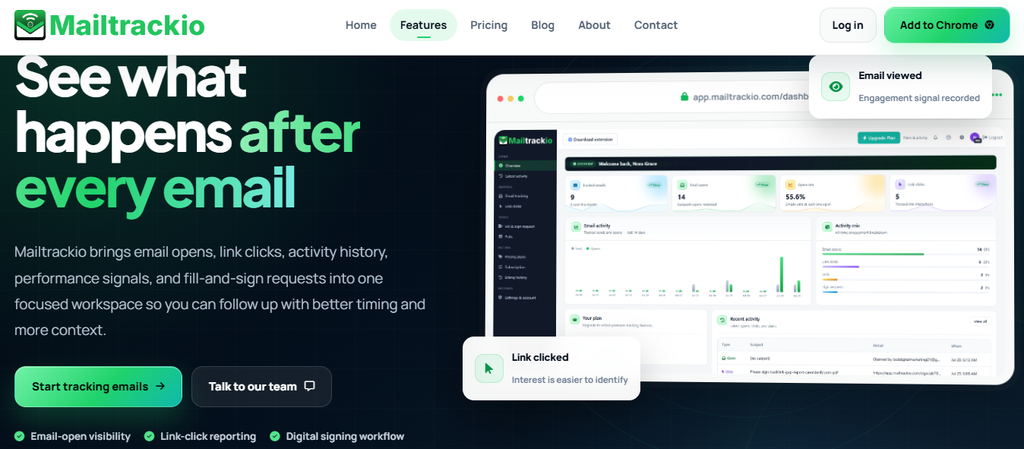
Mailtrackio takes a focused approach to email engagement. Instead of forcing you to manage a complex sales platform when you simply want better visibility into communication, it helps you understand whether recipients are interacting with messages through signals such as email opens and link clicks.
That visibility is useful because sending an email tells you very little about what happened afterward. Knowing that a prospect opened your message, clicked a link, or returned to it can help you prioritize your next action.
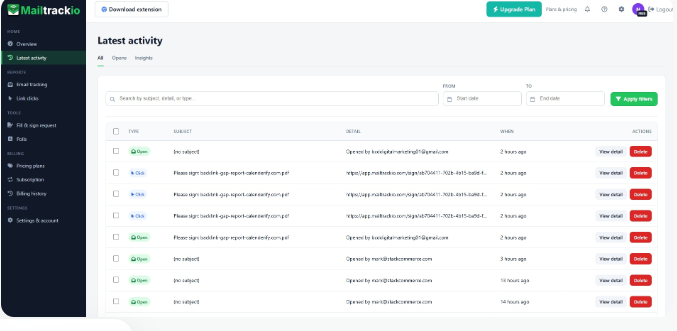
The platform also brings activity history and reporting into the workflow. You can use those records to understand engagement patterns over time instead of judging a conversation from one isolated event.
Mailtrackio also extends beyond basic read receipts through document-related workflows, including PDF and electronic-signature functions. That combination can make it useful when your communication involves proposals, agreements, sales documents, or other material that needs measurable engagement.
Mailtrackio Key Features
- Email open tracking: Shows when recipients open tracked messages so you can distinguish viewed emails from messages that may still be waiting.
- Link click tracking: Identifies engagement with links inside your emails, giving you a stronger intent signal than delivery alone.
- Activity history: Keeps previous engagement information organized so you can review how recipients interacted with earlier communication.
- Email reporting: Turns tracking events into information you can use when assessing outreach performance and deciding when to follow up.
- Document workflows: Document and PDF-related functions can support situations where communication continues beyond the email body itself.
- Gmail-focused workflow: Email engagement information works around your normal Gmail communication, reducing the need to adopt an oversized sales platform for basic tracking.
Mailtrackio Pros
- Gives you direct visibility into email opens.
- Tracks link engagement, not just message delivery.
- Helps you recognize warmer conversations before following up.
- Keeps engagement history available for later review.
- Provides useful reporting around tracked communication.
- Adds document-related functionality to the email workflow.
- Its focused feature set can be easier to understand than a full sales-engagement suite.
Mailtrackio Cons
- Teams needing advanced multichannel sales sequences may require additional software.
- Large-scale cold outreach operations may need more specialized sender-infrastructure features.
Mailtrackio Pricing Plans
Monthly pricing: Starter costs $9 per month for up to 3,000 tracked emails and 10 fill-and-sign requests. Professional costs $19 per month for up to 15,000 tracked emails and 50 signing requests, while Business costs $39 per month for up to 50,000 tracked emails, five connected team members, custom tracking-domain support, and 200 signing requests.
Yearly pricing: Starter is $90 per year, Professional is $190 per year, and Business is $390 per year.
Lifetime launch pricing: Starter Lifetime is $149 one-time, Professional Lifetime is $299 one-time, and Business Lifetime is $599 one-time, subject to the published lifetime limits and continued offer availability.
2. Instantly
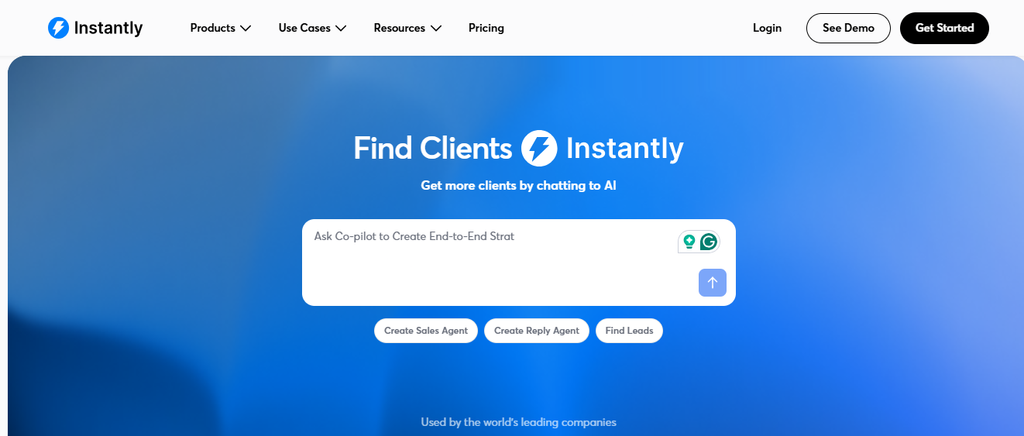
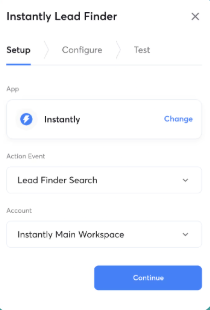
Instantly is built for high-volume cold email rather than simple Gmail tracking. Its major advantage is connecting unlimited email accounts and using unlimited warm-up across its core Outreach plans, making it attractive if you manage many sending inboxes.
The trade-off is complexity and additional cost. Prospecting credits, CRM functionality, and other parts of the Instantly ecosystem can have separate pricing, so the headline Outreach subscription doesn’t always reflect your full monthly spend.
Instantly Key Features
- Unlimited sender accounts: Connects multiple sending accounts without charging on a simple per-inbox basis.
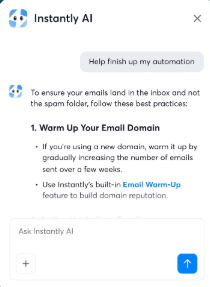
- Unlimited warm-up: Lets you warm up email accounts across connected inboxes.
- Advanced sequences: Supports scheduled and automated outbound campaign sequences.
- Campaign analytics: Provides account and campaign reporting for monitoring outbound activity.
- Unibox and integrations: Centralizes replies while supporting APIs, webhooks, and external integrations.
Instantly Pros
- Strong fit for high-volume outbound campaigns.
- Supports unlimited email accounts on paid Outreach plans.
- Provides built-in warm-up functionality.
- Hypergrowth supports up to 25,000 uploaded contacts.
- Light Speed adds dedicated server and IP-sharding infrastructure.
Instantly Cons
- Lead and AI credits can increase total cost.
- Growth limits uploaded contacts to 1,000.
- It is designed primarily for outbound sales rather than newsletter marketing.
- Light Speed becomes expensive for smaller operations.
Instantly Pricing Plans
Growth costs $47/month and includes 1,000 uploaded contacts plus 5,000 emails per month. Hypergrowth costs $97/month with 25,000 uploaded contacts and up to 125,000 monthly emails, while Light Speed costs $358/month with 100,000 uploaded contacts and 500,000 monthly emails. Enterprise pricing is custom.
3. Mailshake
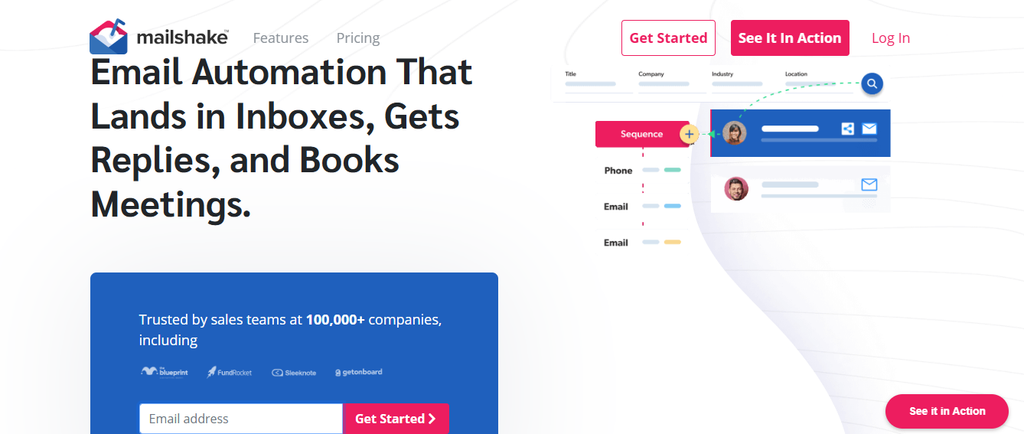
Mailshake combines cold-email automation with sales-engagement functions. Its Starter tier includes automated sequences, A/B testing, email warm-up, verification, and data-finder credits, which gives you more campaign infrastructure than a basic tracking extension.
The main concern is how pricing scales with users and connected accounts. Mailshake explains that plans are purchased by users and that sender-account allowances differ by plan, so teams should calculate their required mailboxes before comparing its subscription price with other tools.
Mailshake Key Features
- Automated sequences: Builds follow-up campaigns that continue without manually sending every message.
- A/B testing: Lets you test messaging variations and compare campaign performance.
- Email warm-up: Provides warm-up functionality on its outreach plans.
- Email verification: Helps identify problematic addresses before sending.
- Sales engagement tools: Higher plans add calling, lead-temperature tools, CRM integrations, and a unified inbox.
Mailshake Pros
- Supports Gmail, Microsoft 365, Outlook, SMTP, and other providers.
- Includes unlimited uploaded contacts.
- Provides email verification in its outreach plans.
- Includes warm-up rather than requiring a separate basic warm-up subscription.
- Sales Engagement combines email and phone outreach.
Mailshake Cons
- Pricing can rise as you add users and sender accounts.
- Starter limits you to 1,500 monthly sends.
- There is no permanent free plan.
- Advanced multichannel functionality requires the higher Sales Engagement tier.
Mailshake Pricing Plans
Starter costs $29/month, or about $25/month with annual billing. Email Outreach costs $49/month, or about $45/month annually, while Sales Engagement costs $99/month, or about $85/month annually. The Agency plan uses custom pricing.
4. Mixmax
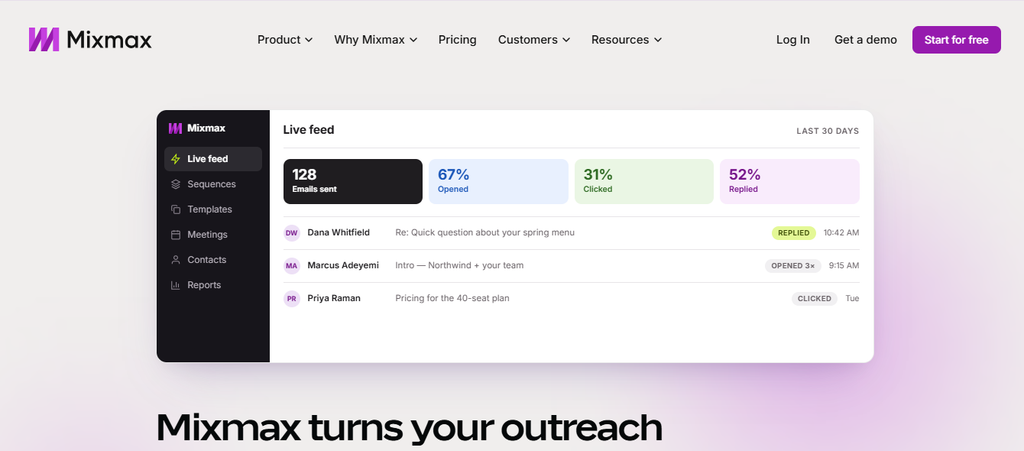
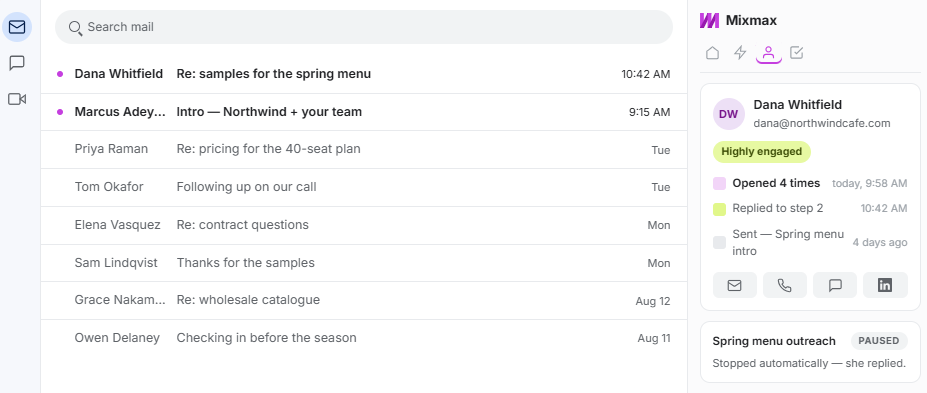
Mixmax has evolved into an AI-assisted sales-execution platform with separate Inbox, Meeting, and Engagement Copilots. You can choose one component or purchase the full Mixmax Suite, which is useful when your team wants more than mass email.
The obvious drawback is price. A team that only needs straightforward tracking or mail merge can end up paying for sales-execution capabilities that do not materially improve its workflow.
Mixmax Key Features
- Email tracking: Provides engagement visibility for emails sent through your workflow.
- Inbox categorization: Helps organize incoming communication and important activity.
- Smart follow-ups: Uses signals and reminders to surface conversations needing attention.
- Meeting assistance: Provides meeting preparation, notes, follow-up drafts, and scheduling.
- Multichannel sequences: Engagement Copilot supports email and other sales-sequence activities.
Mixmax Pros
- Offers a free entry plan.
- Lets you purchase individual Copilots.
- Includes AI-assisted sequence creation.
- Combines meetings, inbox activity, and outbound engagement.
- Offers a 14-day trial without requiring a credit card.
Mixmax Cons
- Full Suite pricing is high for solo users.
- Pricing is charged per user.
- Some advanced team capabilities require custom arrangements.
- It can be excessive if you only want basic Gmail tracking.
Mixmax Pricing Plans
Free costs $0. Inbox Copilot and Meeting Copilot each cost $34/user/month, or $29/user/month with annual billing. Engagement Copilot costs $65/user/month, or $49 annually, while Mixmax Suite costs $105/user/month, or $89 annually. Larger team packages are available through sales.
5. Mailsuite
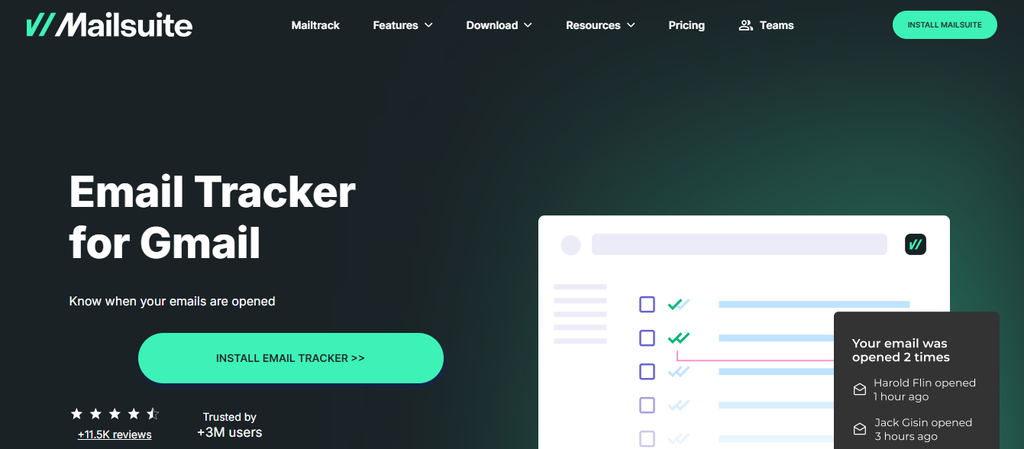
Mailsuite is a natural option when email tracking is more important to you than complex cold-email infrastructure. It integrates closely with Gmail and provides open tracking, link tracking, activity reporting, alerts, campaigns, and document functionality.
The limitation is that it remains more Gmail-centric than many dedicated sales-engagement platforms. Teams requiring advanced mailbox rotation, broad multichannel prospecting, or heavy sales automation may outgrow it.
Mailsuite Key Features
- Unlimited email tracking: Tracks opens across its plans.
- Link tracking: Shows when recipients interact with links inside messages.
- Real-time alerts: Notifies you when tracked emails are opened.
- Mail merge campaigns: The top plan expands campaign sending to as much as 60,000 emails per month.
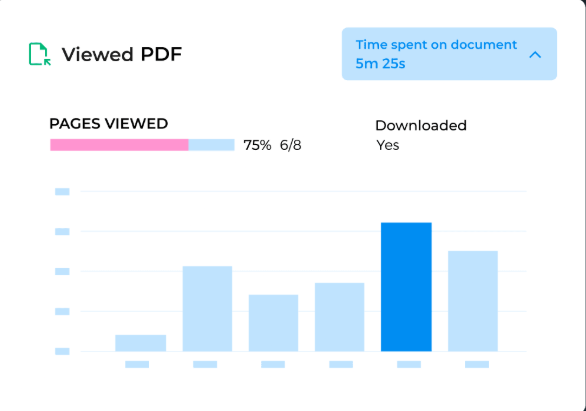
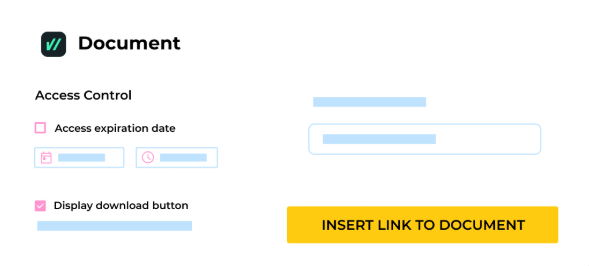
- PDF tools: Supports PDF tracking, sharing, and electronic-signature workflows.
Mailsuite Pros
- Free plan available.
- Works directly around Gmail.
- Tracks both opens and links.
- Includes a mobile Gmail add-on.
- Top tier combines tracking, campaigns, PDFs, and professional tools.
Mailsuite Cons
- Primarily suited to Gmail users.
- Advanced campaigns require the higher plan.
- It lacks the sender-infrastructure depth of specialized cold-email platforms.
- The full Mailsuite plan costs significantly more than basic tracking.
Mailsuite Pricing Plans
Free costs $0/user/month. Mailtrack costs $6.99/user/month, while the full Mailsuite plan costs $19.99/user/month. Mailsuite states that more than 3 million users use the product.
6. Streak
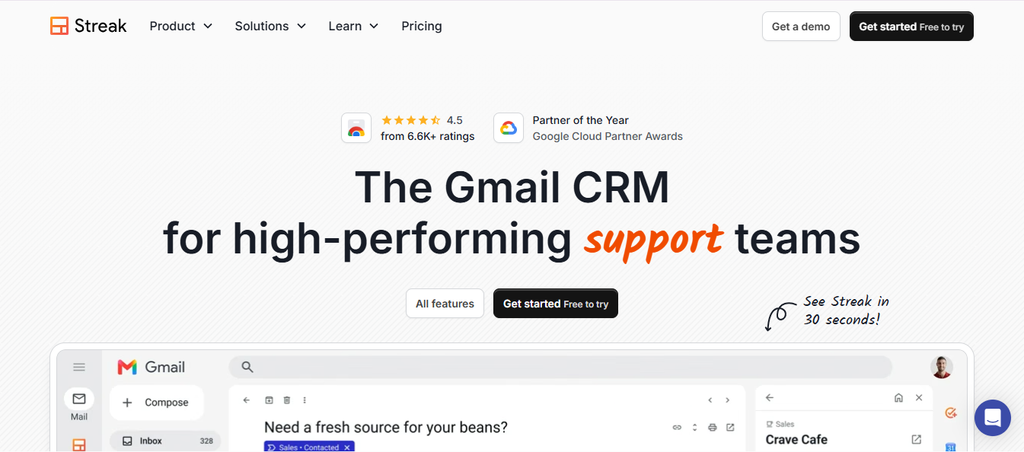
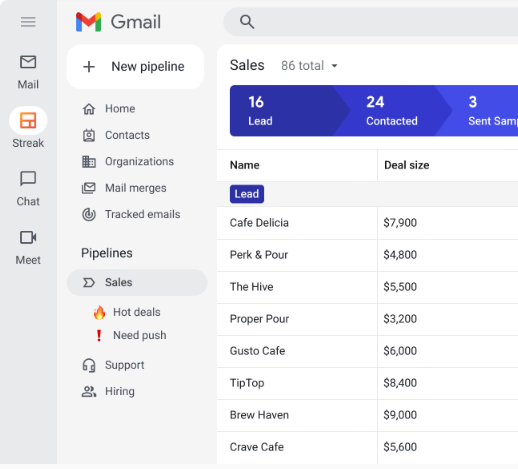
Streak takes a different approach because it places a CRM directly inside Gmail. You can manage pipelines, contacts, email history, mail merge, tracking, and collaborative sales processes without constantly switching between Gmail and a separate CRM.
That convenience also creates its biggest limitation. If your organization wants to move away from Gmail or needs dedicated cold-email infrastructure across many providers, Streak’s Gmail-first design becomes restrictive.
Streak Key Features
- Gmail CRM: Manages deals and customer records from inside Gmail.
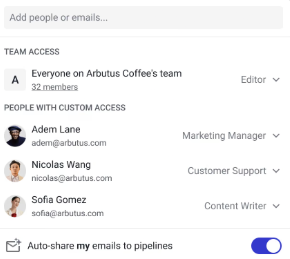
- Shared pipelines: Gives teams a common view of sales or operational processes.
- Mail merge: Supports personalized batch email from the Gmail environment.
- Email and link tracking: Helps you monitor recipient engagement.
- AI and automations: Higher plans provide AI credits, integrations, automation, and advanced reporting.
Streak Pros
- Keeps CRM work inside Gmail.
- Offers free email and link tracking tools.
- Includes shared pipelines on Pro.
- Provides advanced reporting on Pro+.
- Supports unlimited CRM records on paid tiers.
Streak Cons
- Gmail dependence can be restrictive.
- Pricing is per user.
- Advanced automation requires Pro+.
- Personal Gmail accounts remain subject to Google’s sending limits.
Streak Pricing Plans
Streak offers free email power tools. Pro costs $59/user/month, or $49/user/month when billed annually. Pro+ costs $89 monthly or $69 annually, while Enterprise is displayed at $159 monthly or $129 annually per user.
7. Boomerang for Gmail
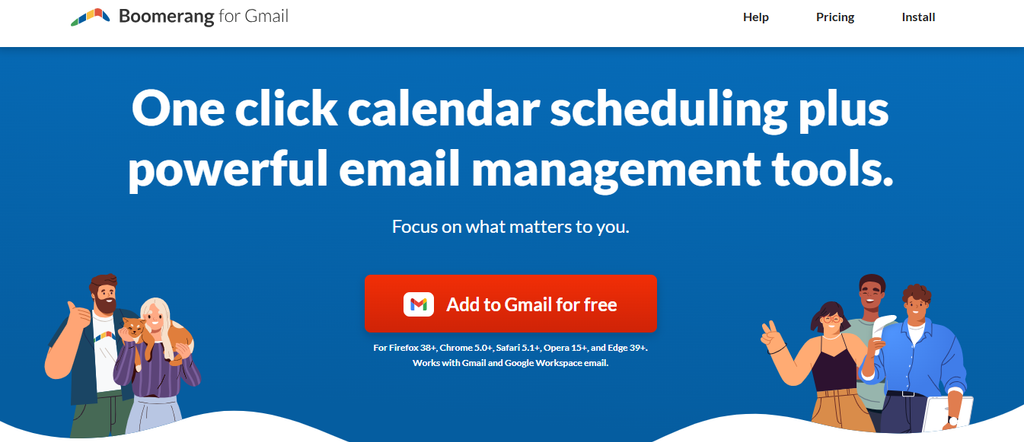
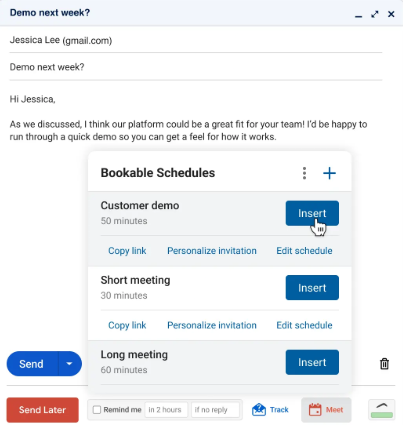
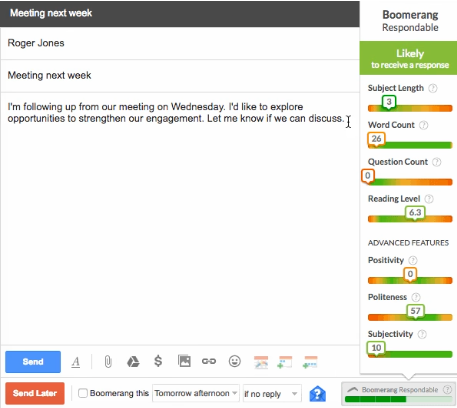
Boomerang is more of an email-productivity tool than a high-volume cold-outreach platform. It focuses on scheduling, reminders, response tracking, read receipts, Inbox Pause, and AI-supported writing features inside Gmail.
That narrower focus can be a deal-breaker when you need sender rotation, prospect databases, sophisticated sequences, or agency-level campaign management. For individual professionals managing ordinary conversations, however, its simplicity can be an advantage.
Boomerang for Gmail Key Features
- Send Later: Schedules Gmail messages for a future date and time.
- Response tracking: Helps you monitor whether important conversations receive replies.
- Read receipts: Provides tracking signals for sent messages.
- Inbox Pause: Gives you more control over when new mail reaches your inbox.
- Recurring messages: Pro and higher plans can automate messages that need to repeat.
Boomerang for Gmail Pros
- Free Basic plan is available.
- Fits naturally into Gmail.
- Strong scheduling and reminder tools.
- Includes a 30-day Professional trial.
- Paid plans provide unlimited message credits.
Boomerang for Gmail Cons
- Basic includes only 10 message credits monthly.
- It is not designed for large-scale cold-email infrastructure.
- Advanced features require Pro or Premium.
- Its strongest workflow remains Gmail-oriented.
Boomerang for Gmail Pricing Plans
Basic is free. With annual billing, Personal costs $4.98/month, Pro costs $14.98/month, and Premium costs $49.98/month. New accounts receive a 30-day trial of Boomerang Professional.
8. Mailbutler
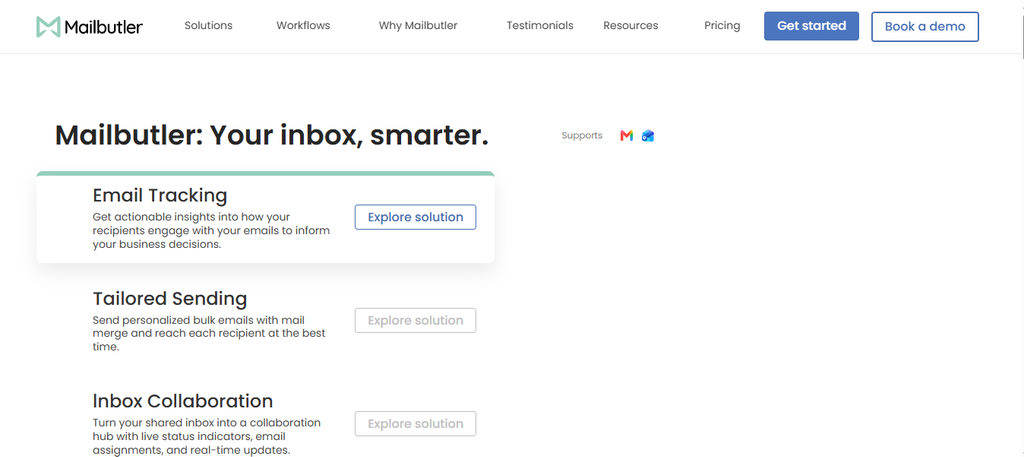
Mailbutler enhances everyday email with tracking, templates, mail merge, team collaboration, signatures, automation, and AI assistance. Its Smart plan goes beyond basic tracking by adding deeper engagement data, recipient-level tracking, follow-up prioritization, and AI writing tools.
The main concern is that Mailbutler is an email-productivity platform, not a dedicated high-volume cold-outreach system. Compare it with GMass only when productivity, tracking, personalized sending, and collaboration matter more than large-scale campaign infrastructure.
Mailbutler Key Features
- Real-time tracking: Reports email opens and link clicks as they occur.
- Mail merge: Inserts personalized contact information into reusable templates.
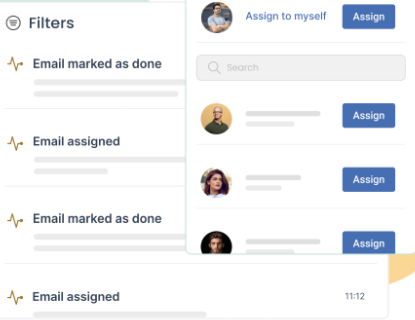
- Inbox collaboration: Supports assignments, notes, tasks, tags, and team workflows.
- Smart Assistant: Helps compose, improve, summarize, and follow up on emails.
- Signature marketing: Builds reusable signatures with marketing elements and team controls.
Mailbutler Pros
- Free Starter plan is available.
- Supports team collaboration around inbox activity.
- Combines tracking with AI productivity functions.
- Offers recipient-level engagement data on higher plans.
- Works with CRM-related workflows including HubSpot and Salesforce functionality.
Mailbutler Cons
- Free emails include a Mailbutler watermark.
- Paid pricing is per user.
- It is not primarily a mass cold-email platform.
- Business pricing requires contacting the company.
Mailbutler Pricing Plans
Starter costs $0. Professional is displayed at $9/user/month, with a lower $7/user/month equivalent under annual billing. Smart is $14/user/month, or approximately $11/user/month annually, while Business uses custom pricing.
9. Brevo
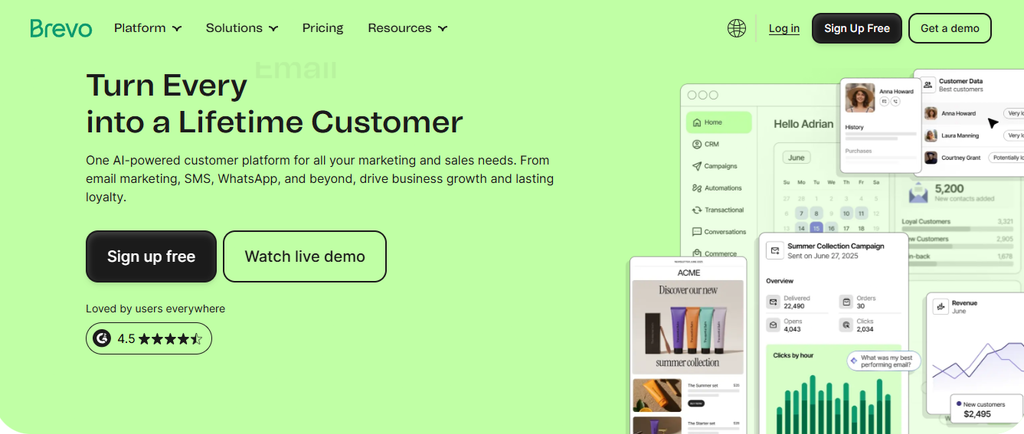
Brevo is much broader than GMass because it combines email marketing with SMS, WhatsApp, transactional messaging, automation, web push, contact management, and other customer-communication tools. That makes it suitable when your goal has expanded beyond Gmail outreach.
The downside is that Brevo is fundamentally a marketing and customer-communication platform, not a dedicated cold-email sender. If your priority is rotating dozens of cold-outreach mailboxes, another product on this list will provide a more specialized workflow.
Brevo Key Features
- Email campaigns: Builds and sends structured marketing campaigns.
- Marketing automation: Automates customer journeys and contact actions.
- Transactional messaging: Supports transactional email and SMS workflows.
- Multichannel communication: Extends campaigns into SMS, WhatsApp, push, and other channels.
- AI functionality: Aura and higher-tier AI features support campaign creation and optimization.
Brevo Pros
- Permanent free plan.
- Free tier stores up to 100,000 contacts.
- Supports transactional and marketing communication.
- Standard adds unlimited-contact automation.
- Higher plans provide advanced reporting and multichannel capabilities.
Brevo Cons
- Free accounts are limited to 300 email sends per day.
- Several useful functions require add-ons or higher tiers.
- Professional pricing jumps sharply.
- It lacks the sender-rotation focus of specialized cold-email software.
Brevo Pricing Plans
Free costs $0/month. Starter begins at $9/month, Standard begins at $18/month, Professional starts at $499/month, and Enterprise uses custom pricing. Pricing scales further according to email volume, contacts, and add-ons.
10. ActiveCampaign
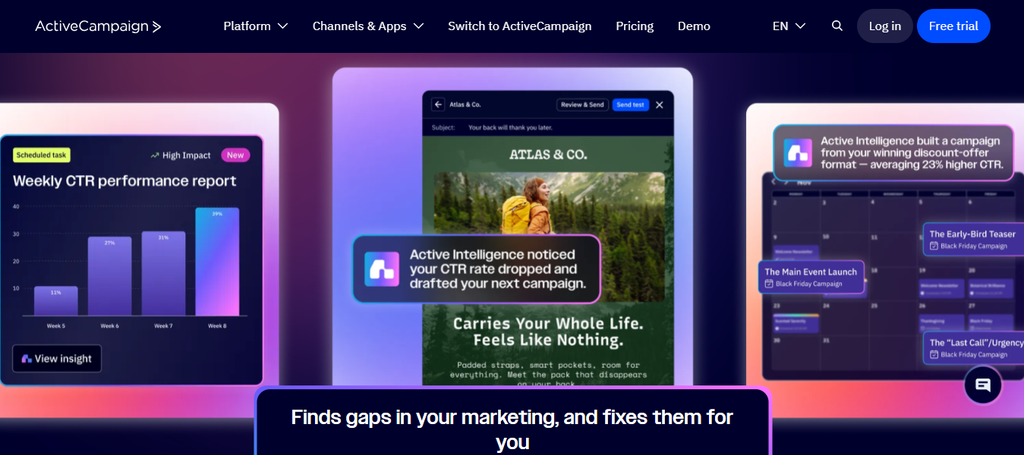
ActiveCampaign is the most automation-heavy product on this list. It combines email campaigns, customer data, AI-assisted automation, segmentation, site tracking, A/B testing, reporting, and optional enhanced CRM capabilities.
That depth can also work against you if you only need simple email tracking. ActiveCampaign’s pricing scales with contact volume, and advanced CRM or sales-engagement functions can require additional spending.
ActiveCampaign Key Features
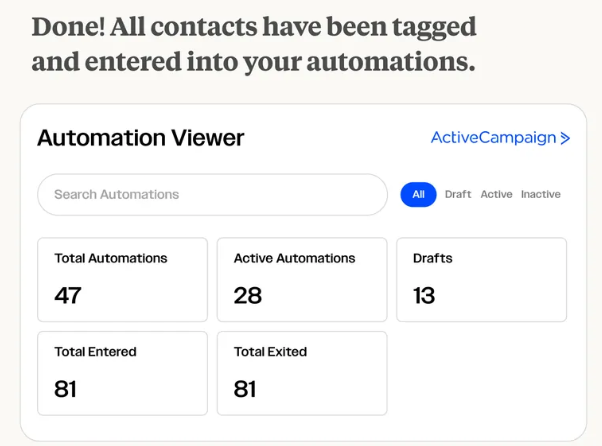
- Marketing automation: Builds multi-step journeys using triggers, conditions, and automated actions.
- Email campaigns: Supports newsletters and targeted customer communication.
- AI automation builder: Helps create workflows using AI-assisted campaign tools.
- Segmentation: Organizes audiences according to attributes and behavior.
- Tracking and reporting: Provides site tracking, campaign reporting, attribution, and higher-tier analytics.
ActiveCampaign Pros
- Advanced automation is available from the entry tier.
- Offers more than 250 email templates.
- Provides hundreds of integrations.
- Professional supports predictive sending and advanced analytics.
- Enterprise includes premium segmentation and additional security controls.
ActiveCampaign Cons
- There is no permanent free plan.
- Pricing increases as your contact database grows.
- CRM sales-engagement functionality can require add-ons.
- Its feature depth can be excessive for basic email tracking.
ActiveCampaign Pricing Plans
For up to 1,000 contacts, Starter costs $15/month, Plus costs $49/month, Professional costs $79/month, and Enterprise starts at $145/month. Costs increase with contact volume; for example, ActiveCampaign lists Starter at $79 for 5,000 contacts and $149 for 10,000.
What “Unlimited Email Sending” Really Means Before You Choose a GMass Alternative
“Unlimited” is one of the easiest phrases to misunderstand when comparing email software. A platform may offer unlimited campaigns, unlimited connected inboxes, or unlimited emails inside its own billing model, but that does not automatically remove restrictions imposed by Gmail, Microsoft, SMTP providers, recipient mail systems, or anti-spam policies.
Google provides a clear example. Standard Gmail accounts have a 500-email daily outgoing limit, eligible Workspace accounts can reach 2,000, and Gmail’s native mail merge permits up to 1,500 recipients per day.
Volume also changes your compliance obligations. Since February 2024, senders delivering more than 5,000 messages per day to personal Gmail accounts must meet Google’s bulk-sender requirements, including SPF, DKIM, DMARC alignment requirements, TLS, and one-click unsubscribe for applicable promotional email.
Google’s security figures show why mailbox providers care so much about sender behavior. Gmail says its defenses stop more than 99.9% of spam, phishing, and malware and block nearly 15 billion unwanted emails every day. Google also reported that an earlier authentication requirement reduced unauthenticated messages reaching Gmail users by 75%.
That means you should evaluate sending infrastructure separately from software limits. Ask how many inboxes you need, which providers you will connect, whether the platform includes warm-up or verification, how replies are managed, and how costs change when you add accounts.
You should also examine total cost. An inexpensive sending platform may become expensive after you add domains, mailboxes, prospect data, verification credits, AI credits, CRM seats, agency workspaces, or dedicated infrastructure.
Must-know Tip: Do not choose a platform simply because its pricing table says “unlimited.” Calculate your realistic sender-account capacity and monthly operating cost, then evaluate whether the platform helps you maintain responsible sending practices.
Expert Quote: Yahoo’s Marcel Becker summarized the direction of modern email well: “No matter who their email provider is, all users deserve the safest, most secure experience possible.”
Must-know Tip: Google requires qualifying promotional bulk email to support one-click unsubscribe and says unsubscribe requests should be processed promptly. Good outreach software should therefore help you respect recipient choice rather than simply maximize volume.
Conclusion
Choosing a Gmass alternative becomes easier when you stop treating every email tool as though it solves the same problem. Tracking-focused products, cold-email platforms, Gmail CRMs, sales-engagement software, and marketing-automation systems serve different workflows.
If engagement visibility matters most, capabilities such as email-open tracking, link-click tracking, activity history, reporting, and document workflows can help you decide which conversations deserve attention. If you run larger campaigns, sender management, automation, verification, reply handling, authentication, and total operating cost become more important.
The right choice therefore depends on your sending volume, provider, team size, workflow, compliance needs, and the depth of automation you actually use. Compare those requirements before comparing headline prices.
Frequently Asked Questions
What is the best alternative to GMass?
There is no universal best alternative because the products serve different purposes. Mailtrackio focuses heavily on tracking and engagement visibility, while Instantly and Mailshake are built more for outbound campaigns, and ActiveCampaign targets broader marketing automation.
Is there a free GMass alternative?
Yes. Mailsuite, Streak, Boomerang, Mailbutler, Brevo, and Mixmax all provide some form of free entry option based on their current published pricing structures. Free plans usually carry limits on sending, tracking history, credits, branding, or advanced automation.
What is a good GMass alternative for email tracking?
A tracking-focused option should show more than whether an email left your outbox. Mailtrackio, Mailsuite, Mailbutler, Streak, Mixmax, and Boomerang all provide engagement-related functionality, although their surrounding feature sets differ considerably.
Which GMass alternative is best for cold email?
Instantly and Mailshake are among the more specialized cold-outreach products in this comparison. They provide functions such as automated sequences, warm-up, campaign management, and infrastructure-oriented features that go beyond ordinary Gmail tracking.
Which GMass alternative supports multiple email accounts?
Instantly specifically advertises unlimited email accounts on its paid Outreach plans. Other platforms use different account, mailbox, user, or plan restrictions, so you should calculate your required number of sender accounts before purchasing.
Can a GMass alternative bypass Gmail sending limits?
Software cannot simply erase every limit imposed by Gmail or another mailbox provider. Some platforms scale by connecting multiple sender accounts or using different infrastructure, but each account and provider still operates under technical and policy restrictions.
How many emails can Gmail send per day?
Google states that standard Gmail accounts can send up to 500 outgoing emails per day. Eligible work, school, and Workspace Individual accounts can reach 2,000, while Gmail’s built-in mail merge has a 1,500-recipient daily limit.
What happens when you send more than 5,000 emails to Gmail users?
Google treats a sender delivering roughly 5,000 or more messages to personal Gmail accounts within 24 hours as a bulk sender. That status brings stricter requirements around authentication, spam levels, DMARC, and unsubscribe functionality.
Which GMass alternative has CRM features?
Streak places CRM functionality directly inside Gmail. ActiveCampaign provides marketing CRM capabilities with additional enhanced CRM options, while several sales-engagement platforms integrate with external CRM systems.
Which GMass alternative is good for marketing automation?
ActiveCampaign and Brevo are more suitable when your requirement extends into marketing automation rather than cold outreach alone. They can handle audience segmentation, automated customer journeys, campaign communication, and broader marketing workflows.
What should you look for in a GMass alternative?
Start with your actual use case. Check provider compatibility, tracking, automation, connected-account limits, email verification, warm-up, reply management, CRM integrations, analytics, data-export options, team permissions, and total monthly cost.
Is email open tracking always accurate?
No. Open tracking commonly relies on tracking pixels, so privacy protection, image blocking, security scanners, and automated systems can distort the signal. Use opens as one engagement indicator rather than treating every recorded open as proof that a human carefully read your message.
Are link clicks more useful than email opens?
Clicks often show stronger intent because the recipient took an extra step. Automated security scanners can still trigger links, however, so you should combine click data with replies, conversions, meetings, and other meaningful outcomes.
Do you need email warm-up software?
Warm-up can be one part of sender preparation, but it does not guarantee inbox placement. Authentication, list quality, sending consistency, complaint rates, bounce rates, relevance, and recipient engagement remain important regardless of the tool you use.
How should you compare GMass alternative pricing?
Do not compare subscription prices alone. Calculate the cost of software, user seats, domains, email accounts, verification, prospect data, AI credits, CRM features, add-ons, dedicated infrastructure, and any agency workspaces you actually require.

Comments
0 responsesNo comments yet. Be the first to share your thoughts.