


Choose an AI assistant to open this article URL with a summary request. Review generated summaries against the original article.
Choosing a Woodpecker alternative is no longer just about finding a cheaper email sender. In 2025 email ROI data, 30% of marketing leaders reported earning $36 to $50 for every $1 spent on email, while another 5% reported returns above $50. Yet 21% still did not measure email ROI at all.
That gap explains why tracking, deliverability, automation, and transparent pricing now matter as much as raw sending volume. Gmail has also tightened bulk-sender requirements for domains sending around 5,000 messages daily to personal Gmail accounts.
This guide compares 10 tools by practical features, current pricing, strengths, and limitations so you can choose around your real workflow.
Why Users Switch From Woodpecker: The Real Decision Factors
Case Study First: Strong Results Show That Switching Is Not Automatic
Woodpecker currently highlights a lead-generation agency that reports arranging about 1,000 appointments per month through the platform. The same customer says some individual clients generated more than 150 appointments in a month. That matters because switching software simply because alternatives exist can create unnecessary migration work.
Woodpecker already provides inbox rotation, email warm-up, a centralized inbox, condition-based campaigns, A/B testing, adaptive sending, and unlimited connected email accounts. It also includes unlimited team members instead of charging per user. If these capabilities already match your process, switching platforms may solve a problem you don’t actually have.
Pricing Model Fit: Your Prospect Activity Can Change the Real Cost
Woodpecker’s current billing revolves around contacted and stored prospects, with its lowest tier listed at $35 for up to 500 contacted and 2,000 stored prospects. A prospect placed in five separate campaigns counts five times toward the contacted-prospect limit, although that person counts once in storage. For teams constantly retesting the same audiences, this model deserves careful calculation.
Several capabilities also sit behind separate charges. LinkedIn connections currently cost $29 per connected account, active agency clients cost $27 monthly each, white labeling costs $5 per active client, and the integrations package is listed at $20 monthly. An alternative becomes attractive when another billing structure fits your volume more predictably.
Workflow Fit: Sometimes You Need a Different Kind of Email Tool
Not everyone searching for an alternative wants heavier cold-email automation. You may simply need open tracking, click intelligence, document signing, Gmail CRM functionality, spreadsheet mail merge, or a highly scalable sending infrastructure. Paying for a broader platform can be inefficient when your daily workflow centers on only one or two of those jobs.
On the other hand, high-volume agencies may want client workspaces, private infrastructure, large send allowances, or built-in prospect databases. Gmail-first teams may prefer software that lives directly inside the inbox. The right reason to switch is therefore workflow mismatch, not the existence of a longer competitor feature list.
Must-know Tip: Woodpecker customer Patrick Campbell praised its ability to “scale one-to-one conversations with prospects and customers in such a personalized way.” That is a useful reminder that an alternative should solve a measurable limitation in your workflow rather than merely look newer.
10 Woodpecker alternative Tools Worth Comparing in 2026
These 10 Woodpecker alternatives cover several needs, from focused engagement tracking to full-scale outbound automation. That distinction matters. Some tools help you understand what happens after an email is sent, while others manage prospecting, sender rotation, sequences, CRM data, or multichannel outreach.
Mailtrackio takes the first position because it offers a focused combination of open visibility, click intelligence, searchable activity, and document-signing workflows without forcing you into a complex sales stack. The remaining products suit different budgets, sending volumes, and operating models.
Pricing below was verified against available vendor pricing information in August 2026. Vendors can change prices, limits, and packaging after publication.
1. Mailtrackio
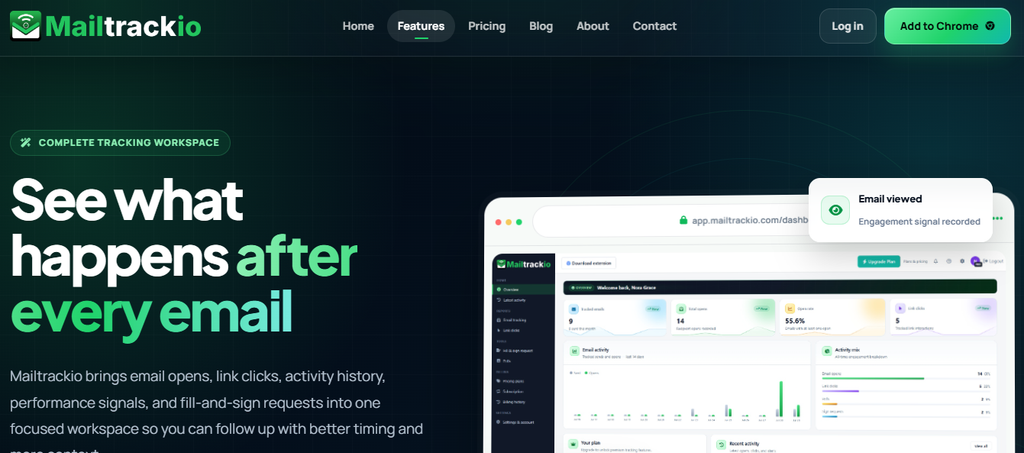
Mailtrackio focuses on a question that appears after almost every important business email: what happened after you pressed send? It brings email views, link clicks, recent activity, performance metrics, and fill-and-sign requests into one workspace. Instead of treating an email open as an isolated notification, you get engagement context that can guide your next action.
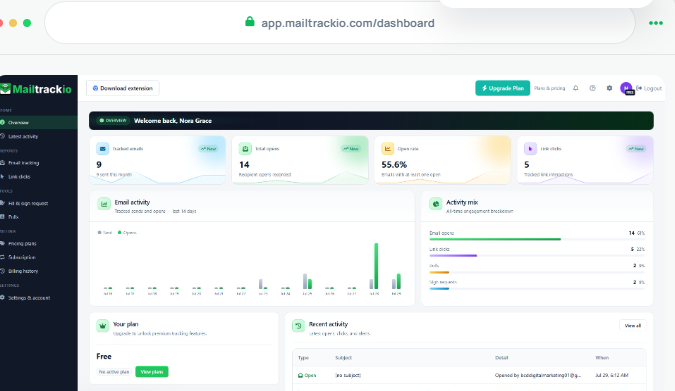
The dashboard gives you tracked-email volume, total opens, open rate, link clicks, recent activity, and account information in one view. That reduces the need to build a manual report just to understand whether recipients are interacting with your communication. You can then move from broad performance data into individual email or click records.
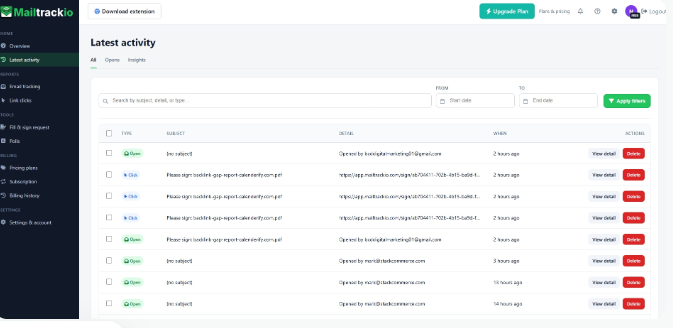
Its searchable activity timeline is especially practical when you handle many ongoing conversations. You can search by subject or activity details, filter by date, and separate engagement events to find the context you need before following up. Clicking Reporting also shows which destination received attention and when the interaction happened.
Mailtrackio adds a useful document layer through fill-and-sign requests. You can review signer details, monitor pending or completed requests, and access signed PDFs without separating document status from the email engagement workflow. For sales, recruitment, consulting, support, and operational teams, that combination can reduce the number of places you need to check before acting.
Mailtrackio Key Features
- Email-open tracking: Shows views and recent activity so you can see when a conversation begins receiving attention.
- Link-click reporting: Identifies link interactions so you can distinguish a simple open from stronger interest in a resource or offer.
- Searchable activity timeline: Lets you search and filter engagement history instead of manually digging through old messages.
- Performance dashboard: Combines tracked emails, opens, open rate, clicks, and recent activity for faster daily analysis.
- Fill-and-sign requests: Keeps signer progress and completed documents close to the email activity that triggered the next step.
- Custom tracking domain support: Business users can use a custom tracking domain to align tracking infrastructure more closely with their organization.
Mailtrackio Pros
- Clear engagement context: Opens and clicks are organized around actual email records rather than scattered alerts.
- Useful click-level intelligence: You can see which shared destination attracted a recipient’s attention.
- Document workflow included: Fill-and-sign requests reduce the need for a separate basic signature workflow.
- Searchable engagement history: Past activity is easier to revisit before contacting someone again.
- Straightforward dashboard: Core performance signals remain visible without a complicated analytics setup.
- Flexible billing choices: Monthly, yearly, and limited lifetime options cover different budgeting preferences.
- Team-ready Business plan: Shared reporting, team activity, custom tracking domains, and higher limits support growing workflows.
Mailtrackio Cons
- Not a full multichannel sales sequencer: Teams needing large automated email, LinkedIn, and calling sequences may require a broader outbound platform.
- Usage limits vary by plan: Heavy tracking or signature volumes may require Professional or Business rather than Starter.
Mailtrackio Pricing Plans
Monthly pricing: Starter costs $9 per month for up to 3,000 tracked emails and 10 fill-and-sign requests. Professional costs $19 per month for up to 15,000 tracked emails and 50 signing requests, while Business costs $39 per month for up to 50,000 tracked emails, five connected team members, custom tracking-domain support, and 200 signing requests.
Yearly pricing: Starter is $90 per year, Professional is $190 per year, and Business is $390 per year.
Lifetime launch pricing: Starter Lifetime is $149 one-time, Professional Lifetime is $299 one-time, and Business Lifetime is $599 one-time, subject to the published lifetime limits and continued offer availability.
2. Saleshandy
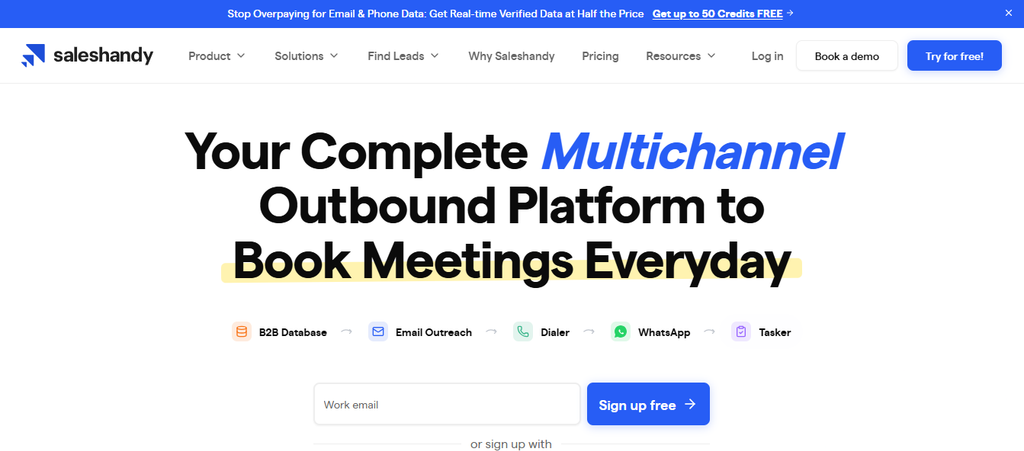
Saleshandy is much closer to a traditional Woodpecker competitor because it combines prospect data, outreach, warm-up, sender rotation, and campaign management. Its biggest appeal is scale: every current plan supports unlimited connected email accounts, and its platform includes a B2B database alongside sending capabilities. The trade-off is that Starter is designed for one user and several more advanced integrations and workflow controls require Pro or Scale.
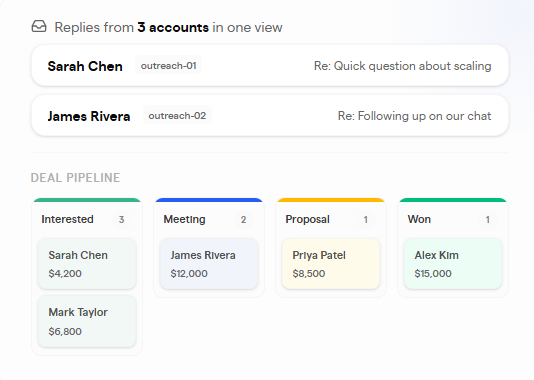
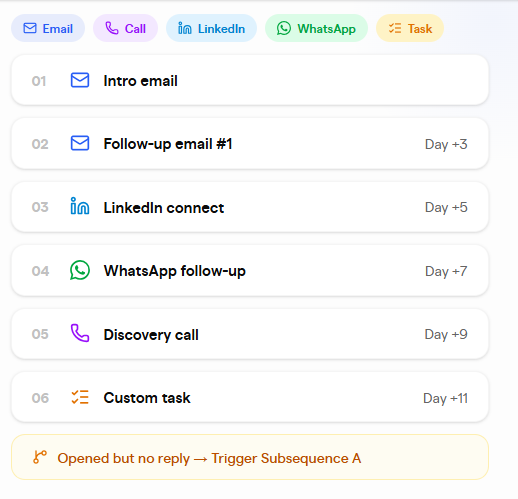
The Starter plan supports 2,000 active prospects and 6,000 monthly emails, while Pro raises those limits to 30,000 active prospects and 100,000 emails. Saleshandy also supports multichannel sequences involving email, calls, LinkedIn, WhatsApp, and manual tasks. That makes it better suited to structured prospecting operations than a lightweight email tracker.
Saleshandy Key Features
- Unlimited connected mailboxes: Lets you expand sending infrastructure without paying a separate subscription for every connected account.
- B2B Lead Finder: Provides prospect search, enrichment, and verified contact data inside the outbound workflow.
- Multichannel sequences: Combines email with calls, LinkedIn, WhatsApp, and manual sales tasks.
- Sender rotation: Distributes sending across connected mailboxes to support larger outreach programs.
- Unlimited warm-up: Helps teams prepare and maintain connected sending accounts as their infrastructure grows.
Saleshandy Pros
- Unlimited email accounts on every current plan.
- Built-in prospect database reduces dependence on a separate lead platform.
- High monthly email allowances on Pro and Scale.
- Sender rotation supports distributed outbound sending.
- Pro and Scale add stronger CRM and team workflows.
Saleshandy Cons
- Starter is limited to one user.
- Some CRM and no-code integrations require higher plans.
- Starter allows only 2,000 active prospects.
- Extra lead-data consumption can create additional costs beyond included credits.
Saleshandy Pricing Plans
Starter costs $41 per month or $34 per month when billed annually ($408 per year). Pro costs $99 per month or $76 per month when billed annually ($912 per year). Scale costs $189 per month or $149 per month when billed annually ($1,788 per year).
3. Smartlead
Smartlead is built for outbound teams and agencies that need substantial sending capacity. All current plans include unlimited email accounts, and the platform emphasizes mailbox rotation, warm-up, deliverability infrastructure, unified reply handling, prospect data, APIs, and client workflows. The concern is cost: once you move toward serious volume or private infrastructure, the $174 and $379 plans are considerably more expensive than lightweight email tools.
Scale is where Smartlead becomes particularly interesting. The company currently says more than 100,000 businesses use the platform, ranging from solo operators to agencies and Fortune 500 organizations. Its higher plans combine large send allowances with unlimited contact storage and included verified prospect volumes.
Smartlead Key Features
- Unlimited email accounts: Lets you connect many sending mailboxes without per-mailbox subscription fees.
- Mailbox rotation: Spreads campaign activity across sending accounts to support larger outbound operations.
- Email warm-up: Provides warm-up infrastructure intended to support sender reputation before and during outreach.
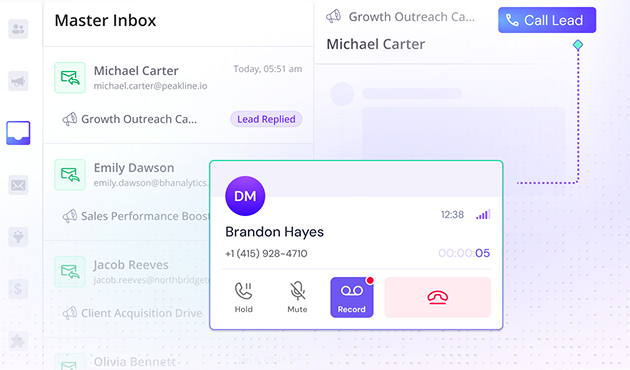
- Unified inbox: Centralizes replies from campaigns so your team can manage conversations in one place.
- API and client workflows: Supports automated operations, integrations, and agency-style management at scale.
Smartlead Pros
- Built for high-volume cold-email operations.
- Unlimited sender accounts across plans.
- Strong agency and automation capabilities.
- Large sending allowances on upper plans.
- Extensive deliverability-related add-ons are available.
Smartlead Cons
- Higher-volume plans become expensive quickly.
- Verified prospect data costs extra on Base and Pro.
- Client workspaces can carry additional charges on lower tiers.
- Advanced placement testing and private infrastructure cost extra.
Smartlead Pricing Plans
Base costs $39 per month with 2,000 contacts and 6,000 email sends. Pro costs $94 per month with 30,000 contacts and 90,000 sends. Unlimited Smart costs $174 per month with unlimited contacts and 150,000 sends, while Unlimited Prime costs $379 per month with unlimited contacts and 500,000 sends. Smartlead currently advertises a 17% saving with annual billing.
4. Mailmeteor
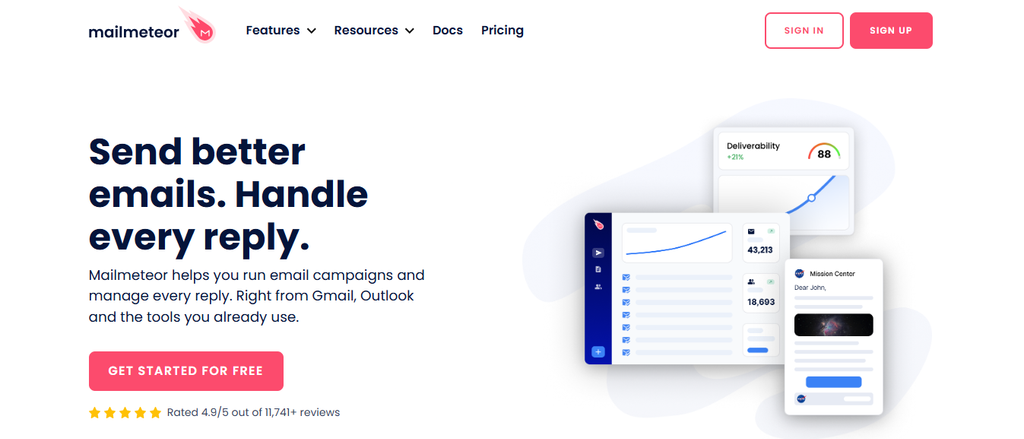
Mailmeteor makes more sense when you want personalized campaigns while staying close to Gmail, Google Sheets, Google Docs, or Excel. It combines mail merge, tracking, templates, verification, follow-ups, warm-up, automation, and higher-tier inbox rotation. Its main limitation is also part of its identity: teams wanting a deeply specialized multichannel sales platform may find its Google-centered workflow less suitable.
Adoption gives the product useful context. Mailmeteor currently says it serves 7 million users and has more than 10,000 reviews. The Professional plan can send up to 60,000 emails monthly with a published daily limit of 2,000 and up to 10 senders, making it much more capable than a basic mail-merge add-on.
Mailmeteor Key Features
- Mail merge: Personalizes messages using data from Gmail, Sheets, Docs, or Excel.
- Email tracking: Measures campaign engagement without moving users into a separate complex sales system.
- Automated follow-ups: Premium and Professional users can build follow-up sequences around campaign activity.
- Email warm-up: Premium and Professional plans include warm-up functionality for their sending workflow.
- Inbox rotation: Professional users can distribute outreach across multiple senders for higher-volume campaigns.
Mailmeteor Pros
- Free plan is available.
- Works closely with familiar Google productivity tools.
- Includes tracking and mail merge.
- Premium adds warm-up and custom tracking domains.
- Professional supports inbox rotation and higher send limits.
Mailmeteor Cons
- Advanced features require Premium or Professional.
- Pricing is per user.
- Inbox rotation is restricted to Professional.
- It is less agency-centered than dedicated cold-outreach platforms.
Mailmeteor Pricing Plans
Hobby is free with up to 500 emails per month. Starter costs $5.99 per user per month for up to 5,000 emails, Premium costs $17.99 per user per month for up to 30,000 emails, and Professional costs $35.99 per user per month for up to 60,000 emails. Yearly billing currently advertises three months free.
5. Yesware
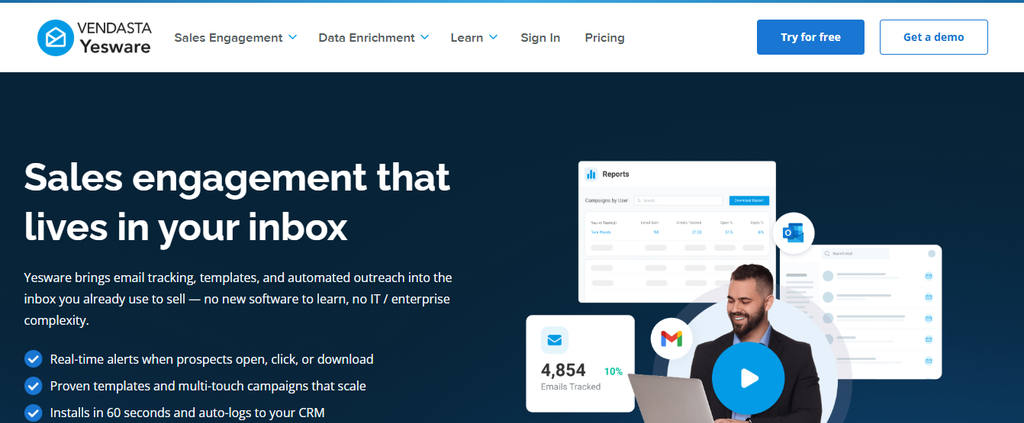
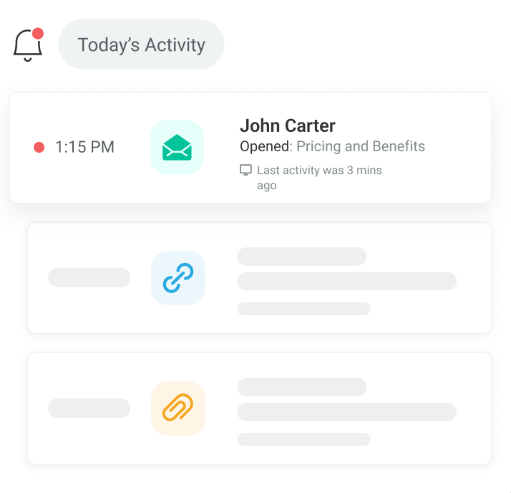
Yesware is an inbox-based sales-productivity tool that combines email tracking with scheduling, campaigns, templates, reports, and sales-team functionality. It is useful when you want engagement signals without moving every salesperson into a separate outreach interface. A significant limitation appears on the lower plans, though: Pro currently permits only 20 campaign recipients per month despite offering unlimited open, link, and attachment tracking.
Premium removes much of that campaign restriction by adding unlimited campaigns and teams, shared templates, shared campaigns, and team reporting. Enterprise is positioned mainly for organizations that use Salesforce and need its deeper synchronization features. That plan structure means the real value depends heavily on whether you need tracking alone or full team campaigns.
Yesware Key Features
- Email-open tracking: Shows when tracked messages receive recipient attention.
- Link tracking: Helps you see whether recipients interact with important links in your messages.
- Attachment tracking: Adds engagement visibility around proposals and other attached sales material.
- Campaigns: Supports repeatable outreach and follow-up workflows from the inbox.
- Meeting scheduling: Reduces back-and-forth when converting engaged recipients into conversations.
Yesware Pros
- Free plan gives individual users a starting point.
- Pro includes unlimited open, link, and attachment tracking.
- Premium supports unlimited campaigns and teams.
- Strong fit for inbox-based sales workflows.
- Enterprise provides deep Salesforce synchronization.
Yesware Cons
- Pro is limited to 20 campaign recipients monthly.
- Unlimited campaigns require Premium.
- Salesforce functionality is concentrated in Enterprise.
- Per-seat charges become significant as your team grows.
Yesware Pricing Plans
Free costs $0 per seat per month. Pro costs $19 monthly or $15 per seat per month billed annually. Premium costs $45 monthly or $35 annually, while Enterprise costs $85 monthly or $65 per seat per month billed annually.
6. Mixmax
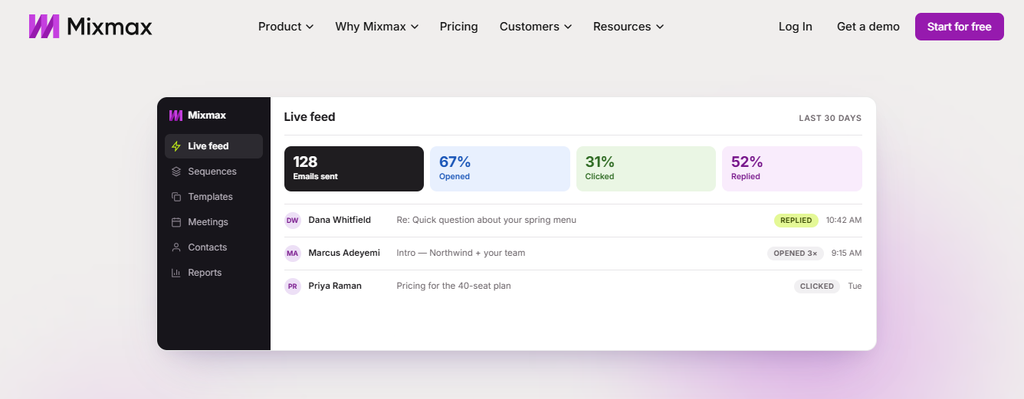
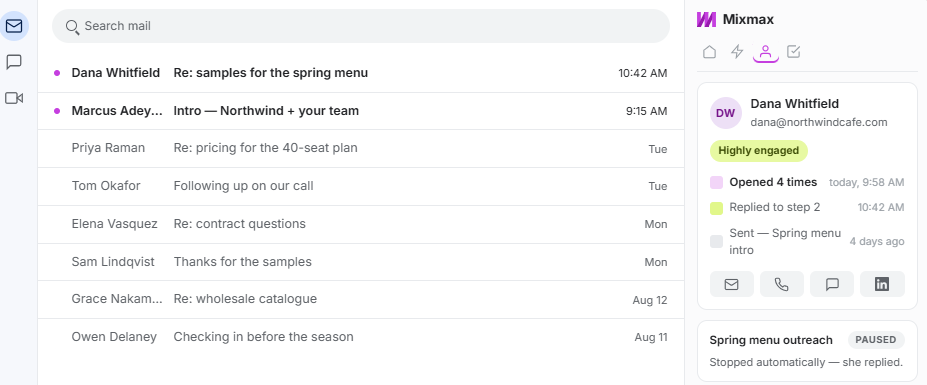
Mixmax approaches the market as a sales-execution platform built around separate AI-assisted workflow modules. You can choose inbox, meeting, or engagement functionality individually, or bundle them through Mixmax Suite. That flexibility is useful, but the cost per user becomes substantial when a team needs the complete suite rather than one focused capability.
Engagement Copilot is the most relevant Woodpecker comparison because it includes email sequences, multichannel sequences, an AI sequence builder, and sequence personalization. Inbox Copilot instead focuses on email tracking, inbox categorization, signals, reminders, and scheduling. This modular structure can prevent you from buying unnecessary features, but it requires careful plan selection.
Mixmax Key Features
- Email tracking: Provides engagement visibility around outbound messages.
- Smart inbox signals: Helps you surface communication that may deserve attention or follow-up.
- AI sequence builder: Accelerates the creation of structured outbound sequences.
- Multichannel sequences: Engagement Copilot extends outreach beyond single-message email workflows.
- Meeting automation: Scheduling and meeting assistance connect prospecting with the next stage of the sales process.
Mixmax Pros
- Free entry plan is available.
- Modular Copilots let you pay for specific workflows.
- Supports email and multichannel sequencing.
- Includes meeting and inbox productivity tools.
- Suite combines the entire workflow in one subscription.
Mixmax Cons
- Pricing is per user.
- Full Suite costs more than several alternatives on this list.
- Sequences require Engagement Copilot or Suite.
- Teams with specialized enterprise requirements need custom pricing.
Mixmax Pricing Plans
Free costs $0. Inbox Copilot and Meeting Copilot each cost $34 per user monthly or $29 with annual billing. Engagement Copilot costs $65 monthly or $49 annually, while Mixmax Suite costs $105 per user monthly or $89 with annual billing. Mixmax for Teams uses custom pricing.
7. Streak

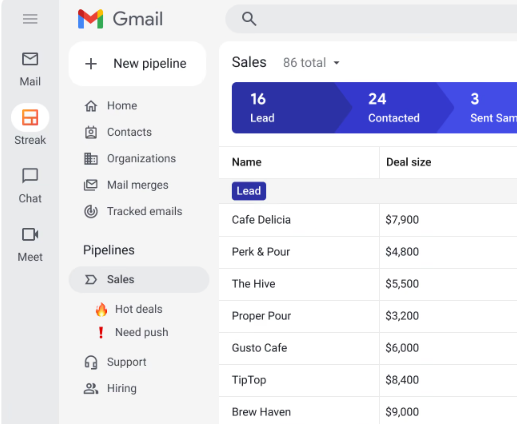
Streak is different because its central product is a CRM that works directly inside Gmail. It combines pipelines, records, contact enrichment, tasks, reminders, email history, mail merge, tracking, and AI-assisted CRM actions. If your main problem is high-volume cold-email infrastructure rather than relationship management, that CRM-first approach may feel heavier in some areas and lighter in dedicated outbound controls.
Streak says it is trusted by more than 4,000 companies and 750,000 professionals. Its free email tools include email and link tracking, snippets, and mail merge for 50 messages per day, while paid plans add shared pipelines, CRM capabilities, automation, reporting, and larger mail-merge limits. Teams already living in Gmail can therefore keep customer context close to their normal inbox.
Streak Key Features
- Gmail CRM pipelines: Tracks prospects, customers, deals, hiring workflows, or other processes directly inside Gmail.
- Email and link tracking: Gives you engagement visibility without leaving your inbox.
- Mail merge: Supports personalized bulk communication and automated follow-up.
- Contact enrichment: Adds available business and contact information to CRM records.
- AI Copilot: Generates summaries, answers deal questions, fills data, and assists with meeting preparation.
Streak Pros
- CRM operates inside Gmail.
- Free email power tools are available.
- Paid plans support unlimited CRM records.
- Useful contact and deal context stays near conversations.
- Pro+ adds automations and advanced reporting.
Streak Cons
- Best suited to Gmail and Google Workspace workflows.
- Pricing is per user.
- Integrations and automations require Pro+.
- It is not primarily a high-volume cold-email infrastructure platform.
Streak Pricing Plans
Streak’s email power tools have a free tier. Pro costs $59 per user month-to-month or $49 per user per month with annual billing. Pro+ costs $89 monthly or $69 annually, while Enterprise costs $159 monthly or $129 per user per month with annual billing.
8. Mailsuite

Mailsuite is a strong fit when email visibility is your primary requirement, but you also want Gmail CRM, campaigns, PDF engagement, signatures, and follow-up tools. Its tracking plans provide unlimited tracked emails, and the top Mailsuite plan expands into mass email, document workflows, templates, polls, videos, Zapier, and centralized team billing. The main limitation is that several valuable business capabilities sit in the $19.99 Mailsuite tier rather than the lighter Mailtrack plan.
The company currently reports more than 3 million users. Its full Mailsuite plan supports up to 60,000 campaign emails per month, full tracking history, unlimited link tracking, unlimited tracked PDFs, signature requests, and Gmail CRM functionality. That mix makes it broader than a basic pixel-based tracker.
Mailsuite Key Features
- Unlimited email tracking: Tracks email engagement without a tracked-message cap across its published plans.
- Real-time notifications: Alerts you when tracked messages or links receive engagement.
- PDF tracking: Shows document activity and can provide page-level engagement context.
- PDF eSignature: Lets you request signatures and manage signed documents from the email workflow.
- Gmail CRM and campaigns: Adds lists, contact notes, campaign sending, and follow-up functionality to Gmail.
Mailsuite Pros
- Unlimited tracked emails across published plans.
- Free version provides a practical entry point.
- Combines email and document engagement.
- Full plan adds campaigns and Gmail CRM.
- Mobile email tracking is available.
Mailsuite Cons
- Advanced features are concentrated in the Mailsuite plan.
- Free and Mailtrack tiers limit link-click tracking.
- Lower tiers have much smaller mass-sending limits.
- Its workflow remains strongly centered on Gmail.
Mailsuite Pricing Plans
Free costs $0 per user per month. Mailtrack costs $6.99 per user per month. The full Mailsuite plan costs $19.99 per user per month and adds the broader campaign, PDF, eSignature, CRM, professional, and team feature set.
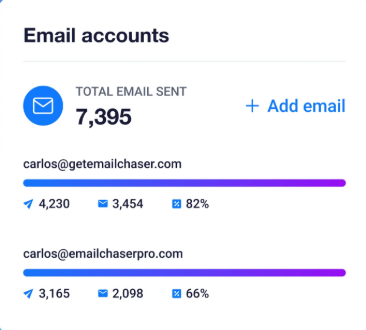
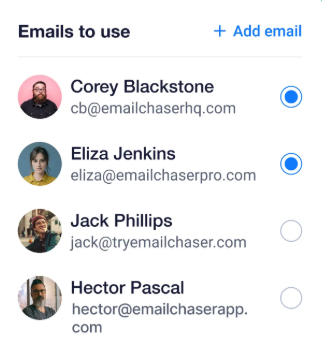
9. Emailchaser
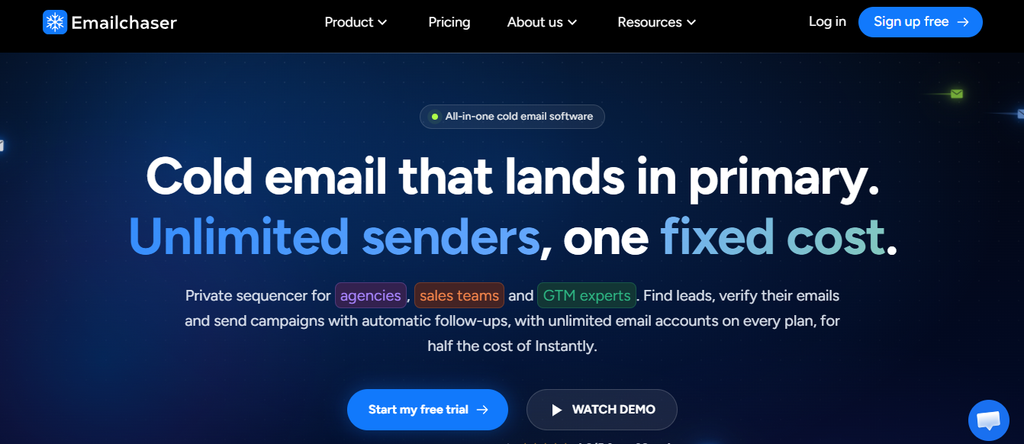
Emailchaser is designed for teams that want cold-email sending, prospect discovery, automation, verification, and CRM functions under one flat plan. Every published plan includes unlimited email accounts, and the platform also provides a lead finder, webhooks, API access, workspaces, Autopilot, and migration from Instantly. The trade-off is that each tier still has active-contact, send-volume, and lead-credit ceilings.
The Pro plan makes the product especially competitive for higher-volume email outreach because it allows 125,000 emails monthly and 25,000 active contacts at $47 per month. However, lead credits do not become unlimited, and optional done-for-you domains or mailboxes create separate infrastructure costs. You should therefore compare total monthly infrastructure cost rather than subscription price alone.
Emailchaser Key Features
- Unlimited email accounts: Lets you connect multiple sending accounts without increasing the core subscription by mailbox count.
- Autopilot: Can help build a prospect profile, lead list, and sequence around an approved workflow.
- Lead Finder: Gives users a prospecting layer inside the same platform used for outreach.
- Double email verification: Uses two verification sources to reduce the risk of sending to bad addresses.
- Webhooks and API: Connect outbound activity with external sales, CRM, and automation systems.
Emailchaser Pros
- Unlimited email accounts on every listed plan.
- High Pro sending allowance for its price.
- Lead discovery is included.
- API and webhooks support external workflows.
- Built-in migration helps users moving from Instantly.
Emailchaser Cons
- Active contacts are capped by plan.
- Lead credits have monthly limits.
- Done-for-you sending infrastructure costs extra.
- Max jumps to $179 monthly for very high volume.
Emailchaser Pricing Plans
Starter costs $23 per month with 5,000 emails and 1,000 active contacts. Pro costs $47 per month with 125,000 emails and 25,000 active contacts, while Max costs $179 per month with 500,000 emails and 100,000 active contacts. Annual billing currently provides a 20% discount.
10. Mailbutler
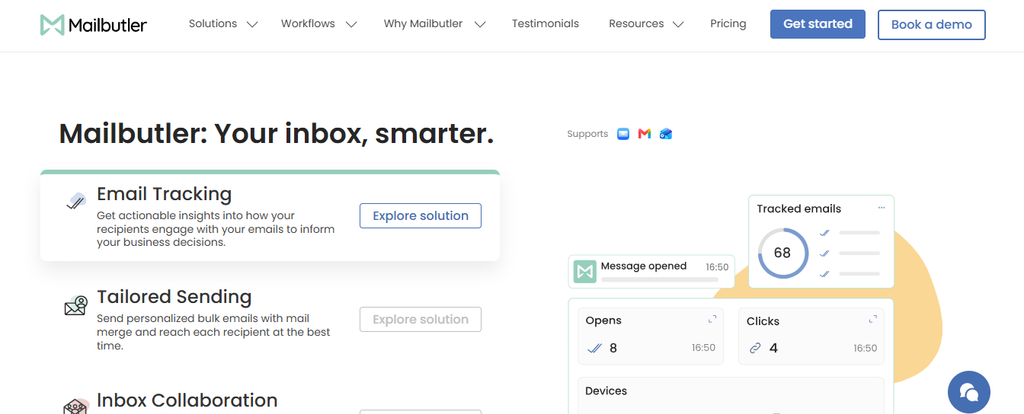
Mailbutler brings tracking and productivity features into Gmail, Outlook, and Apple Mail rather than requiring you to operate from a standalone cold-email dashboard. It combines open and click tracking with templates, mail merge, inbox collaboration, signature marketing, smart follow-up features, and AI assistance. It is less suitable if your primary objective is managing very large prospect lists and dedicated cold-outreach infrastructure.
The Smart plan goes beyond simple first-open tracking by providing fuller engagement history, per-recipient data, device and location details, and follow-up prioritization based on engagement patterns. Professional is aimed more at collaboration, with assignments, notes, tasks, tags, and team workflows. This makes Mailbutler useful when everyday business email productivity is as important as outbound engagement.
Mailbutler Key Features
- Open and click tracking: Shows when recipients interact with your messages and links.
- Real-time notifications: Lets you react sooner when important recipients engage.
- Mail merge: Personalizes messages using contact or CRM information.
- Inbox collaboration: Adds assignments, shared notes, tasks, statuses, and team coordination.
- Smart follow-ups: Uses engagement patterns to highlight messages that may deserve your attention next.
Mailbutler Pros
- Works with Gmail, Outlook, and Apple Mail.
- Free plan is available.
- Combines tracking with inbox productivity.
- Professional adds collaborative inbox functionality.
- Smart adds deeper engagement and AI-assisted follow-up tools.
Mailbutler Cons
- It is not a dedicated high-volume cold-email platform.
- Paid pricing is per user.
- The free plan includes visible Mailbutler branding.
- Business-level requirements use custom pricing.
Mailbutler Pricing Plans
Free Starter costs $0 and includes a visible watermark. Paid Starter is listed at $5 per user monthly or $4 with annual billing. Professional costs $9 monthly or $7 per user per month annually, Smart costs $14 monthly or $11 annually, and Business uses custom pricing.
How to Choose a Woodpecker Alternative Without Hurting Deliverability
Protect Sender Reputation First: Deliverability Matters More Than Your Feature Count
Google’s rules changed the economics of careless outbound email. Since February 1, 2024, senders delivering more than 5,000 messages per day to personal Gmail accounts have faced requirements covering SPF, DKIM, DMARC, TLS, domain alignment, and one-click unsubscribe for applicable marketing messages. Google recommends keeping user-reported spam below 0.1% and says senders should avoid reaching 0.3%.
Enforcement has become more serious rather than less. Gmail began ramping up enforcement against non-compliant traffic in November 2025, including temporary and permanent message rejections. That means choosing software because it can send 500,000 emails is pointless if your authentication, targeting, list hygiene, and complaint levels cannot support that volume.
Yahoo follows a similar direction. Its current sender guidance requires bulk senders to use SPF, DKIM, and DMARC, keep spam complaints below 0.3%, provide easy unsubscribe options for relevant messages, and honor unsubscribes within two days. Your software should support good sending practices rather than encourage you to treat mailbox volume as the only growth lever.
Must-know Tip: Before migrating thousands of contacts, authenticate your domains and test a smaller controlled sending segment. A larger sender pool cannot rescue weak targeting or a damaged domain reputation.
Match Engagement Data to the Decision You Actually Need to Make
Open tracking is useful, but it should not become your only success metric. Google explicitly says it does not track open rates and cannot verify the accuracy of open-rate figures reported by third parties. Privacy controls, automated systems, and technical factors can also make an “open” less meaningful than a reply, qualified click, meeting, or revenue event.
That is why tools such as Mailtrackio combine views with link-level engagement and searchable activity rather than presenting opens in isolation. Dedicated outreach platforms go further with reply handling, sequences, verification, or CRM synchronization. Choose the depth of measurement that matches what you will actually act on.
The business case for measurement is strong. In Litmus’s 2024 research of nearly 1,000 marketers, 72% said they were unsure about the ROI of their email program, even though 30% planned to increase email spending. Spending more without improving visibility leaves you with a bigger campaign but not necessarily a better one.
Calculate Total Cost: Subscription Price Is Only the First Number
Compare at least six costs before moving: platform subscription, seats, sending accounts, prospect data, verification, and sending infrastructure. Then add optional client workspaces, CRM integrations, LinkedIn automation, warm-up, private servers, and additional domains when your workflow needs them. A $39 starting plan can easily produce a different total than another $39 plan once those extras are included.
The same applies to staff time. A Gmail-native tool may save a small team from learning another interface, while an agency might save more by centralizing 20 client campaigns in a dedicated platform. The “cheapest” alternative is therefore the one that delivers the workflow you need at the lowest complete operating cost.
Must-know Tip: Chad S. White observed that “AI copy is still probably saving them time or helping them avoid the struggle of writing.” Automation can reduce labor, but your buying decision should still focus on measurable outcomes rather than the number of AI labels on a pricing page.
Conclusion
The best way to evaluate these 10 Woodpecker alternative options is to start with the job you need the software to perform. High-volume outbound teams may care most about sender rotation, warm-up, prospect data, API access, and large campaign limits. Gmail-based teams may place more value on inbox-native tracking, mail merge, CRM context, or simple collaboration.
If engagement visibility is your central need, features such as email-open tracking, link-click reporting, searchable activity history, and document-signing status can give you more context before you follow up. Mailtrackio brings those signals into one focused workspace, while other products on this list extend further into CRM, multichannel automation, prospect databases, or high-volume sending infrastructure.
There is no reason to switch simply because another product exists. Compare your actual prospect volume, team size, required channels, deliverability process, integrations, and total monthly cost. The strongest choice is the platform whose capabilities match the work you do every day.
Frequently Asked Questions About Woodpecker Alternatives
What is the best Woodpecker alternative?
No single option fits every workflow. Mailtrackio is relevant when you mainly need engagement tracking, click reporting, activity history, and document signing, while products such as Saleshandy and Smartlead are designed for broader outbound automation and higher-volume campaign operations.
Is there a free Woodpecker alternative?
Yes. Mailmeteor, Yesware, Mixmax, Streak, Mailsuite, and Mailbutler currently provide free entry options or free email tools. Free tiers usually impose limits on sending, tracking, campaigns, branding, or features, so compare those restrictions with your expected usage.
Which Woodpecker alternative is best for email tracking?
Mailtrackio, Yesware, Mailsuite, Mixmax, Streak, and Mailbutler all provide email-engagement tracking in different forms. Your best fit depends on whether you also need link analytics, document workflows, CRM data, collaboration, campaigns, or high-volume cold-email automation.
Is Mailtrackio a complete cold-email automation platform?
Mailtrackio is primarily an email tracking and engagement workspace rather than a full multichannel cold-outreach suite. Its focus includes email views, link-click reporting, searchable activity, performance reporting, and fill-and-sign requests.
Can Mailtrackio track link clicks?
Yes. Its click reports show the destination associated with an interaction, related email information, clicker context, and the time of the event. That helps you distinguish basic message visibility from engagement with a specific resource or offer.
Which Woodpecker alternative is suitable for high-volume cold email?
Smartlead, Saleshandy, and Emailchaser publish plans designed for significantly larger sending volumes. Smartlead’s current Prime tier, for example, includes up to 500,000 email sends per month, while Emailchaser’s Max plan also lists 500,000 monthly emails.
Which Woodpecker alternative works well with Gmail?
Streak is built around a CRM inside Gmail, while Mailmeteor, Mailsuite, Mixmax, Yesware, Mailbutler, and Mailtrackio also offer workflows closely tied to inbox-based communication. The right choice depends on whether Gmail integration or full outbound infrastructure matters more to you.
Which alternative includes a built-in prospect database?
Saleshandy, Smartlead, and Emailchaser include prospect-finding capabilities within their broader outbound ecosystems. This can reduce your dependence on a completely separate lead-data subscription, although allowances and pricing models differ between platforms.
Do I need email warm-up when switching platforms?
Warm-up can be useful when introducing new sending infrastructure, but it is not a substitute for authentication, clean data, reasonable volume, and wanted messages. Google specifically advises senders to increase volume gradually and continuously monitor reputation and spam feedback.
Can changing email software improve deliverability automatically?
No tool can guarantee inbox placement simply because you switch platforms. Domain reputation, SPF, DKIM, DMARC, sending patterns, complaint rates, list quality, content, and recipient behavior all influence delivery. Your software should help you manage those variables rather than encourage unlimited sending without controls.
What should I migrate when leaving Woodpecker?
Export or document your prospect records, suppression lists, campaign copy, follow-up logic, sender information, integrations, tags, performance data, and any important exclusions before closing your previous workflow. Rebuild authentication and sending settings carefully, then test a smaller campaign before moving your complete volume.
How much should a Woodpecker alternative cost?
This list ranges from free email tools to platforms costing hundreds of dollars per month. Evaluate effective cost per user, prospect, sender, and campaign rather than comparing only starting prices. Add data, verification, domains, infrastructure, workspaces, and integrations to calculate the real figure.
Should you switch if Woodpecker already works well?
Not necessarily. Woodpecker currently includes unlimited email accounts and team members, inbox rotation, warm-up, a centralized inbox, A/B testing, conditional campaigns, verification features, and several deliverability controls. If its contacted-prospect billing and available integrations fit your operation, remaining on the platform may be simpler than migrating.


Comments
0 responsesNo comments yet. Be the first to share your thoughts.