


Choose an AI assistant to open this article URL with a summary request. Review generated summaries against the original article.
An Instantly alternative is worth considering when your outreach needs go beyond connecting inboxes and sending sequences. Instantly now offers unlimited email accounts on Outreach plans, a database of 450M+ B2B leads through its credit ecosystem, warm-up tools, and plans that can send hundreds of thousands of emails.
Yet your ideal platform depends on what happens after an email leaves your inbox. You may need better engagement tracking, deeper prospect data, stronger multichannel workflows, simpler Gmail integration, or more predictable pricing.
Cold outreach has also become less forgiving. Since 2024, Gmail has imposed tougher requirements on high-volume senders, making authentication, reputation, targeting, and meaningful engagement more important than raw sending volume.
Here, we discuss the Instantly alternatives to consider. Keep reading to learn more and why you should consider an alternative.
Why Are Users Looking for Instantly Alternatives?
A Growing Agency Hits an Operational Wall
Consider Mr. Paul, who manages outbound campaigns for a small B2B services agency. His team initially needs only a few inboxes and straightforward automated follow-ups, so Instantly fits the workflow comfortably. Problems appear when client requirements begin moving in different directions.
One client wants detailed Gmail engagement signals. Another wants LinkedIn, calls, and email in one sequence, while a third needs a large prospecting database and CRM synchronization. Suddenly, one platform no longer gives every campaign the exact workflow it needs.
The issue is not that Instantly cannot scale. Its current Light Speed plan supports 500,000 emails monthly, but businesses increasingly choose tools around their specific sales motion instead of volume alone.
Modular Costs Can Grow With Your Stack
Instantly separates several capabilities into Outreach, Credits, CRM, Website Visitors, and higher-level bundles. That flexibility lets you buy what you need, but your total bill can rise when prospecting, AI, CRM functionality, and outreach all become necessary.
Its Growth Outreach plan allows 1,000 uploaded contacts and 5,000 monthly emails. Larger databases and higher sending requirements push you toward higher tiers.
For a team that mainly wants to know who opened an important Gmail message or clicked a proposal, a lighter engagement-tracking product may simply make more sense.
Deliverability Has Become a Bigger Buying Factor
Google classifies senders approaching 5,000 messages per day to personal Gmail addresses as bulk senders. It recommends keeping user-reported spam below 0.10% and warns senders to avoid reaching 0.30%.
Microsoft also tightened authentication requirements for high-volume Outlook senders in 2025. Deliverability is therefore no longer a background technical issue.
Before switching platforms, compare warm-up, authentication support, verification, sending behavior, inbox rotation, domain monitoring, and reply intelligence.
Benefits of Switching to an Instantly Alternative
More Relevant Engagement Data: Switching can give you information that better matches how your team actually sells. A Gmail-heavy salesperson, for example, may care more about real-time opens and link clicks than managing 100,000 outbound contacts. That information can reveal which conversations deserve attention first.
A 2025 Belkins outreach study analyzed 16.5 million cold emails, more than 20 million LinkedIn outreach attempts, and over 5 million cold calls. The scale of that dataset shows why modern teams increasingly look beyond a single channel.
Better Alignment With Your Sales Motion: Some alternatives combine prospect data, calls, LinkedIn steps, email, or CRM workflows. You can therefore choose the platform around how buyers already interact with your sales team, instead of changing your process to fit one product.
That distinction matters because cold-email performance varies sharply by audience. Belkins reported a strict average reply rate of 0.45% across its 2025 campaigns, while founders and owners reached 0.57% and C-level prospects averaged 0.42%.
More Control Over Cost and Scale: Alternative pricing models include flat subscriptions, per-user plans, contacted-prospect pricing, and credit systems. Comparing them against your real sending volume can prevent you from paying for capacity you never use.
A small company sending several hundred highly targeted messages has different economics from an agency operating thousands of inboxes. Factor in software, data, verification, domains, inboxes, warm-up, CRM, and add-ons.
Stronger Deliverability Workflows: Some platforms include free warm-up, inbox rotation, domain checks, verification, adaptive sending, or dedicated infrastructure. These tools matter because a sequence that never reaches the primary inbox cannot generate pipeline.
Must-know Tip: “Keep spam rates reported in Postmaster Tools below 0.10% and avoid ever reaching 0.30% or higher.” That Gmail guidance should influence how you evaluate every high-volume outreach platform.
13 Best Instantly Alternative Tools: The Game Changers
The right Instantly alternative depends on whether you need tracking, cold-email scale, sales intelligence, multichannel sequencing, or a simpler workflow. Some platforms below specialize in a narrow problem and solve it extremely well. Others attempt to replace several pieces of your sales stack at once.
The reviews focus on what each tool actually provides, what you gain from those capabilities, what may frustrate you, and what you currently pay. Pricing changes frequently, so the figures below reflect publicly listed pricing available at the time of writing in August 2026.
1. Mailtrackio
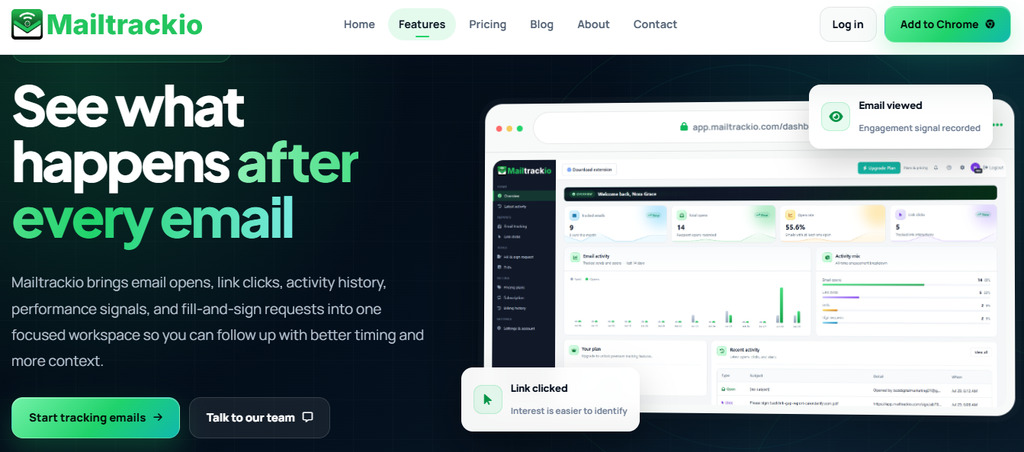
Mailtrackio takes a different route from large outbound platforms. Instead of surrounding email with an oversized sales stack, it focuses on what happens after you send a Gmail message.
You can track email opens and link clicks, then use engagement signals to judge whether someone actually interacted with your message. For salespeople, recruiters, founders, freelancers, and account managers, that visibility can turn a vague “maybe they saw it” into a much clearer follow-up decision.
Real-time open and click notifications make the workflow especially practical. Rather than constantly checking a dashboard, you can react when activity occurs and prioritize people showing fresh interest.
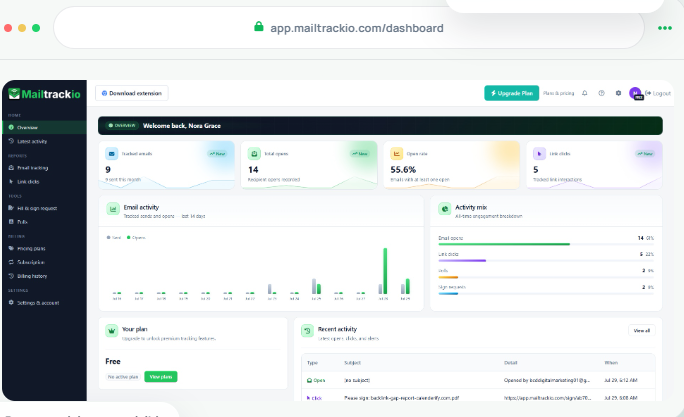
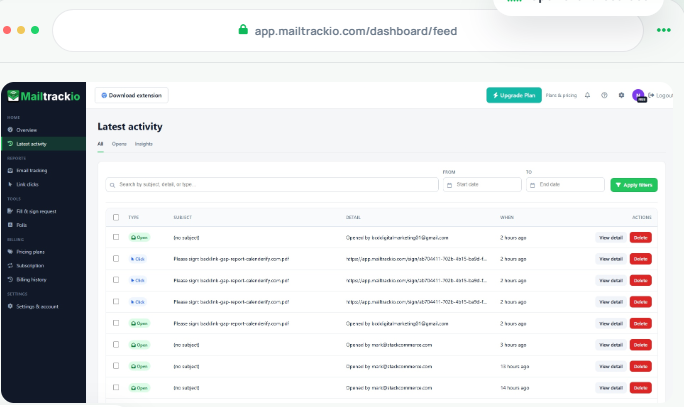
Mailtrackio also provides Gmail sent-folder status indicators and a web dashboard with open history and analytics. That combination gives you fast in-inbox visibility when you need it and a broader history when reviewing engagement.
The product also includes optional engagement helpers such as polls and e-sign functionality within the email workflow. These additions make Mailtrackio useful beyond simple read receipts while keeping the experience centered on communication rather than complex outbound infrastructure.
For someone comparing it with Instantly, the key distinction is purpose. Mailtrackio is better viewed as a focused Gmail engagement and tracking option, while Instantly is built for broader cold-email infrastructure and campaign automation.
Mailtrackio Key Features
- Email open tracking: Shows when Gmail messages are opened so you can identify active conversations instead of following up unthinkingly.
- Link click tracking: Reveals when recipients click links in your email, giving you another signal of interest beyond an open.
- Real-time notifications: Alerts you when important engagement occurs so you can follow up while the conversation is still fresh.
- Gmail status indicators: Adds visible tracking information to your sent workflow, reducing the need to jump between applications.
- Engagement dashboard: Keeps open history and analytics together so you can review how recipients interact with your messages.
- In-email engagement tools: Optional polls and e-sign capabilities let you collect responses or move simple approval workflows forward from email.
Mailtrack.io Pros
- Straightforward Gmail-focused workflow.
- Tracks both opens and link clicks.
- Provides real-time engagement alerts.
- Helps prioritize follow-ups using actual recipient behavior.
- Includes dashboard-based engagement history.
- Requires less operational complexity than a full sales-engagement suite.
- Adds useful engagement tools beyond basic read receipts.
Mailtrackio Cons
- Its Gmail-centered approach may not suit teams that work mainly in other email ecosystems.
- It is not designed to replace the full high-volume sequencing, inbox rotation, prospect database, and agency infrastructure of a dedicated cold-email platform.
Mailtrackio Pricing Plans:
Monthly pricing: Starter costs $9 per month for up to 3,000 tracked emails and 10 fill-and-sign requests. Professional costs $19 per month for up to 15,000 tracked emails and 50 signing requests, while Business costs $39 per month for up to 50,000 tracked emails, five connected team members, custom tracking-domain support, and 200 signing requests.
Yearly pricing: Starter is $90 per year, Professional is $190 per year, and Business is $390 per year.
Lifetime launch pricing: Starter Lifetime is $149 one-time, Professional Lifetime is $299 one-time, and Business Lifetime is $599 one-time, subject to the published lifetime limits and continued offer availability.
2. Smartlead
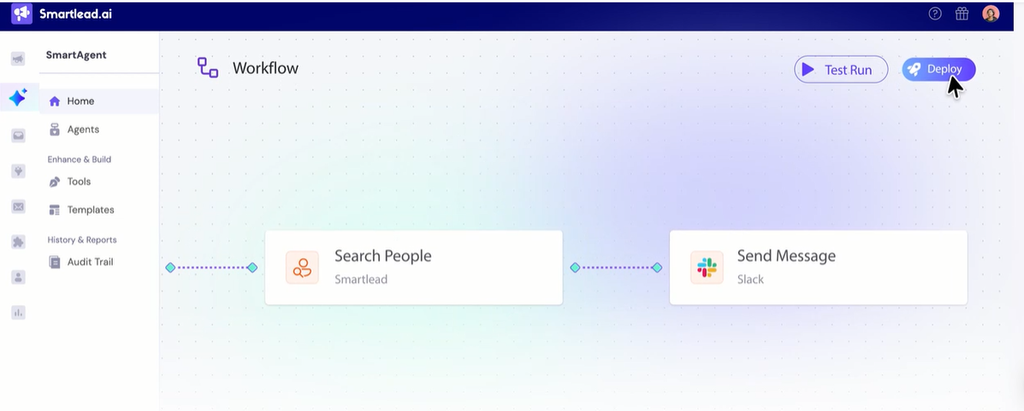
Smartlead focuses heavily on cold-email infrastructure and high-volume outbound. Unlimited email accounts are available across its plans, while features such as warm-up pools, mailbox management, campaign infrastructure, and higher-volume sending make it attractive to agencies and growing outbound teams.
The trade-off is complexity. Smaller teams that only need lightweight tracking or occasional outreach can end up managing more infrastructure than they actually require.
Smartlead Key Features
- Unlimited email accounts: Lets you connect multiple sending accounts without paying for every individual mailbox.
- Email warm-up: Helps prepare sending accounts before larger campaigns begin.
- Master Inbox: Centralizes replies across connected accounts for easier response management.
- Campaign automation: Supports scheduled sequences and follow-up workflows across larger contact volumes.
- Agency capabilities: Higher tiers support workflows designed for organizations managing multiple outbound operations.
Smartlead Pros
- Strong infrastructure for high-volume cold email.
- Unlimited email accounts across paid plans.
- Suitable for agencies and scaling outbound teams.
- The platform includes built-in warm-up functionality.
- Higher plans provide substantial monthly sending capacity.
Smartlead Cons
- Base users receive only 6,000 email sends per month.
- The Base plan does not include CRM access.
- Client workspaces require higher-level functionality.
- Private infrastructure targets higher-volume plans rather than entry-level users.
Smartlead Pricing Plans
Base starts at $39/month and includes up to 6,000 emails monthly.
Pro starts at $94/month and supports up to 90,000 emails monthly.
Unlimited Smart costs $174/month.
Unlimited Prime costs $379/month.
Annual billing currently offers roughly 17% savings.
3. Lemlist
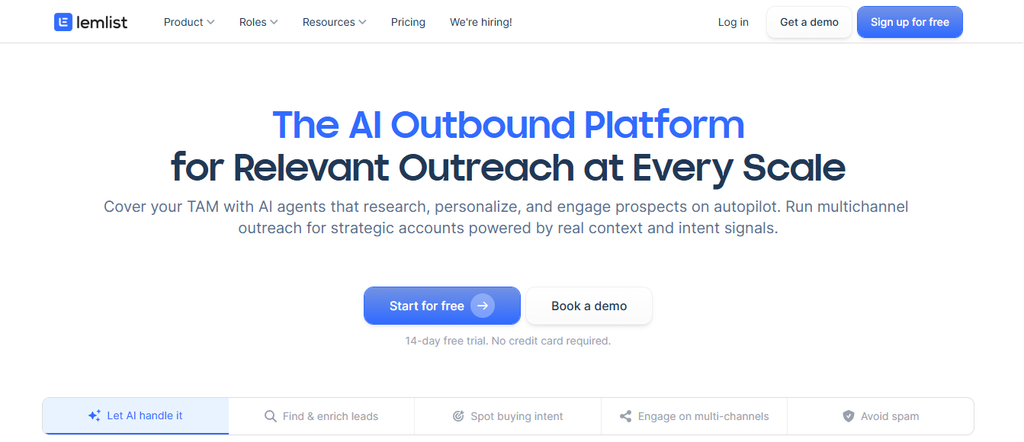
Lemlist combines email outreach with prospect data, personalization, deliverability tools, and multichannel engagement. Its Email plan includes a database of more than 650 million leads and allows up to 50,000 emails per month.
Its strongest capabilities become more expensive when you move into multichannel selling. Because pricing can be tied to users and sender allowances, larger sales teams should calculate their total seat cost before switching.
Lemlist Key Features
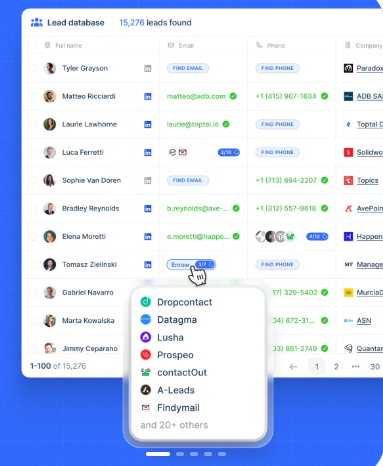
- 650M+ lead database: Helps you search for prospects without maintaining a completely separate sourcing platform.
- Email and phone finder: Supports prospect discovery and contact enrichment.
- Deliverability Hub: Combines warm-up and deliverability-focused tools.
- Unified inbox: Centralizes prospect replies so conversations are easier to manage.
- Multichannel sequences: Higher plans combine email with channels such as LinkedIn and calling.
Lemlist Pros
- Strong personalization options.
- Built-in prospect database.
- Useful multichannel capabilities.
- Deliverability tools are integrated into the product.
- Unlimited contacts are supported on current plans
Lemlist Cons
- The Multichannel plan costs considerably more than email-only access.
- Per-user economics can become expensive for growing teams.
- Multichannel workflows introduce more configuration than a simple cold-email sender.
- Some teams may not need the prospect database if they already pay for another data provider.
Lemlist Pricing Plans
Email costs $69/month on monthly billing or $55/month with annual billing.
Multichannel costs $109/month per user or about $87/month per user when billed annually.
Enterprise pricing is customized.
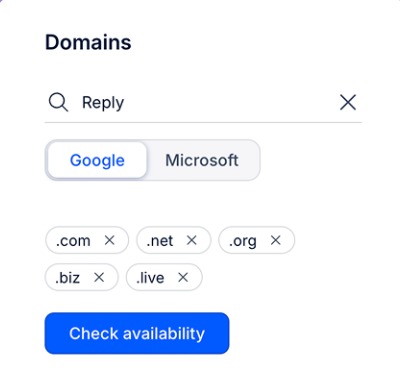
4. Reply.io
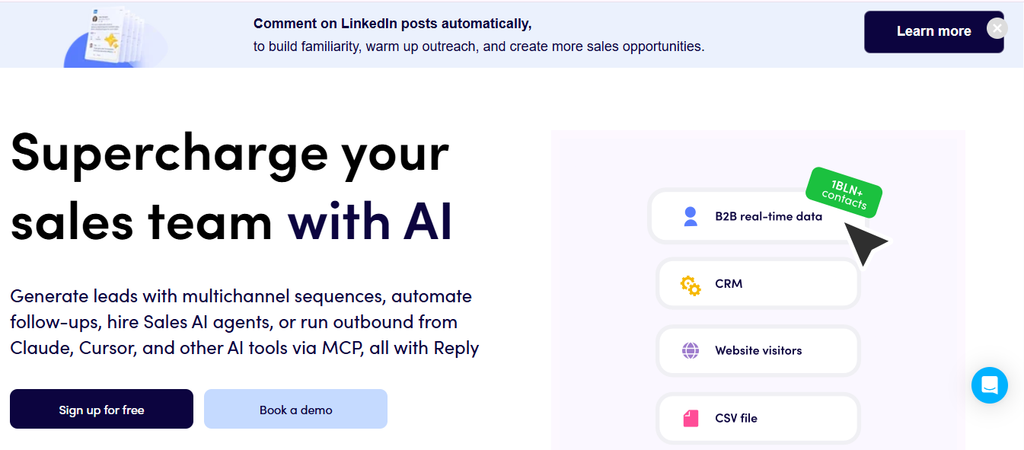
Reply.io is built for teams that want more than email. It can combine email, LinkedIn, calls, SMS, website-visitor signals, AI personalization, and prospect data within a broader sales-engagement workflow.
That breadth is also its main drawback. Costs can climb once you add users, LinkedIn accounts, calling capabilities, agency infrastructure, or AI SDR services.
Reply’s current live-data capability references a database of around 1 billion B2B contacts. That makes it considerably more data-oriented than a simple email-tracking product.
Reply.io Key Features
- Email automation: Runs follow-up sequences across connected mailboxes.
- LinkedIn automation: Adds LinkedIn touches to outbound workflows.
- Calls and SMS: Supports additional sales channels where required.
- Live B2B data: Gives prospecting access to a very large contact dataset.
- Email warm-up: Helps maintain sending-account health across outreach workflows.
Reply.io Pros
- Strong multichannel coverage.
- Large B2B data resource.
- Unlimited mailboxes on selected email plans.
- AI personalization and reply capabilities.
- Dedicated agency options are available.
Reply.io Cons
- Multichannel functionality costs more than email-only outreach.
- LinkedIn automation can involve additional account fees on some plans.
- Calling functionality may introduce further charges.
- AI SDR and agency configurations are significantly more expensive than basic outreach.
Reply.io Pricing Plans
Email Volume starts at about $59/month.
Multichannel starts at $99 per user/month, with lower effective pricing available annually.
AI SDR options start around $500/month.
Agency plans start around $166/month on annual configurations, while more advanced agency and AI SDR packages cost more.
5. Saleshandy
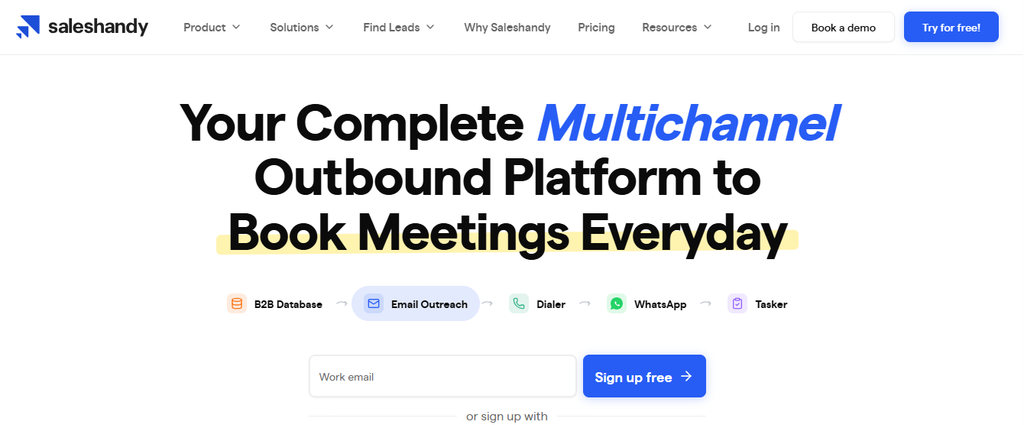
Saleshandy combines prospecting, email outreach, warm-up, verification, and sales-data tools under one pricing structure. Its current database advertises more than 852 million B2B contacts and more than 42 million company profiles.
That is useful if you want to reduce the number of separate subscriptions in your stack. The limitation is that sending and active-prospect allowances still vary significantly by plan.
Saleshandy Key Features
- 852M+ B2B contacts: Gives you a large prospect pool for outbound research.
- 42M+ company profiles: Adds company-level information for better targeting.
- Unlimited email accounts: Lets teams add inboxes without paying per mailbox.
- Email verification: Helps reduce invalid addresses before campaigns begin.
- CRM integrations: Connects with platforms including Salesforce, HubSpot, Pipedrive, Zoho, and Zapier.
Saleshandy Pros
- Combines data and outbound functionality.
- Unlimited email accounts reduce mailbox-related costs.
- Current Pro plan supports up to 100,000 emails monthly.
- Scale supports up to 200,000 emails monthly.
- Large prospect database reduces dependence on separate sourcing tools.
Saleshandy Cons
- Starter is limited to 2,000 active prospects.
- Pro has a 30,000 active-prospect limit.
- Higher-volume access substantially increases monthly cost.
- Teams needing only email tracking may find the broader platform unnecessary.
Saleshandy Pricing Plans
Starter costs $41/month or $34/month when billed annually.
Pro costs $99/month or $76/month annually.
Scale costs $189/month or $149/month annually.
6. Woodpecker
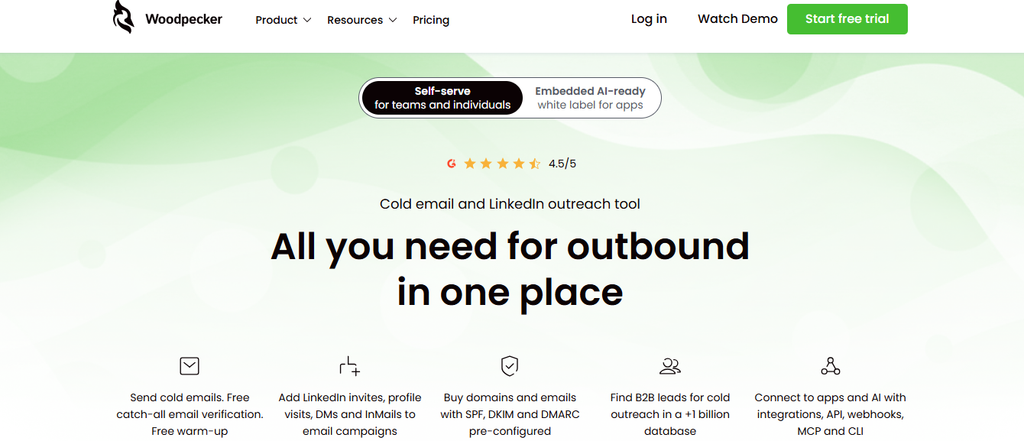
Woodpecker structures pricing around contacted and stored prospects rather than simply charging each user. Its lowest current tier costs $35 and supports up to 500 contacted prospects plus 2,000 stored prospects.
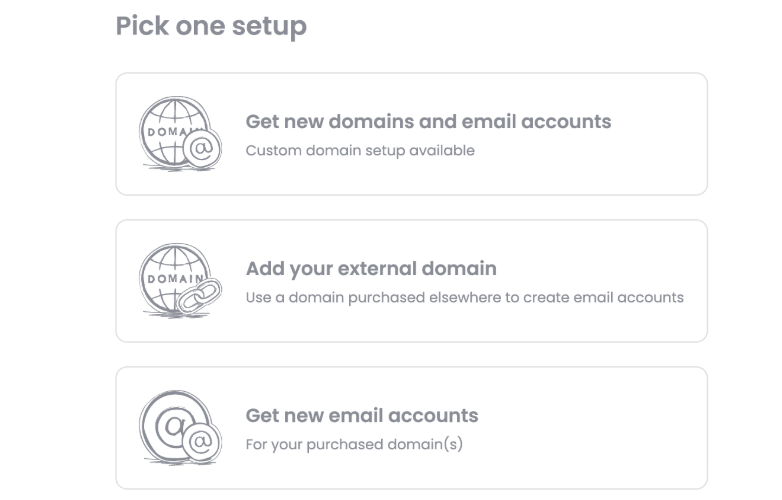
Free verification, warm-up, unlimited team members, and unlimited email accounts strengthen the package. However, LinkedIn automation, agency management, additional warm-ups, and infrastructure can add to your bill.
Woodpecker Key Features
- Free email verification: Helps remove problematic addresses before they damage bounce rates.
- Free warm-up: Supports mailbox preparation without another basic subscription.
- Inbox rotation: Distributes outreach across connected accounts.
- Adaptive sending: Adjusts sending behavior to appear less mechanical.
- Condition-based campaigns: Change follow-up paths based on prospect behavior.
Woodpecker Pros
- Pricing starts at $35/month.
- Unlimited team members are included.
- Unlimited email accounts are supported.
- Warm-up and verification are included.
- Strong deliverability-oriented feature set.
Woodpecker Cons
- The lowest tier supports only 500 contacted prospects.
- LinkedIn connections cost extra.
- Agency clients introduce additional per-client charges.
- Some integrations and infrastructure features are paid add-ons.
Woodpecker Pricing Plans
Woodpecker uses Starter, Growth, and Scale structures with volume-based tiers. The lowest tier is $35/month for up to 500 contacts and 2,000 stored prospects; annual billing can reduce the effective base cost.
LinkedIn accounts cost $29/month each.
Additional warm-ups cost $5/month per email account.
The Agency Panel charges $27/month per active client, while white labeling adds $5/month per active client.
7. Mailshake
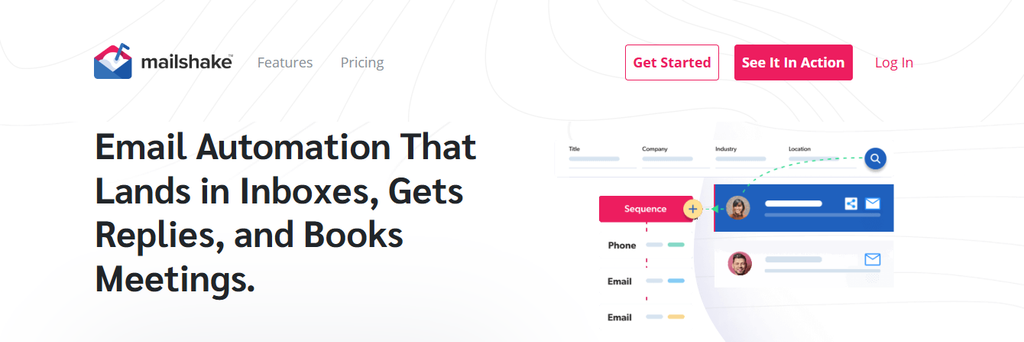
Mailshake combines automated email sequences with warm-up, verification, AI-assisted writing, and higher-tier sales engagement features. Its SHAKESpeare assistant can generate email copy, while the Sales Engagement tier adds calling and broader sales workflows.
One concern is mailbox allowance. Starter includes one email address, Email Outreach includes two, and Sales Engagement includes ten, so teams operating dozens of senders need to model costs carefully.
Mailshake Key Features
- Automated sequences: Creates repeatable outreach and follow-up workflows.
- SHAKESpeare AI writing: Helps generate cold-email copy.
- Unlimited warm-up: Helps prepare connected sending accounts.
- Unlimited verification: Supports list hygiene before outreach.
- Unified inbox: Centralizes engagement on higher tiers.
Mailshake Pros
- Easy-to-understand plan structure.
- Built-in AI writing assistance.
- Warm-up and verification included.
- Higher plan adds calling functionality.
- Integrates with Salesforce, Pipedrive, HubSpot, and Zapier.
Mailshake Cons
- Starter includes only one email account.
- Email Outreach includes only two email accounts.
- Full multichannel sales engagement requires the $99 monthly tier.
- Data Finder and ready-to-use mailbox services may create additional costs.
Mailshake Pricing Plans
Starter costs $29/month or approximately $25/month annually.
Email Outreach costs $49/month or about $45/month annually.
Sales Engagement costs $99/month or about $85/month annually.
Agency pricing is customized.
8. Snov.io

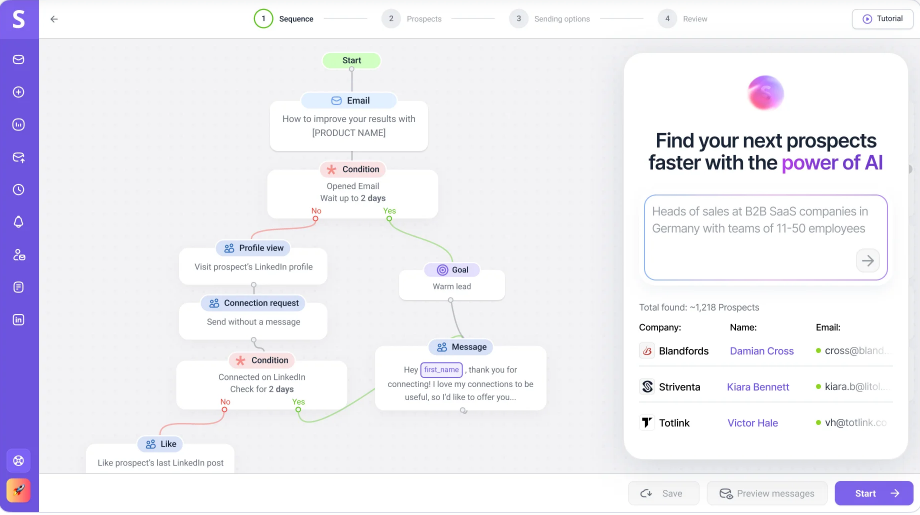
Snov.io combines lead discovery, email finding, verification, outreach, warm-up, and sales automation. It is particularly useful when you want prospecting and outreach inside the same environment instead of exporting lists between multiple applications.
Its main limitation is its quota model. Credits and recipient allowances vary by tier so heavy prospecting can push you into a much more expensive plan.
Snov.io Key Features
- Email Finder: Finds business email addresses from available prospect information.
- Email Verifier: Checks addresses before they enter campaigns.
- Prospect database: Lets you build targeted lists using company and contact criteria.
- Automated campaigns: Supports sequences and unlimited follow-ups.
- Email warm-up: Helps prepare connected accounts for outreach.
Snov.io Pros
- Combines prospecting and outreach.
- Starter includes unlimited team seats.
- Unlimited monthly follow-up emails are supported.
- Verification is integrated with prospecting credits.
- Multiple plans make volume scaling predictable.
Snov.io Cons
- Credits can become a constraint for intensive prospecting.
- Recipient limits require close monitoring.
- Higher tiers rise sharply in price.
- A team that already owns prospect data may pay for functionality it does not need.
Snov.io Pricing Plans
Trial is free.
Starter costs $39/month.
Pro S costs $99/month.
Pro M costs $189/month.
Pro L costs $369/month.
Ultra costs $738/month.
Longer billing commitments can provide discounts of up to 25%.
9. Salesforge
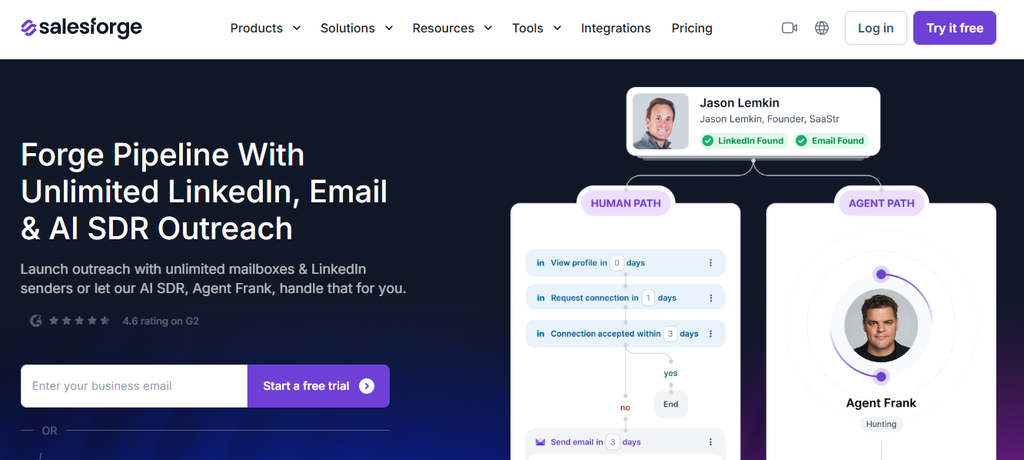
Salesforge focuses on AI-assisted outbound, email sequencing, LinkedIn activity, validation, personalization, and higher-scale campaign execution. Its Growth plan currently supports 10,000 active contacts in sequence and up to 50,000 emails monthly.
The platform becomes considerably more expensive when you move from human-led outreach into its autonomous AI-agent offering. That makes it important to separate the cost of software assistance from the cost of having an AI system operate more of the sales process.
Salesforge Key Features
- Unlimited email senders: Supports scaling infrastructure without charging for every sender.
- AI personalization: Generates individualized outreach using personalization credits.
- Email validation: Helps clean prospect data before sending.
- LinkedIn actions: Growth includes credits for social outreach actions.
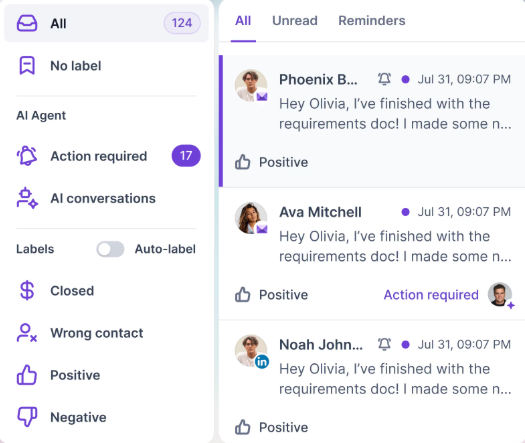
- Sentiment analysis: Helps categorize and interpret recipient responses.
Salesforge Pros
- Strong AI-assisted personalization.
- Growth supports unlimited email and LinkedIn senders.
- Built-in verification reduces dependence on separate tools.
- 50,000 monthly emails on the Growth base package.
- Suitable for teams experimenting with AI-led outbound.
Salesforge Cons
- Active-contact limits still apply.
- Personalization and validation operate through quotas.
- Additional volume increases cost.
- The autonomous Agent Frank product is far more expensive than standard outreach plans.
Salesforce Pricing Plans
Pro costs $40/month when billed annually.
Growth costs $80/month when billed annually.
Agent Frank costs $499/month when billed annually.
Additional capacity and infrastructure can increase those prices.
10. Apollo.io
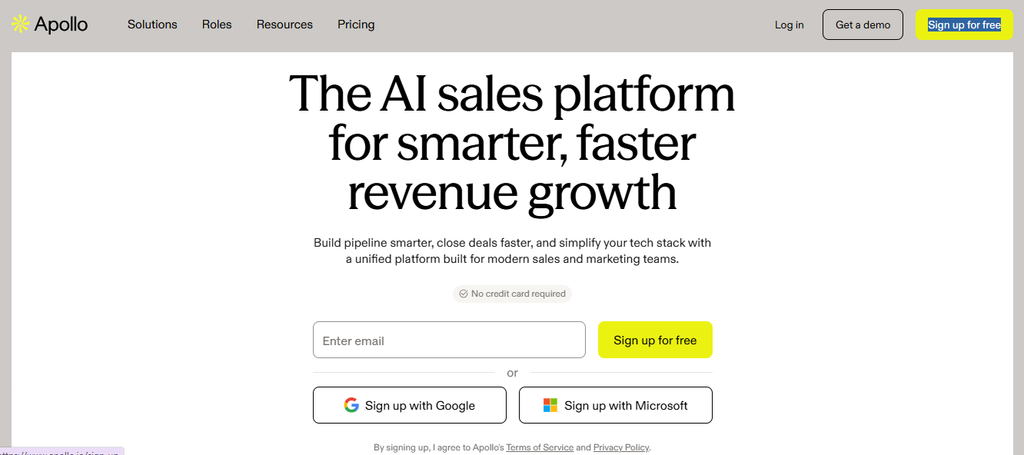
Apollo is more than a cold-email sender. It combines sales intelligence, contact data, intent signals, enrichment, sequences, workflows, calling, and CRM integrations.
More than 600,000 companies currently use Apollo, which illustrates how widely the platform has moved beyond basic prospect databases. The trade-off is per-user pricing and a credit system that can become expensive as your team grows.
Apollo.io Key Features
- B2B prospect database: Provides extensive company and contact data.
- Advanced search filters: Helps narrow prospects by firmographic and behavioral criteria.
- Email sequences: Supports automated outbound campaigns.
- Buying intent: Helps identify accounts showing relevant demand signals.
- CRM integration: Connects prospecting and outreach with systems such as Salesforce and HubSpot.
Apollo.io Pros
- Strong prospect-data capabilities.
- Combines data and engagement tools.
- Free plan is available.
- Advanced plans include dialer functionality.
- Useful for teams wanting fewer disconnected sales tools.
Apollo.io Cons
- Paid pricing is per seat.
- Credit consumption requires monitoring.
- Organization requires at least three users.
- Its broad feature set may be excessive if you only need email engagement tracking.
Apollo.io Pricing Plans
Free costs $0 and currently includes 900 credits per seat per year.
Basic costs $49 per user/month when billed annually.
Professional costs $79 per user/month when billed annually.
Organization costs $119 per user/month annually and requires at least three users.
11. GMass
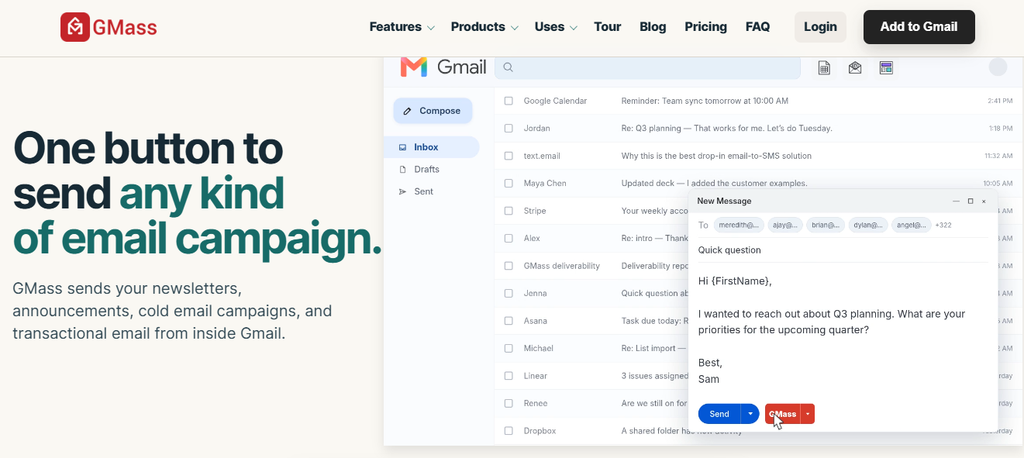
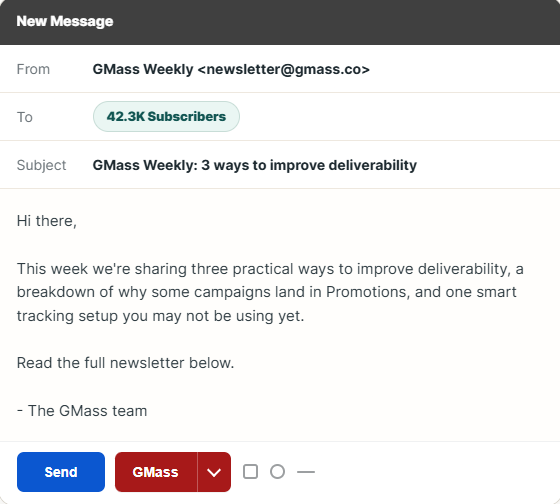
GMass is built directly around Gmail. It supports mail merge, campaigns, tracking, verification, personalization, and progressively more advanced automation as you move through its paid tiers.
The major limitation is also obvious: it is intentionally Gmail-centric. Teams seeking native LinkedIn, phone, large-scale prospect databases, or complex sales-engagement workflows may need additional products.
GMass Key Features
- Gmail-based campaigns: Lets you create and send campaigns from a familiar inbox.
- Mail merge personalization: Adds recipient-specific data to bulk outreach.
- Free email verification: Checks addresses before sending.
- Spam Solver: Helps identify potential deliverability problems.
- Sequences and follow-ups: Available on Premium and Professional plans.
GMass Pros
- Works directly inside Gmail.
- Unlimited contacts are included.
- Unlimited campaigns are supported.
- Email verification comes built in.
- Professional includes inbox rotation through MultiSend.
GMass Cons
- Gmail is the core operating environment.
- Sequences are not included in Standard.
- Inbox rotation requires Professional.
- Gmail and account-level sending restrictions still matter regardless of GMass plan wording.
GMass Pricing Plans
Standard costs $29.95/month or $249 annually, about $20/month effective.
Premium costs $39.95/month or $349 annually, about $29/month effective.
Professional costs $59.95/month or $599 annually, about $49/month effective.
Team pricing varies according to the number of users.
12. Mixmax
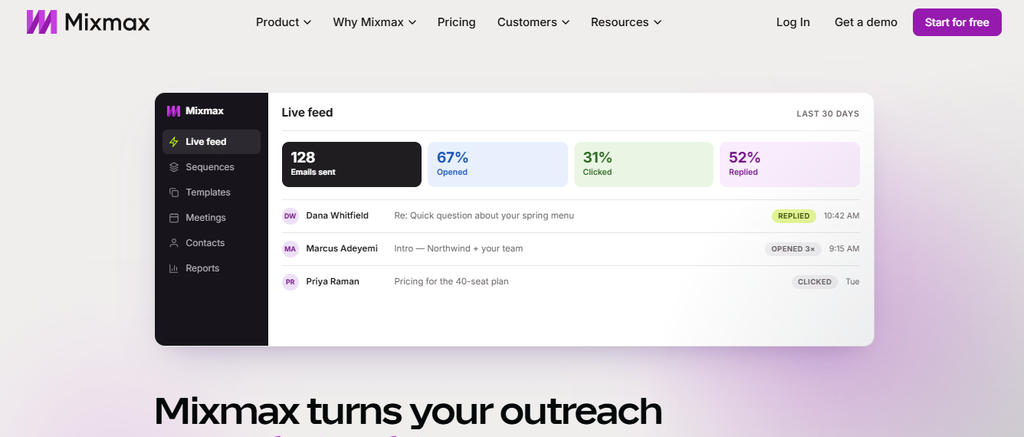
Mixmax has evolved into an AI-assisted engagement platform built around inbox activity, meetings, sequences, and CRM context. Its newer Copilot structure lets you pay for engagement, meeting intelligence, inbox productivity, or the complete suite.
The platform works particularly well for teams centered on Gmail and CRM-driven selling. However, the full Suite costs $89 per user each month, so larger teams should compare that seat cost with flatter-priced alternatives.
Mixmax Key Features
- Email tracking: Measures opens, clicks, and replies.
- Engagement Copilot: Builds and improves multichannel sequences.
- Meeting Copilot: Provides meeting preparation, recaps, and follow-up assistance.
- Inbox Copilot: Helps prioritize messages and follow-ups.
- CRM synchronization: Connects engagement activity with systems such as Salesforce and HubSpot.
Mixmax Pros
- Free entry-level plan.
- Strong Gmail workflow.
- Combines engagement and meeting intelligence.
- AI-assisted sequence optimization.
- Useful CRM automation for sales teams.
Mixmax Cons
- Pricing is per user.
- The complete platform costs more than individual Copilots.
- Meeting intelligence relies on transcripts from existing recording tools rather than recording meetings itself.
- It is less focused on massive cold-email infrastructure than dedicated sending platforms.
Mixmax Pricing Plans
Free costs $0.
Inbox Copilot costs $29 per user/month.
Meeting Copilot costs $29 per user/month.
Engagement Copilot costs $49 per user/month.
Mixmax Suite costs $89 per user/month.
13. Yesware
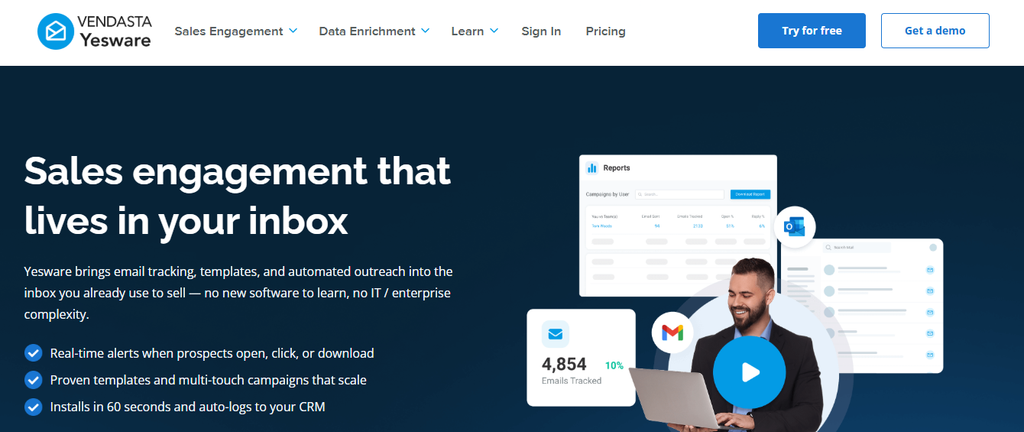
Yesware is an inbox-centered sales-productivity platform offering email tracking, campaigns, reporting, scheduling, shared templates, and CRM functionality. It makes sense for sellers who want engagement visibility without moving every sales activity into a standalone cold-outreach application.
Its limits become more noticeable at scale. The Pro plan allows only 20 campaign recipients per month, while higher-team functionality requires Premium or Enterprise.
Yesware Key Features
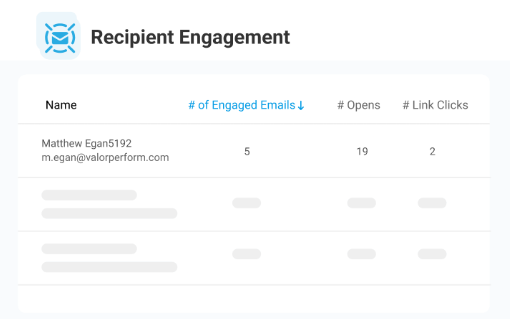
- Email open tracking: Shows when recipients interact with sent messages.
- Link tracking: Measures engagement with links.
- Attachment tracking: Reveals interactions with sales documents and presentations.
- Campaigns: Supports structured email outreach.
- Meeting scheduler: Reduces back-and-forth when booking calls.
Yesware Pros
- Free plan is available.
- Works naturally inside salesperson inbox workflows.
- Tracks opens, links, and attachments.
- Premium includes unlimited campaigns.
- Enterprise adds deep Salesforce synchronization.
Yesware Cons
- Pro allows only 20 campaign recipients each month.
- Pricing is per seat.
- Salesforce-focused Enterprise is costly for larger teams.
- It is not intended as high-volume cold-email infrastructure.
Yesware Pricing Plans
Free costs $0.
Pro costs $19 per seat/month or $15 per seat/month annually.
Premium costs $45 per seat/month or $35 per seat/year.
Enterprise costs $85 per seat/month or $65 annually.
Prospector credits are sold separately.
How to Choose the Right Instantly Alternative Without Hurting Deliverability
Start With the Job You Actually Need Done
Don’t choose a platform just because it has the longest feature list. Start by deciding whether your main problem is email tracking, campaign automation, finding prospects, managing replies, improving deliverability, or adding channels.
If your work happens primarily in Gmail and you send carefully targeted one-to-one messages, real-time engagement tracking may matter more than massive sending allowances. If you manage campaigns for several clients, unlimited inboxes and separate workspaces matter more.
Your sales motion should decide the tool, not the other way around.
Compare Total Cost Instead of the Cheapest Advertised Plan
Subscription price is only the first number. Add the cost of prospect data, verification, domains, inboxes, warm-up, CRM seats, LinkedIn automation, dialers, AI credits, and agency workspaces.
A $39 platform can become more expensive than a $100 platform once you rebuild missing functions using three additional subscriptions. Conversely, an all-in-one platform wastes money when you only need one specific capability.
Calculate what your stack costs for 1,000, 10,000, and 50,000 prospects. That exposes which pricing model remains sustainable as you grow.
Treat Deliverability as a System
In 2024, Gmail started requiring stronger authentication from bulk senders. Microsoft followed with tougher SPF, DKIM, and DMARC enforcement for high-volume Outlook senders from May 5, 2025.
Yahoo also expects bulk senders to maintain spam complaint rates below 0.3%. These changes mean no outreach platform can compensate for careless lists, excessive volume, poor authentication, or unwanted email.
Must-know Tip: “Keep your spam rate below 0.3%.” Yahoo’s requirement is simple, but it captures the larger lesson: protecting sender reputation matters more than squeezing extra volume from an inbox.
Measure Replies and Meetings, Not Opens Alone
Open tracking remains useful as an engagement signal, especially for individual follow-up. Don’t use it as the only metric to judge an outbound campaign.
Belkin’s 2025 data illustrates why. Its average cold-email reply rate was a strict 0.45%, with February reaching 0.54% and December falling to 0.35%.
Morning sends between 8 a.m. and noon also produced a 0.54% reply rate. Company size mattered too: organizations with 11–50 employees averaged 0.49%, while companies with 10,000 or more employees averaged only 0.22%.
The lesson is straightforward. Track delivery, replies, positive replies, meetings, opportunities, and cost per meeting alongside engagement signals.
Conclusion
Choosing an Instantly alternative is less about finding a tool with more features and more about finding software that matches the way you communicate with prospects.
Mailtrackio focuses on Gmail engagement signals such as opens, link clicks, real-time notifications, sent-folder indicators, and engagement history. Smartlead and Woodpecker lean more heavily into cold-email infrastructure. Lemlist and Reply.io extend into multichannel outreach, while Apollo and Saleshandy combine prospect data with engagement capabilities.
Pricing models also vary sharply. Some charge per seat, some by contacted prospects, some use credits, and others offer flat sending plans.
No platform removes the fundamentals of successful outreach. Clean prospect data, relevant messaging, authentication, careful sending volumes, timely follow-up, and accurate performance measurement still determine whether an outreach program works.
The best Instantly alternative is therefore the one whose capabilities, limits, workflow, and real operating cost fit your specific outreach process.
Frequently Asked Questions
What is the best Instantly alternative?
There is no universal best option. Mailtrack.io suits Gmail engagement tracking, Smartlead suits high-volume cold email, Lemlist and Reply.io suit multichannel outreach, and Apollo suits database-driven sales prospecting.
Is Mailtrackio an Instantly alternative?
Yes, when your main need is tracking Gmail engagement rather than operating a full high-volume cold-email infrastructure. It tracks opens, clicks, real-time activity, and engagement history.
What is the cheapest Instantly alternative?
Several products offer free entry points, including Apollo, Mixmax, and Yesware. Among dedicated paid cold-email platforms, pricing structures vary enough that you should compare limits rather than the headline monthly fee alone.
Which Instantly alternative is best for Gmail?
Mailtrackio, GMass, Mixmax, and Yesware all provide Gmail-centered workflows. The right one depends on whether you prioritize tracking, bulk campaigns, AI engagement, or broader sales productivity.
Which Instantly alternative is best for agencies?
Smartlead, Reply.io, Woodpecker, and several other platforms provide capabilities designed around higher-volume or multi-client outreach. Agency economics depend heavily on inbox, workspace, seat, and client charges.
Which Instantly alternative has the largest B2B database?
Database figures change frequently. Current vendor claims include more than 852 million B2B contacts for Saleshandy, around 1 billion contacts within Reply’s live-data ecosystem, and more than 650 million leads for Lemlist.
Which alternative is best for multichannel outreach?
Lemlist and Reply.io are strong options when you want to combine email with channels such as LinkedIn or calling. Mailshake’s Sales Engagement tier also extends beyond email.
Is open tracking still useful in 2026?
Yes, particularly for individual engagement and follow-up prioritization. However, privacy protections and tracking-pixel limitations mean you should combine open data with clicks, replies, meetings, and other stronger intent signals.
Should you switch from Instantly if your reply rate falls?
Not automatically. Poor replies may come from weak targeting, stale data, damaged domain reputation, generic messaging, excessive volume, or audience fatigue rather than the software itself.
What cold-email reply rate should you expect?
Benchmarks depend heavily on methodology. Belkins reported a strict 0.45% average across 2025 campaigns when replies were divided by total sends, while other studies use delivered emails or only opened emails and therefore report much higher percentages.
Why do SPF, DKIM, and DMARC matter?
They help mailbox providers verify that messages legitimately come from your domain. Gmail, Outlook, and Yahoo have all strengthened authentication expectations for higher-volume senders.
How many cold emails should you send per inbox each day?
There is no universally safe number because domain age, mailbox reputation, recipient quality, provider restrictions, and engagement all affect tolerance. Gradual, consistent sending is safer than sudden volume spikes.
Should price be the main factor when choosing an Instantly alternative?
No. Compare the total operating cost and the outcome you need. A cheaper subscription can become expensive after you add lead data, verification, inboxes, CRM seats, warm-up, LinkedIn automation, or other missing capabilities.

Comments
0 responsesNo comments yet. Be the first to share your thoughts.