

Choose an AI assistant to open this article URL with a summary request. Review generated summaries against the original article.
Sending an important email and hearing nothing back creates an awkward question: was it ignored, missed, or never opened?
The best email tracker for Gmail gives you more context. Instead of guessing, you can see engagement signals such as opens, link clicks, repeat activity, and, depending on the tool, document interactions. That information can change when you follow up and which conversations you prioritize.
But Gmail trackers now range from lightweight extensions to complete sales platforms. Some are excellent for individual tracking, while others add CRM, campaigns, automation, and document workflows.
This guide compares 9 strong options, starting with Mailtrackio, to help you find the right fit.
What Are Email Trackers?
Email trackers are tools that give you information about what happens after you send an email. Most integrate with Gmail through a browser extension, add-on, or connected application. They add engagement data that Gmail does not normally provide for everyday messages.
Open tracking usually works through a tiny invisible image called a tracking pixel. When the recipient’s email application loads that image, the tracking service records an event. Depending on the service, you may see when the message was opened and whether it was opened again.
Link tracking measures a different action. The tracker monitors clicks on links inside your message. For sales conversations, a click on your proposal, pricing page, portfolio, or booking page can provide stronger evidence of interest than an open alone.
More advanced trackers organize those events into an activity feed. Instead of checking individual Gmail threads, you can review recent opens and clicks in one place. This becomes particularly useful when you manage dozens of active conversations.
Some email trackers go much further. They add automated follow-ups, reusable templates, mail merge, CRM records, meeting scheduling, campaigns, attachment tracking, or document workflows. The right feature set depends on whether you simply want visibility or need a broader sales workflow.
Tracking data has limits, though. Apple Mail Privacy Protection can privately preload remote email content, which means an apparent open does not always represent a human reading your message. Gmail and other services can also proxy images. Treat an open as a signal, not unquestionable proof.
Clicks, replies, booked meetings, signed documents, and conversions therefore deserve more weight when measuring genuine intent. The strongest workflow combines several signals instead of making decisions from an open notification alone.
In 2026, an estimated 392.5 billion emails are sent and received worldwide every day. With that much inbox competition, understanding what happens after you press Send has become increasingly valuable.
Why You Need the Best Email Tracker
Imagine Daniel, an account manager in the commercial services industry. He handles proposals, renewal discussions, quotes, and new client conversations through Gmail.
For months, Daniel followed the same routine. Send an email, wait two or three days, then follow up. If a prospect did not respond, he had no idea whether the person had ignored the message, missed it, reviewed the proposal several times, or clicked through to the service information.
One Thursday, he sent proposals to 18 prospects. Five were serious opportunities. He followed up with all 18 three days later using almost identical messages. Two prospects had already reviewed the material several times, while another had never engaged with the original message. Daniel treated them exactly the same because Gmail gave him no additional context.
An email tracker would not magically close those deals. It would, however, give Daniel useful signals for deciding what to do next. Someone repeatedly opening an email and clicking the proposal deserves a different follow-up from someone showing no measurable engagement.
That difference matters because email remains commercially important. Recent industry data places typical email marketing ROI between 10:1 and 36:1. Litmus reported in 2025 that 35% of surveyed marketing leaders generated $10 to $36 for every $1 spent on email, while 30% reported returns between $36 and $50.
You Can Prioritize Engaged Contacts
Tracking lets you identify conversations showing recent activity.
Suppose you have 30 prospects waiting for follow-up. One opened your email once. Another returned several times and clicked your pricing page. The second conversation has a stronger observable engagement signal and may deserve attention first.
This does not mean every click equals purchase intent. It gives you additional context for prioritization.
You Can Improve Follow-Up Timing
A follow-up can fail because the message is poor. It can also fail because the timing is poor.
Real-time tracking can alert you when engagement occurs. If a decision-maker returns to a proposal after several quiet days, that activity can help you choose a more relevant moment to reconnect.
You Can Learn What Gets Attention
Tracking multiple messages over time reveals patterns.
You may discover that certain subject lines get more opens, while particular links receive more clicks. You can then improve future outreach using actual engagement behavior instead of intuition alone.
Email optimization remains valuable. In 2026, HubSpot reported that 93% of marketers say personalization improves leads or purchases, yet only about 13% use advanced personalization techniques.
You Can Reduce Unnecessary Follow-Ups
Tracking is also useful when nothing happens.
If an important email shows no meaningful activity, sending the same follow-up repeatedly may accomplish little. You can change the subject, provide a clearer reason to respond, use another communication channel, or wait.
You Can Connect Email Activity to Revenue Work
For sales teams, email tracking becomes more useful when it connects with CRM records, website visits, campaigns, proposals, and documents.
Instead of asking only, “Was the email opened?” you can ask, “What happened after it was opened?”
That is a much better business question.
Must-know Tip: Never treat an email open as proof that a person read your message. Apple Mail Privacy Protection downloads remote content in the background and prevents senders from reliably determining whether protected recipients opened an email. Use clicks, replies, meetings, document actions, and conversions alongside open data.
Best Email Tracker for Gmail
The best tracker depends on what you expect to happen after an email is sent. A freelancer may need straightforward open and click tracking. A salesperson may want CRM context. A team running outreach may need sequences, analytics, and automated follow-ups.
The 9 tools below approach Gmail tracking differently. I compared them around practical features, everyday usability, tracking depth, workflow support, limitations, and cost. Mailtrackio takes the first position because it combines Gmail-focused engagement tracking with searchable activity, detailed click reporting, and a built-in fill-and-sign workflow without forcing you into a large CRM platform.
1. Mailtrackio
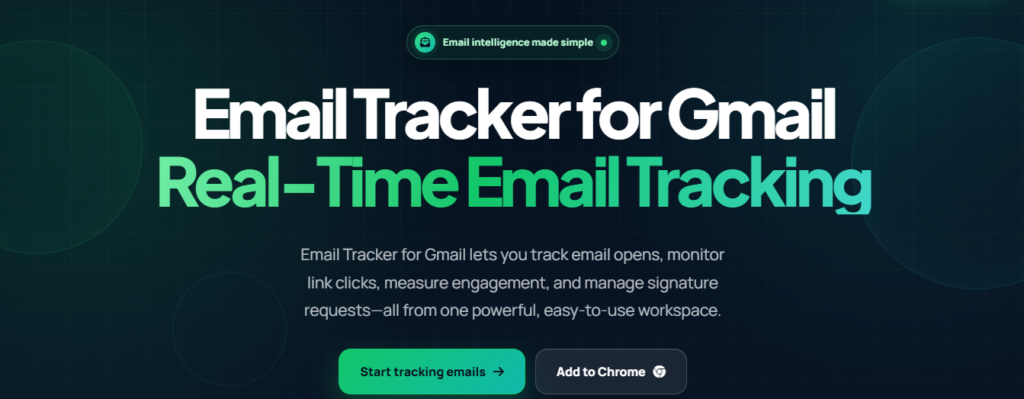
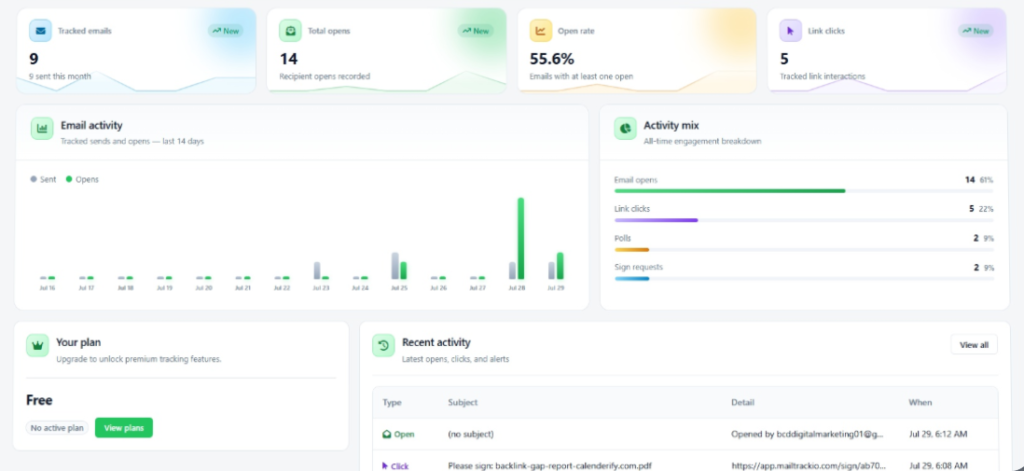
Mailtrackio is a focused email tracker for Gmail built around the information you need after pressing Send. Its dashboard brings tracked emails, opens, open rate, link clicks, recent activity, and engagement information together, which saves you from digging through individual threads whenever you need an update.
Its click reporting is particularly useful when an open does not tell the full story. You can see the recipient, destination link, click time, and related email information. That lets you distinguish someone who simply triggered an open from a contact who actively explored your proposal, product page, portfolio, or other linked resource.
Mailtrackio also connects email engagement with document progress. Its Fill & Sign area lets you send documents for signature, monitor pending and completed requests, view signer information, check progress, and access completed PDFs. For consultants, agencies, recruiters, salespeople, and other professionals who move from conversation to agreement, this reduces the need to manage tracking and signature status in completely separate workflows.
The searchable activity timeline makes the product practical when your volume grows. You can filter records by dates and search through subjects and other details instead of manually reopening old conversations. The trade-off is specialization. If you need a complete enterprise CRM with complex pipelines, forecasting, and broad sales automation, you will need a larger platform. For Gmail-focused engagement and document follow-through, however, that narrower scope keeps the experience easier to manage.
Mailtrackio Key Features
- Email open tracking: See which tracked messages receive views so you can identify where attention is developing.
- Link click reporting: Review clicked URLs and click times to separate basic opens from stronger engagement.
- Dashboard overview: Monitor tracked emails, total opens, open rate, clicks, recent activity, and engagement from one workspace.
- Searchable activity feed: Search and filter engagement events so active conversations are easier to find.
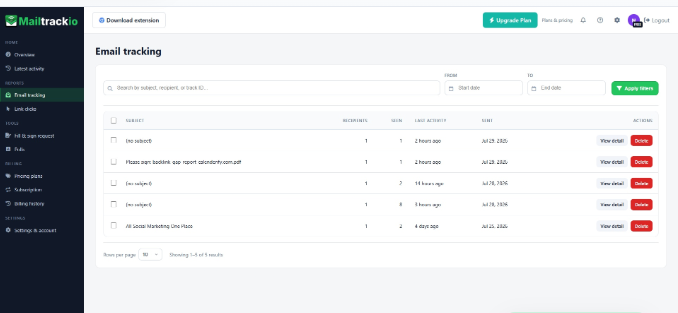
- Recipient-level email records: Review recipients, views, last activity, and send dates for individual tracked messages.
- Fill & Sign requests: Send documents for signature and keep signing progress connected with your communication workflow.
- Signature progress tracking: See pending and completed requests, signer details, and access completed signed PDFs.
Mailtrackio Pros
- Combines email tracking, link reporting, and signature workflows in one focused product.
- Detailed click records help you identify stronger engagement beyond simple opens.
- Search and date filtering make larger tracking histories easier to navigate.
- The dashboard presents core engagement metrics without requiring custom reports.
- Fill & Sign is valuable when your email conversation ends with an agreement or approval.
- A focused interface avoids much of the complexity that comes with full CRM platforms.
- A Chrome extension makes Mailtrackio practical for Gmail-based workflows.
Mailtrackio Cons
- It is not designed to replace a full enterprise CRM with extensive pipeline management.
- Teams requiring very advanced multi-channel sales automation may need additional software.
Mailtrackio Pricing Plans
- Starter: $9 per month
- Professional: 19 per month
- Business: $39 per month
Mailtrackio offers a lifetime package for their Starter ($149/one-time payment), Professional ($299/one-time payment), and Business plans (599/one-time payment).
2. Mailsuite
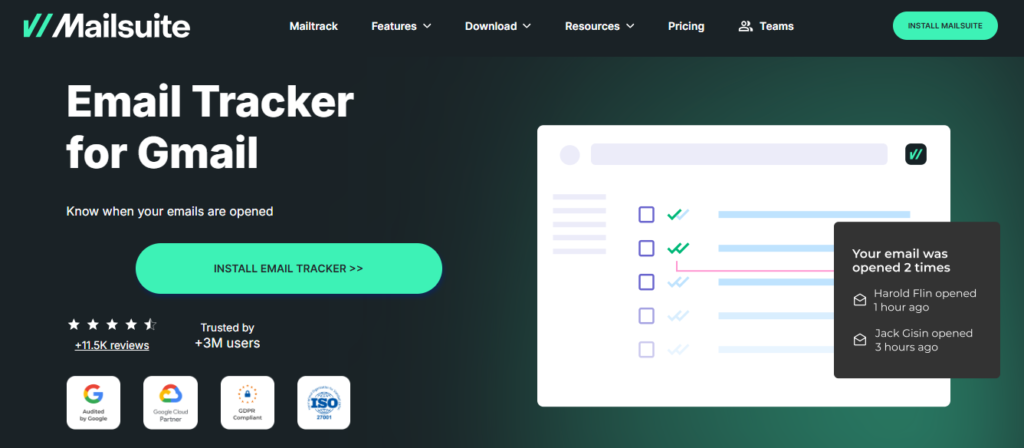
Mailsuite, formerly associated closely with the Mailtrack name, remains one of the most recognizable Gmail tracking options. Its biggest attraction is accessibility. You can track unlimited emails even on the free plan, and the familiar double-check system makes open status easy to understand.
Mailsuite now extends well beyond basic tracking with campaigns, PDFs, e-signatures, polls, reports, and other professional tools. That breadth is useful, although people wanting only lightweight email tracking may find that the broader Mailsuite plan includes more functionality than they actually need.
Mailsuite Key Features
- Unlimited tracked emails: Track outgoing messages without a tracked-email quota.
- Open status indicators: Double-check marks provide quick visibility into email status.
- Link tracking: Measure whether recipients interact with links inside your messages.
- Real-time alerts: Receive notifications when tracked engagement occurs.
- PDF tracking and e-signatures: Higher-level functionality lets you work with documents alongside email activity.
Mailsuite Pros
- Free plan includes unlimited tracked emails.
- Works closely with the Gmail experience.
- Paid tiers add deeper tracking history.
- Supports link engagement and tracking notifications.
- Broader Mailsuite functionality covers campaigns and documents.
Mailsuite Cons
- The free plan includes limited tracking history.
- Free messages may include promotional branding.
- Advanced features require the more expensive Mailsuite tier.
- The expanded feature set may be excessive if you only need basic open tracking.
Mailsuite Pricing Plans
- Free: $0 per user/month.
- Mailtrack: $6.99 per user/month.
- Mailsuite: $19.99 per user/month.
3. Streak
Streak is a very different proposition. It places CRM pipelines directly inside Gmail, so you can track relationships, deals, hiring processes, partnerships, and other workflows without constantly moving between Gmail and a separate CRM.
Email and link tracking are available alongside mail merge, snippets, shared pipelines, contact history, and automated follow-ups. That integration makes Streak powerful for teams already running much of their business from Gmail. The drawback is complexity and price. If all you need is a read notification, adopting a CRM can feel like buying an entire toolbox for one screwdriver.
Streak Key Features
- Email and link tracking: See views and link activity directly around Gmail conversations.
- Gmail CRM pipelines: Manage deals and stages without leaving your inbox.
- Mail merge: Send personalized messages to multiple recipients.
- Automated follow-ups: Build follow-up sequences around outreach.
- Shared team visibility: Give teammates access to relevant deal and conversation history.
Streak Pros
- CRM functionality lives directly inside Gmail.
- Free email power tools include tracking.
- Excellent fit for businesses already centered on Google Workspace.
- Mail merge and follow-ups support scalable outreach.
- Shared pipelines make collaboration easier.
Streak Cons
- Considerably more complex than a dedicated tracker.
- Paid CRM plans are expensive for individuals needing only tracking.
- Advanced reporting and automation require higher tiers.
- The CRM interface adds functionality that casual Gmail users may never use.
Streak Pricing Plans
- Email power tools: $0.
- Pro: $49 per user/month billed annually, or $59 monthly.
- Pro+: $69 per user/month billed annually, or $89 monthly.
- Enterprise: $129 per user/month billed annually, or $159 monthly.
4. Salesflare:

Salesflare combines tracking with an automated B2B sales CRM. Its standout capability is connecting email engagement with website activity. You can see email opens and clicks, then determine whether contacts visited your website, which pages they viewed, and how long they spent there.
Salesflare also excludes team interactions from tracking and works with Gmail and Outlook. That produces richer intent data than a basic pixel tracker. However, the minimum paid CRM price makes it difficult to justify if your only goal is checking whether someone opened an email.
Salesflare Key Features
- Open and click tracking: Monitor engagement with messages and links.
- Website tracking: Connect email contacts with subsequent website visits.
- Team exclusion: Reduce misleading tracking events generated by colleagues.
- Gmail integration: Track emails from your existing inbox.
- Automated CRM data capture: Reduce manual contact and activity entry.
Salesflare Pros
- Combines email and website engagement data.
- Team exclusion helps keep tracking records cleaner.
- Strong choice for B2B sales organizations.
- CRM data automation reduces repetitive admin.
- Email tracking comes with the CRM rather than requiring another tracker subscription.
Salesflare Cons
- There is no permanent free CRM plan.
- It costs much more than a simple Gmail tracking extension.
- The product is primarily designed around B2B sales.
- Its broader CRM workflow can be unnecessary for individual users.
Salesflare Pricing Plans
- Growth: $39 per user/month, or $29 with annual billing.
- Pro: $64 per user/month, or $49 with annual billing.
- Enterprise: $124 per user/month, or $99 with annual billing, with a five-user minimum.
5. Mailbutler
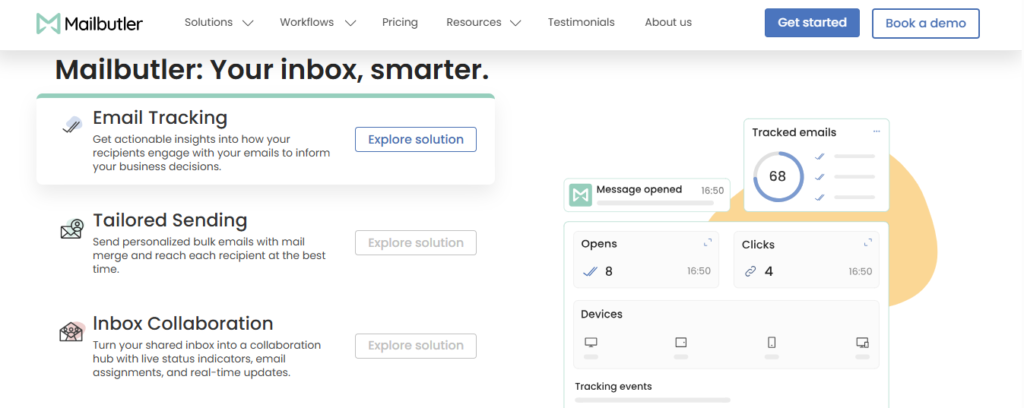
Mailbutler is a broad inbox productivity platform supporting Gmail as well as Outlook and Apple Mail. Its tracking tools cover opens, link clicks, engagement history, real-time notifications, and per-recipient tracking. The Smart plan also adds device and location details.
A notable feature is Smart Follow-ups, which analyzes tracking activity and helps prioritize messages that may need attention. You also get AI-assisted writing and other productivity functions.
The concern is that Mailbutler has evolved into a much broader inbox assistant, so someone seeking a minimalist Gmail tracker may not need everything it offers.
Mailbutler Key Features
- Email and link tracking: Monitor first opens and clicks.
- Engagement history: Review activity across tracked conversations.
- Per-recipient tracking: See engagement for individual recipients in group emails.
- Smart Follow-ups: Prioritize emails using engagement patterns.
- CRM tracking sync: Push tracking information into supported CRM workflows.
Mailbutler Pros
- Supports Gmail, Outlook, and Apple Mail.
- Provides detailed engagement information.
- Smart Follow-ups turn tracking data into practical priorities.
- Custom tracking subdomains are available on advanced functionality.
- AI productivity tools extend its value beyond tracking.
Mailbutler Cons
- Free emails include a visible Mailbutler watermark.
- Advanced tracking requires a paid plan.
- The broad feature set may feel excessive for simple tracking.
- Business pricing is not publicly fixed.
Mailbutler Pricing Plans
- Starter: $0.
- Smart: $14 per user/month on monthly billing or $11 per user/month on annual billing.
- Business: Custom pricing.
Must-know Tip: Compare tracking products on more than the number of features. A simple tracker that your team uses every day can produce more value than an advanced CRM that everyone avoids because it adds too much friction.
6. Mailmeteor:

Mailmeteor combines tracking with mail merge and Gmail outreach. You can monitor opens, clicks, and replies, then add automatic follow-ups based on recipient behavior. That makes it particularly useful when you send personalized outreach to many people rather than tracking occasional one-to-one messages.
It also works closely with Google Sheets, Gmail, and other Google-oriented workflows. The main consideration is that Mailmeteor increasingly operates as an outreach and productivity platform. If you send only a handful of tracked messages, many of its campaign features may go unused.
Mailmeteor Key Features
- Open, click, and reply tracking: Monitor several engagement signals.
- Automatic follow-ups: Schedule messages based on whether recipients reply.
- Mail merge: Send personalized emails to larger recipient lists.
- Campaign analytics: Review engagement across outreach.
- Personalized templates: Reuse messages with dynamic recipient information.
Mailmeteor Pros
- Strong integration with Gmail and Google Sheets.
- Tracks replies as well as opens and clicks.
- Automated follow-ups reduce repetitive work.
- Free plan lets you test the core workflow.
- Mail merge works well for personalized bulk outreach.
Mailmeteor Cons
- Higher sending limits require paid plans.
- Advanced automation sits on more expensive tiers.
- Campaign features are unnecessary for occasional tracking.
- Heavy outreach users may need the higher-cost Professional plan.
Mailmeteor Pricing Plans
- Hobby: $0.
- Starter: $5.99 per user/month.
- Premium: $15.99 per user/month.
- Professional: $35.99 per user/month.
7. Right Inbox:

Right Inbox extends Gmail with tracking, reminders, templates, sequences, private notes, recurring emails, scheduling, and other productivity tools. Its tracking feature can show opens, clicks, device information, and location information while keeping you inside Gmail.
Sequences are particularly useful because follow-ups can be scheduled when a recipient does not reply, then canceled automatically when a response arrives. The compromise is focus. Right Inbox is a Gmail productivity extension first, so organizations wanting deep analytics or sophisticated CRM intelligence may find dedicated sales platforms stronger.
Right Inbox Key Features
- Email tracking: Monitor opens and link clicks.
- Email sequences: Automatically send follow-ups when recipients do not respond.
- Reminders: Bring important conversations back to your attention.
- Templates: Insert frequently used messages quickly.
- Recurring emails: Automate messages sent on repeating schedules.
Right Inbox Pros
- Integrates directly into Gmail.
- Combines tracking with useful everyday productivity tools.
- Sequences automatically stop after a recipient replies.
- Private notes add context without exposing notes to recipients.
- Recurring emails help automate repetitive communication.
Right Inbox Cons
- It is not a full CRM.
- Advanced sales analytics are limited compared with larger platforms.
- The large collection of Gmail enhancements can be unnecessary for basic tracking.
- Some workflows depend heavily on the browser extension.
Right Inbox Pricing Plans
8. Yesware:

Yesware targets sales professionals who want engagement tracking without moving their daily work out of Gmail. It tracks email opens, link clicks, and attachments, while also offering campaigns, templates, meeting scheduling, reporting, and contact management.
Its attachment tracking is especially valuable when you send presentations or sales material and want more context than an open notification provides. However, Yesware’s strongest team and Salesforce capabilities sit on Premium and Enterprise plans, so costs can climb quickly when your requirements expand.
Yesware Key Features
- Email tracking: Monitor opens and link clicks.
- Attachment tracking: See engagement with shared sales materials.
- Multi-channel campaigns: Build structured outreach sequences.
- Meeting Scheduler: Reduce back-and-forth when arranging calls.
- Engagement reports: Review recipient and campaign activity.
Yesware Pros
- Built specifically around sales engagement.
- Supports Gmail and Outlook.
- Attachment tracking adds another useful intent signal.
- Free tier gives individual users a starting point.
- Premium tiers support team templates, campaigns, and reporting.
Yesware Cons
- Free tracking has meaningful restrictions.
- Premium team functionality increases the cost substantially.
- Salesforce-specific capabilities require Enterprise.
- Yesware does not currently offer a mobile app.
Yesware Pricing Plans
- Free: $0 per seat/month.
- Pro: $19 monthly or $15/month billed annually.
- Premium: $45 monthly or $35/month billed annually.
- Enterprise: $85 monthly or $65/month billed annually.
9. Mixmax:
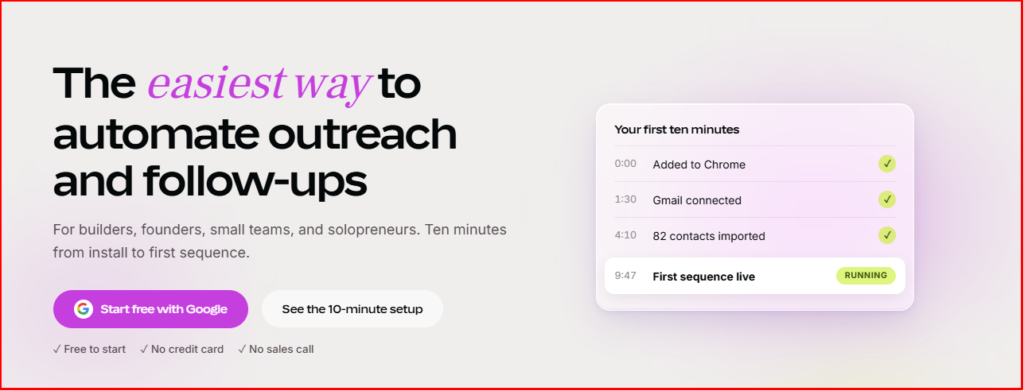
Mixmax is built for revenue teams that want Gmail tracking to feed a broader sales-engagement process. It tracks email opens and clicks in real time, then combines those signals with sequences, meeting scheduling, templates, automation, and CRM-connected workflows.
This makes Mixmax powerful when your goal extends beyond knowing whether an email was read. You can use engagement signals to guide follow-ups and coordinate sales activity. The downside is price and complexity. A solo Gmail user who only wants open notifications will probably use a small fraction of the platform.
Mixmax Key Features
- Real-time email tracking: Monitor opens and clicks and receive engagement alerts.
- Personalized sequences: Automate structured follow-up workflows.
- Meeting scheduling: Add scheduling options to reduce booking friction.
- Email templates: Standardize frequently used outreach.
- Sales automation: Turn engagement events into follow-up actions and tasks.
Mixmax Pros
- Built directly around Gmail and modern sales workflows.
- Combines tracking with powerful follow-up automation.
- Real-time engagement alerts help prioritize active prospects.
- Strong meeting and scheduling functionality.
- Integrations make it suitable for larger revenue operations.
Mixmax Cons
- More expensive than lightweight Gmail trackers.
- Advanced functionality introduces a larger learning curve.
- Solo users may not need the sales-engagement features.
- The strongest value appears when your team uses several Mixmax capabilities together.
Mixmax Pricing Plans
- Free: $0.
- Meeting Copilot: $29 per user/month.
- Inbox Copilot: $29 per user/month.
- Engagement Copilot: $49 per user/month.
- Mixmax Suite: $89 per user/month.
- Mixmax for Teams: Custom pricing.
How to Choose the Best Email Tracker for Gmail
Picking an email tracker becomes easier when you stop asking which product has the longest feature list.
Start with what you actually want to know.
If you simply need to know whether important messages receive attention, a focused tracker makes sense. If you regularly send proposals and agreements, Mailtrackio’s combination of opens, link reporting, activity history, and Fill & Sign creates a more connected workflow.
If your Gmail inbox effectively serves as your sales database, Streak may make more sense because its CRM lives inside Gmail. If you need to connect email activity with website behavior, Salesflare provides another layer of intent data.
For high-volume personalized outreach, Mailmeteor, Snov.io, Yesware, and Mixmax offer broader campaign capabilities. Mailsuite works well when you want familiar Gmail tracking with an expanding set of document and campaign tools.
Also consider cost beyond the advertised starting price. Ask which tier includes the features you actually need. A $0 tracker can become expensive once you require history, branding removal, automation, team reports, or CRM integrations.
Finally, examine security and permissions. An email extension may need meaningful access to your Gmail environment to function. Review what information it accesses, how data is handled, and whether the permission level makes sense for your organization.
Must-know Tip: The best email tracker for Gmail is not automatically the tool with the most automation. Choose the smallest product that reliably gives you the engagement information and workflow support you need. Extra complexity only creates value when you actually use it.
Email Opens vs. Clicks vs. Replies: Which Signal Matters Most?
An open is the weakest of the three signals.
It can tell you that remote content associated with your email loaded. That can be useful, but privacy systems and automated processes mean it does not always represent intentional human engagement.
A click is stronger.
If a recipient clicks your pricing page, proposal, portfolio, product demonstration, or scheduling link, that action provides clearer evidence that something in your email generated interest.
A reply is stronger still because the recipient deliberately enters the conversation.
For that reason, your follow-up process should use a hierarchy:
- Open: Possible attention.
- Repeat activity: Potential renewed attention.
- Click: Clearer interaction.
- Reply: Direct engagement.
- Meeting, conversion, or signature: Business action.
This is one of the biggest content gaps in many email tracker comparisons. They rank products by whether they can detect an open but rarely explain how you should interpret the resulting data.
In practice, the value of an email tracker comes from better decisions, not more notifications.
Final Verdict: Which Is the Best Email Tracker for Gmail?
Mailtrackio is our top choice when you want a focused Gmail tracking experience that extends beyond basic open notifications. You can monitor email activity, inspect link clicks, search engagement history, review core metrics from one dashboard, and keep Fill & Sign requests alongside the communication that produced them.
That combination is particularly useful for sales professionals, agencies, recruiters, freelancers, consultants, founders, and customer-facing teams that regularly move from an email conversation to a proposal, document, or agreement.
Mailsuite is a strong alternative if you value unlimited basic tracking and a familiar Gmail workflow. Streak is better when you specifically want a CRM inside Gmail. Salesflare suits B2B teams wanting website and email activity together, while Mixmax and Yesware fit broader sales-engagement operations.
Whichever tool you choose, remember the most important principle in this guide.
Tracking should reduce guesswork, not create false certainty.
Use opens as context. Give clicks and replies more weight. Measure final outcomes whenever possible. The best email tracker for Gmail is ultimately the one that helps you make a smarter next move after you press Send.
Frequently Asked Questions About Gmail Email Trackers
What is the best email tracker for Gmail?
Mailtrackio is a strong choice if you want email open tracking, link click reporting, searchable activity, engagement metrics, and Fill & Sign workflows in one focused workspace. Other strong options include Mailsuite, Streak, Salesflare, Mailbutler, Snov.io, Mailmeteor, Right Inbox, Yesware, and Mixmax.
Can you track whether someone opened an email in Gmail?
Yes. Gmail tracking extensions and connected tools can use tracking technology to record open events. However, privacy features, image blocking, proxying, and automated image loading mean an open event does not always prove that a human read your message.
Does Gmail have built-in email open tracking?
Standard Gmail does not provide conventional open tracking for ordinary personal emails. Google Workspace offers read receipts in certain organizational environments, but these are different from the tracking systems provided by dedicated Gmail extensions.
How does an email tracker know when an email is opened?
Most open trackers insert a tiny remote image into the email. When that resource loads, the tracking system records an event associated with the message.
Are Gmail email trackers accurate?
They can provide useful engagement information, but open tracking is not perfectly accurate. Apple Mail Privacy Protection, image blocking, security scanners, cached images, and proxy services can affect recorded events.
Is link tracking more useful than open tracking?
Often, yes. A click normally represents a more deliberate action than an image load. If a recipient clicks your proposal or pricing page, you have a stronger engagement signal than an open alone.
Can an email tracker tell me exactly who opened a group email?
Some tools offer per-recipient tracking for group messages, but capabilities vary. Always check the specific product and plan before relying on this feature.
Can I track emails in Gmail for free?
Yes. Several tools provide free tracking. Mailsuite offers a free tier with unlimited tracked emails, Streak provides free email power tools, and Snov.io offers a free Gmail tracking extension. Free tiers often restrict history, reporting, automation, branding removal, or other advanced features.
Can email tracking hurt deliverability?
Tracking technology can introduce additional domains, redirects, and remote resources into an email. Deliverability depends on many factors, including sender reputation, authentication, message content, recipient engagement, tracking infrastructure, and sending behavior. Choose reputable tracking software and maintain sound sending practices.
What should I look for in a Gmail email tracker?
Prioritize reliable Gmail integration, open and click visibility, understandable reports, useful notifications, search and filtering, reasonable permissions, transparent pricing, and workflow features you will actually use.
Is email tracking useful for freelancers?
Yes. You can use tracking to understand whether clients interact with proposals, project updates, portfolio links, invoices, or other important messages. The information can help you choose a more appropriate follow-up time.
Is email tracking useful for sales teams?
Yes. Sales teams can use engagement information to prioritize prospects, time follow-ups, evaluate outreach, and connect email activity with CRM records. The strongest results come from combining tracking data with replies, meetings, opportunities, and revenue.
Should I follow up immediately after someone opens my email?
Not automatically. An open alone is a weak signal and can even be generated by privacy technology. Consider the relationship, timing, number of interactions, clicks, previous conversations, and the natural buying process before following up.
Which is more important, email open rate or reply rate?
For conversations where a response is the desired outcome, reply rate is generally more meaningful. Open rate can help diagnose visibility and subject-line performance, but a reply represents deliberate engagement. For marketing campaigns, clicks and conversions also provide stronger outcome-oriented signals.
Can Apple Mail Privacy Protection affect Gmail addresses?
Yes. What matters is the application used to read the message, not only the email address itself. A person can use a Gmail address inside Apple’s Mail app with Mail Privacy Protection enabled. In that situation, Apple’s privacy system can affect open-tracking information.
What is the biggest mistake people make with email trackers?
The biggest mistake is treating tracking events as certainty. An open does not prove interest, and even several opens do not guarantee buying intent. Use tracking as context for better decisions, then validate interest through clicks, replies, conversations, meetings, document actions, and conversions.

Comments
0 responsesNo comments yet. Be the first to share your thoughts.