

Choose an AI assistant to open this article URL with a summary request. Review generated summaries against the original article.
Streak alternative tools deserve a closer look when your sales workflow has outgrown a CRM that lives mainly inside Gmail. Salesforce reported in 2024 that sales representatives spend about 70% of their time on non-selling work, while 81% of sales teams were already experimenting with or fully using AI. Teams using AI were also more likely to report revenue growth, at 83% versus 66% for teams without AI.
Buyer behavior is changing just as quickly. In HubSpot’s 2025 research, 74% of sales professionals said AI makes it easier for buyers to research products before speaking with salespeople. Choosing your next CRM or email engagement tool therefore comes down to automation, visibility, cost, integrations, and how closely the software matches the work you actually do.
Why Are Businesses Looking for Streak Alternative?
An Illustrative Case: When Gmail Convenience Starts Costing More
Consider a 12-person recruiting company that manages candidates, client conversations, follow-ups, and placements from Gmail. The team likes Streak because conversations and pipeline information stay close to email. As reporting, automation, and integrations become more important, however, the company would need Streak Pro+, currently priced at $69 per user per month when billed annually.
That works out to $828 per month before considering whether the team could achieve its goals with a lower-priced standalone CRM. Streak’s Pro+ tier includes advanced reports, integrations, and automations. Enterprise adds custom roles, data validation, and stronger administrative controls at $129 per user per month when billed annually.
Cost is not the only pressure. Salesforce’s 2024 State of Sales research found that 67% of sales representatives did not expect to meet quota that year, while 84% had missed quota the previous year. When performance is under pressure, teams naturally examine whether their CRM removes administrative work or simply gives them another place to manage it.
Where Streak May Stop Matching Your Workflow
Streak remains strongly tied to Gmail and Google Workspace. That is valuable for Gmail-first companies, but teams using Outlook, multiple communication channels, advanced calling, prospecting, complex permissions, or extensive sales automation may need a broader platform.
Some capabilities also sit higher in Streak’s pricing structure. Automations and direct integrations require Pro+, while custom roles and data validation require Enterprise. Streak also states that it does not provide separate lower-cost pricing for users who only need view access.
You should not switch simply because alternatives exist. If your team spends most of its day in Gmail, values minimal context switching, needs straightforward shared pipelines, and already uses Streak comfortably, remaining with it may be more efficient than migrating. A switch makes sense when a clearly defined limitation in price, automation, reporting, outreach, platform compatibility, or administration is slowing you down.
What Should You Look for in a Streak CRM Alternative?
Workflow Fit: Choose Software Around How You Actually Sell
Start with the work your team performs every day. If you mainly need to know whether prospects opened an email or clicked a link, a focused engagement tracker may make more sense than adopting a large CRM. If you manage dozens of opportunities, forecasts, territories, activities, and sales representatives, pipeline depth becomes more important.
Your evaluation should also reflect the way buyers behave. HubSpot reported in 2025 that 59.9% of surveyed sales teams were on track to meet or exceed revenue goals, while 91% said win rates were stable or improving. Your CRM should help you understand why deals move, stall, or close rather than simply collect contacts.
Automation and Useful Data: Reduce Manual Work Without Losing Control
Look for automatic activity capture, workflow rules, email synchronization, reminders, sequences, lead routing, enrichment, and reporting that matches your process. HubSpot’s 2025 research found that 68% of sales professionals said lead quality had improved year over year. Better lead quality becomes more valuable when your software helps you prioritize those opportunities quickly.
AI is also becoming practical rather than decorative. In the same research, 84% of sales professionals said AI saved time and optimized processes, while 82% said it surfaced better insights from data. Judge AI features by the work they eliminate, not by whether the vendor places an AI badge on the pricing page.
Real Cost and Scalability: Calculate More Than the Entry Price
Compare what your team would pay for the features it genuinely needs. A $20 entry plan can become expensive if email synchronization, automation, reporting, prospecting, permissions, and AI require several upgrades or add-ons.
Calculate costs at your current team size and again at the size you expect to reach in 12 to 24 months. Also check contact limits, sending limits, AI credits, onboarding requirements, data migration, minimum seat requirements, and annual billing commitments. A cheaper CRM that forces you to purchase several other applications can ultimately cost more.
Must-know Tip: Satya Nadella summarized the broader AI shift simply: “AI is democratizing expertise across the workforce.” The key question is whether your CRM turns that capability into faster, clearer sales work.
10 Streak Alternative Tools Worth Comparing in 2026
The best Streak alternative is not necessarily the CRM with the longest feature list. You may need detailed pipeline management, or you may only want clearer signals showing whether people actually engage with your emails. Some teams need calling and automated sequences, while others want a lightweight Gmail workflow with minimal setup. The ten options below cover those different needs, with Mailtrackio taking a more focused email-engagement approach and the remaining products extending into CRM, automation, relationship management, shared inboxes, or outbound sales.
1. Mailtrackio

Mailtrackio takes a focused approach to email engagement. Instead of asking you to adopt an extensive CRM simply to understand what happens after you press Send, it centers on signals such as email opens, link clicks, activity history, and reporting. That can make it attractive when your primary problem is email visibility rather than full sales-database management.
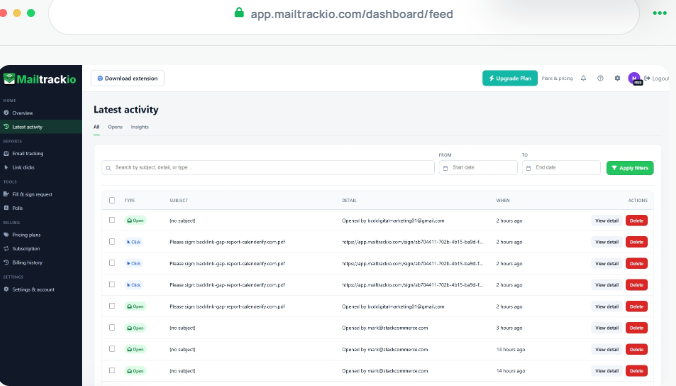
Email-open tracking gives you useful context before following up. When you can see that an important message has been opened, you can distinguish an unread email from one that may need a stronger follow-up. That helps you avoid treating every silent recipient exactly the same way.
Link-click tracking goes a step further by showing engagement beyond an open. If a prospect clicks a proposal, product page, booking link, or other resource you included, you have a stronger indication that they interacted with your message. Combined with activity history and reporting, those signals can help you decide which conversations deserve attention first.
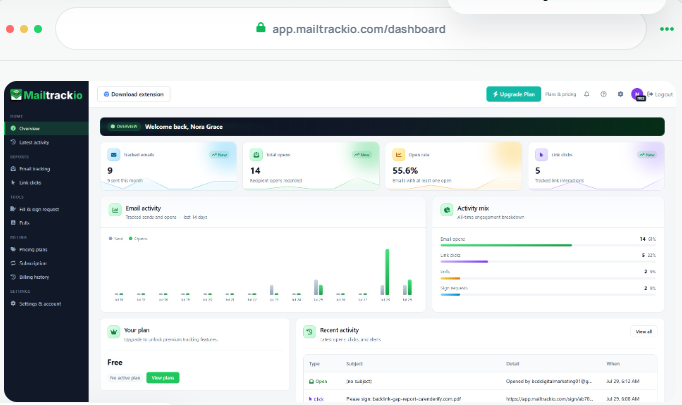
The supplied product information also identifies document-signing workflows as part of Mailtrackio’s functionality. That is useful when an email conversation needs to move from interest toward agreement without becoming disconnected from the communication process. Mailtrackio is therefore best viewed as an email tracking and engagement product rather than a direct replacement for every pipeline, forecasting, and database capability inside a full CRM.
Mailtrackio Key Features
- Email open tracking: Shows when sent emails are opened so you can time follow-ups using actual engagement signals.
- Link click tracking: Helps you identify recipients who click links in your messages.
- Activity history: Gives you an engagement record that helps you review how a conversation developed.
- Engagement reporting: Turns tracking activity into a clearer view of how recipients respond to your outreach.
- Document-signing workflows: Helps move certain conversations from communication toward document completion and agreement.
- Gmail-focused workflow: Keeps email-engagement information close to the inbox where you already communicate.
Mailtrackio Pros
- Focuses directly on actionable email-engagement signals.
- Lets you distinguish opens from stronger click activity.
- Reduces guesswork when deciding whom to follow up with.
- Activity history gives conversations useful context.
- Reporting can reveal engagement patterns across outreach.
- Gmail-oriented use keeps the workflow familiar.
- Its narrower focus can be easier to adopt than a complex CRM when tracking is your main need.
Mailtrackio Cons
- It is not positioned as a complete CRM for complex pipelines, forecasting, territories, and sales administration.
- Its Gmail-oriented approach may be less suitable when your organization works primarily in another email ecosystem.
Mailtrackio Pricing Plans
Monthly pricing: Starter costs $9 per month for up to 3,000 tracked emails and 10 fill-and-sign requests. Professional costs $19 per month for up to 15,000 tracked emails and 50 signing requests, while Business costs $39 per month for up to 50,000 tracked emails, five connected team members, custom tracking-domain support, and 200 signing requests.
Yearly pricing: Starter is $90 per year, Professional is $190 per year, and Business is $390 per year.
Lifetime launch pricing: Starter Lifetime is $149 one-time, Professional Lifetime is $299 one-time, and Business Lifetime is $599 one-time, subject to the published lifetime limits and continued offer availability.
2. Copper CRM

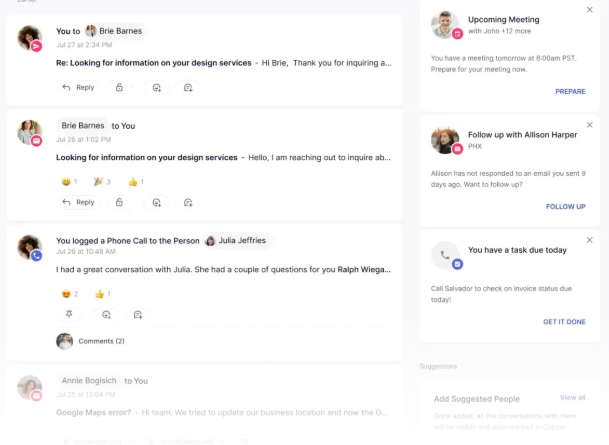
Copper is one of the closest choices when you like Streak’s connection with Google Workspace but want a more conventional standalone CRM. Its Basic plan includes pipelines, task automation, project management, and contact enrichment, while Professional adds workflow automation, bulk email, reporting, and integrations. The main concern is cost as you move upward, because Business reaches $134 per seat monthly before the annual discount.
Copper can suit agencies, consultancies, and relationship-driven sales teams that already organize their work around Google applications. Its higher tiers add email series, custom reports, multi-currency support, and premium support. Copper says more than 30,000 companies use the platform, giving it a substantial installed base.
Copper CRM Key Features
- Flexible pipelines: Organizes opportunities around stages that reflect your sales process.
- Task automation: Reduces repetitive follow-up and administrative work.
- Contact enrichment: Adds useful information to customer and prospect records.
- Workflow automation: Professional users can automate multi-step sales processes.
- Project management: Lets you continue organizing customer work beyond initial deal tracking.
Copper CRM Pros
- Strong Google Workspace orientation.
- Pipeline and project tools in one platform.
- Contact enrichment included on Basic.
- Workflow automation available on Professional.
- Unlimited contacts on Business.
Copper CRM Cons
- Professional costs considerably more than Basic.
- Business reaches $134 per seat on monthly billing.
- Bulk email requires Professional or above.
- Custom reports are reserved for Business.
Copper CRM Pricing Plans
Basic costs $29 per seat/month, or $23 per seat/month when paid annually.
Professional costs $69 per seat/month, or $59 with annual billing.
Business costs $134 per seat/month, or $99 with annual billing.
3. Pipedrive
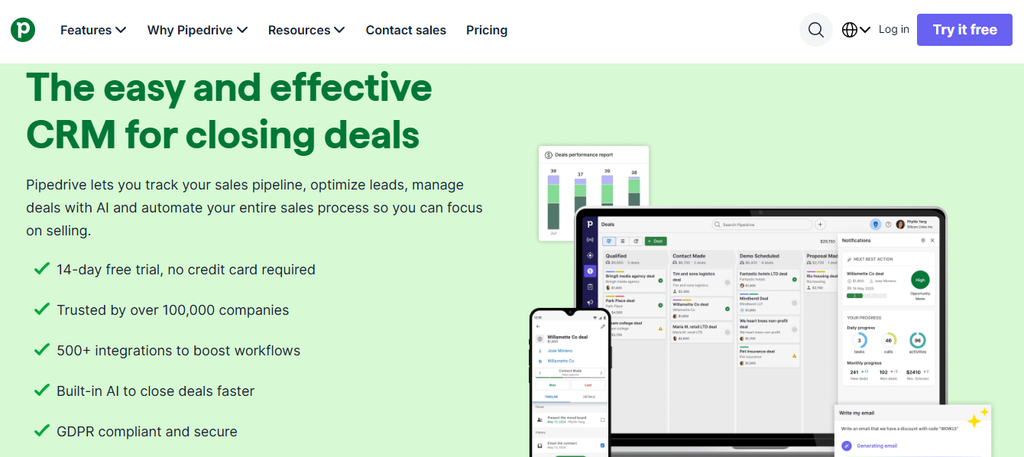
Pipedrive moves your sales pipeline outside Gmail and gives it a dedicated visual workspace. Lite covers lead, calendar, contact, and pipeline management, while Growth adds full email synchronization, open and click tracking, automation, nurturing sequences, forecasting, and a meeting scheduler. The trade-off is that teams wanting those email capabilities need Growth rather than the entry plan.
Premium expands into lead generation, routing, custom scoring, company enrichment, AI-powered email tools, shared inbox functionality, contracts, and e-signatures. Ultimate adds stronger security, enrichment, sandbox testing, and extended support. The platform also advertises more than 500 integrations, which makes it easier to connect a broader sales stack.
Pipedrive Key Features
- Visual pipeline management: Makes deal stages and next actions easy to review.
- Email synchronization: Growth synchronizes email and tracks opens and clicks.
- Sales automation: Automates repetitive workflows and follow-up sequences.
- Forecasting: Helps you estimate expected revenue from active opportunities.
- AI sales tools: Higher tiers add AI email and lead-management capabilities.

Pipedrive Pros
- Dedicated, visual sales pipeline.
- Gmail and Outlook email synchronization.
- Strong automation on Growth and above.
- 500+ integrations.
- Built-in e-signatures on Premium.
Pipedrive Cons
- Lite doesn’t include full email synchronization.
- Several lead-generation capabilities require Premium.
- Optional products can increase total cost.
- Teams that want a CRM embedded directly in Gmail may prefer Streak’s interface.
Pipedrive Pricing Plans
Lite costs $14 per seat/month when billed annually.
Growth costs $39 per seat/month annually.
Premium costs $59 per seat/month annually.
Ultimate costs $79 per seat/month annually.
4. Salesflare

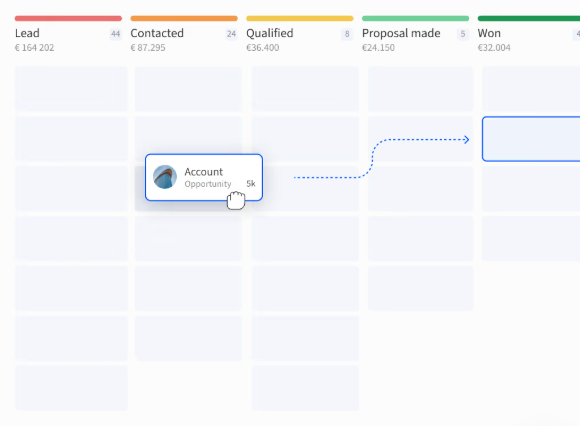
Salesflare focuses heavily on reducing manual CRM data entry. It can gather contact and company information from emails, signatures, and other sources while logging meetings and calls. Growth also tracks email opens, link clicks, and website visits, which makes it particularly relevant when you want Streak-like engagement visibility combined with a broader CRM.
It also works through email and LinkedIn sidebars and provides mobile applications. The major limitation appears when you need multi-step email workflows, custom dashboards, or detailed permission controls, because those require Pro. Enterprise includes assisted migration and tailored training but requires at least five users.
Salesflare Key Features
- Automatic data capture: Reduces manual contact and activity entry.
- Email tracking: Tracks opens and link clicks.
- Website tracking: Shows which pages contacts visit and how they engage.
- Email campaigns: Sends personalized outreach from connected mailboxes.
- Multi-step workflows: Pro adds sequences of multiple follow-up emails.
Salesflare Pros
- Strong automatic CRM data collection.
- Gmail and Outlook support.
- Email, link, and website engagement data.
- LinkedIn sidebar.
- Mobile access without stripping away core functionality.
Salesflare Cons
- Multi-step email workflows require Pro.
- Custom dashboards require Pro.
- Advanced user permissions require Pro.
- Enterprise has a five-user minimum.
Salesflare Pricing Plans
Growth costs $39 per user/month, or $29 with annual billing.
Pro costs $64 monthly, or $49 annually.
Enterprise costs $124 monthly, or $99 annually, with a minimum of five users.
5. Close

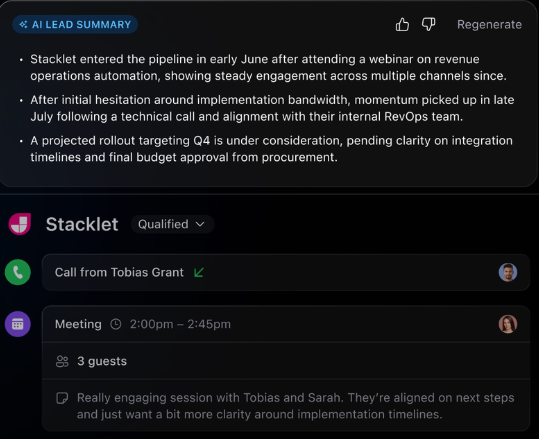
Close is built for sales teams that communicate heavily through calls, email, and SMS. Unlike a lightweight Gmail CRM, it combines those channels directly with lead and pipeline management. Close also includes its Chloe AI functionality across its plans, but automation becomes substantially more capable as you move into Growth.
The biggest consideration is pricing for teams that need advanced outbound capabilities. Growth costs $109 per user on monthly billing, while Scale reaches $149. Scale includes predictive dialing, role-based permissions, lead visibility rules, unlimited call-recording retention, and live call coaching.
Close Key Features
- Built-in calling: Lets representatives place calls without relying entirely on separate dialer software.
- Email and SMS: Centralizes major outbound communication channels.
- Sales workflows: Growth automates repetitive sales activity.
- Power dialer: Helps outbound teams work through call lists faster.
- Predictive dialer: Scale supports higher-volume calling operations.
Close Pros
- Calling, email, SMS, and CRM in one product.
- AI capabilities on every plan.
- Strong fit for outbound sales.
- Automated workflows on Growth.
- Advanced coaching and dialing on Scale.
Close Cons
- Solo is limited to one user and 10,000 leads.
- Solo and Essentials lack workflows.
- Predictive dialing requires Scale.
- Growth and Scale can become expensive for large teams.
Close Pricing Plans
Solo costs $19 per user/month, or $9 annually.
Essentials costs $49 monthly, or $35 annually.
Growth costs $109 monthly, or $99 annually.
Scale costs $149 monthly, or $139 annually.
6. Attio
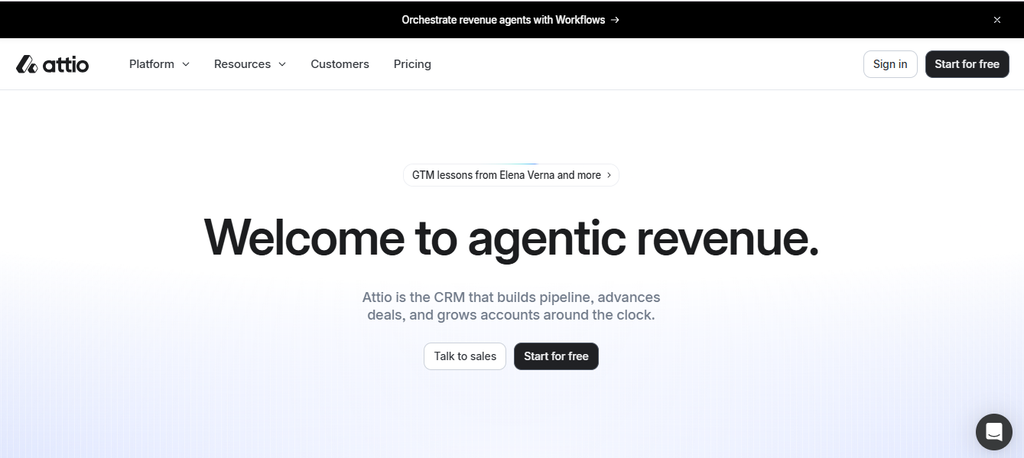
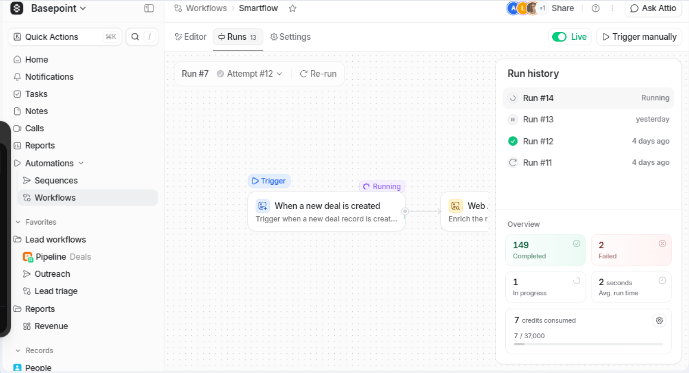
Attio takes a flexible, modern approach to CRM data. The Free plan provides real-time contact syncing and automatic data enrichment for up to three seats, while Plus introduces private lists and enhanced email sending. Its flexible data structure appeals when standard CRM objects don’t match how your company manages relationships.
The drawback is that some of Attio’s most powerful sales capabilities sit on Pro. Call Intelligence, sequences, advanced reporting, and stronger permission controls come with a substantial price increase. Companies needing unlimited objects, unlimited teams, and deeper security controls move into custom-priced Enterprise.
Attio Key Features
- Real-time contact synchronization: Keeps relationship data up to date.
- Automatic enrichment: Adds useful information without constant manual entry.
- Flexible CRM objects: Supports more customized relationship structures.
- Sequences: Pro supports structured follow-up outreach.
- Advanced reporting: Pro gives growing teams stronger analytical tools.
Attio Pros
- Free plan available.
- Modern, flexible CRM structure.
- Automatic data enrichment.
- Strong customization potential.
- Advanced automation and reporting available for growing teams.
Attio Cons
- Free is limited to three seats.
- Advanced sequences require Pro.
- Stronger permission controls require higher tiers.
- Pro’s monthly price is significantly higher than Plus.
Attio Pricing Plans
Free costs $0.
Plus costs $44 per user/month, or $35 when billed annually.
Pro costs $99 monthly, or $79 annually.
Enterprise uses custom annual pricing.
7. Folk
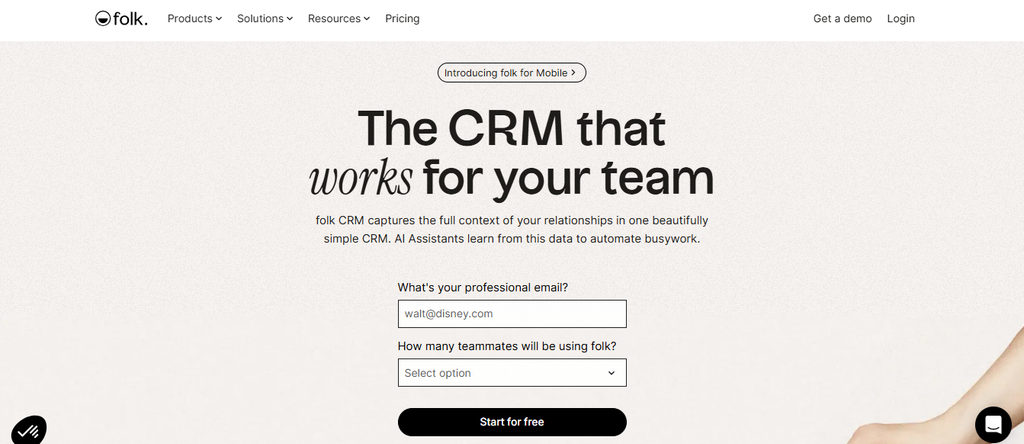
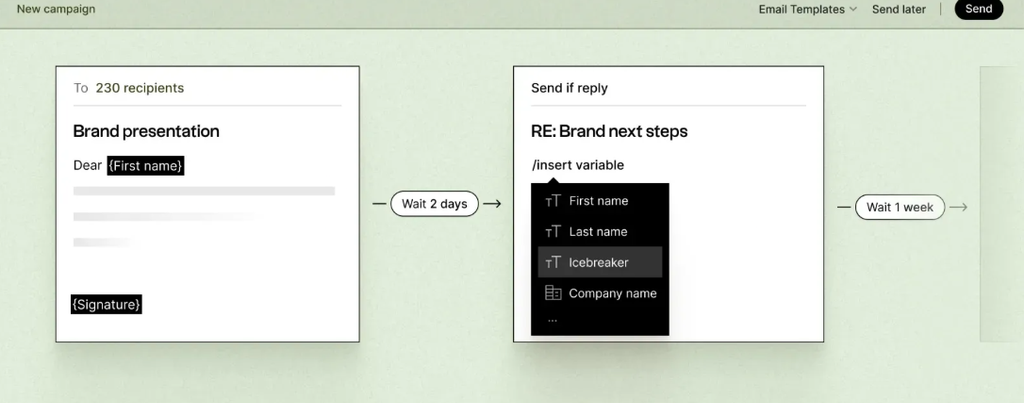
Folk positions CRM around relationships rather than only traditional sales operations. Standard combines pipeline management, email campaigns, contact enrichment, AI assistants, AI-powered Magic Fields, LinkedIn functionality, and email, calendar, and WhatsApp synchronization. That mix can suit agencies, recruiters, partnerships teams, founders, and other users managing relationships across several channels.
The main limitation is that several capabilities associated with a more mature sales operation require Premium. Deals, custom objects, email sequences, dashboards, API access, and stronger roles become available there. Enterprise raises the price again in exchange for security controls, custom limits, onboarding, custom integrations, and priority support.
Folk Key Features
- Pipeline management: Organizes relationships and opportunities visually.
- Contact enrichment: Adds useful information to records.
- AI assistants and Magic Fields: Helps enrich and work with relationship data.
- LinkedIn extension: Brings LinkedIn prospect information into the workflow.
- Multichannel synchronization: Connects email, calendar, and WhatsApp activity.
Folk Pros
- Strong relationship-management focus.
- Unlimited contacts on paid plans.
- LinkedIn-oriented workflow.
- AI functionality included in Standard.
- Thousands of integrations available.
Folk Cons
- Email sequences require Premium.
- Dashboards require Premium.
- API access requires Premium.
- Enterprise starts at a high per-member price.
Folk Pricing Plans
Standard costs $30 per member/month, or $24 with annual billing.
Premium costs $60 monthly, or $48 annually.
Enterprise starts at $100 monthly, or $80 per member/month with annual billing.
8. Nutshell CRM
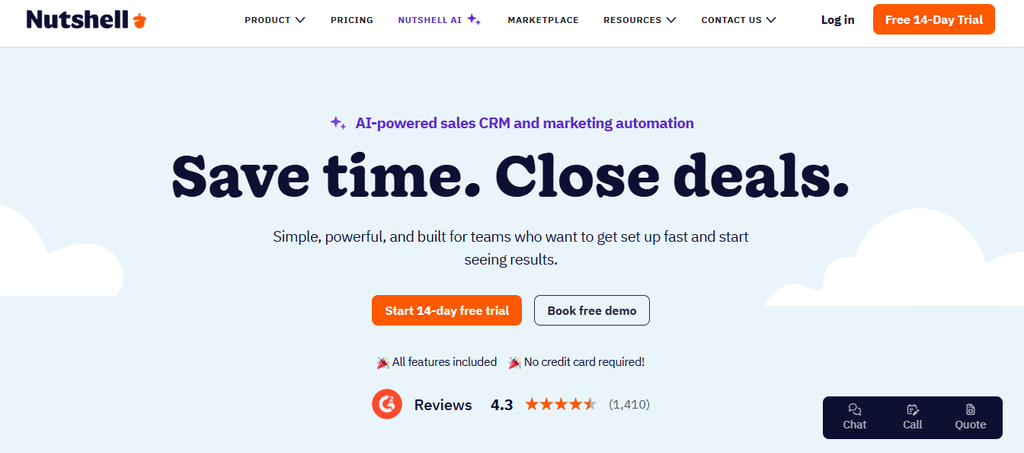
Nutshell combines CRM with a growing collection of marketing and AI features. Its Foundation plan includes unlimited contacts and storage, email and calendar synchronization, an AI chatbot, forms, landing pages, and a monthly allocation of AI outcomes. Growth adds activity reports, sales quotas, lead assignment rules, custom stage goals, and hot-lead functionality.
Pro is where the system becomes more attractive for automation-heavy sales teams because it adds five custom pipelines, advanced reporting, sales automation, AI lead recaps, and scheduling. Business and Enterprise continue expanding pipelines, administration, AI allowances, custom fields, SSO, and data access. One concern is that additional marketing and engagement products can add separate monthly costs.
Nutshell CRM Key Features
- Unlimited contacts: Every core CRM subscription includes unlimited contacts and storage.
- Email and calendar sync: Keeps customer communication connected to CRM records.
- Lead assignment: Growth helps route opportunities to the appropriate people.
- Sales automation: Pro reduces repetitive sales work.
- AI lead recaps: Higher tiers summarize lead information and suggest next steps.
Nutshell CRM Pros
- Unlimited contacts and storage.
- Entry price is relatively accessible.
- AI features are available across plan levels.
- Sales automation available on Pro.
- Email and calendar synchronization included.
Nutshell CRM Cons
- Advanced reporting requires higher plans.
- Pro is needed for stronger sales automation.
- AI outcomes have plan-based monthly limits.
- Optional marketing and engagement products add to total cost.
Nutshell CRM Pricing Plans
Foundation costs $19 per user/month, or $13 annually.
Growth costs $32 monthly, or $25 annually.
Pro costs $49 monthly, or $42 annually.
Business costs $67 monthly, or $59 annually.
Enterprise costs $89 monthly, or $79 annually.
9. Zoho CRM
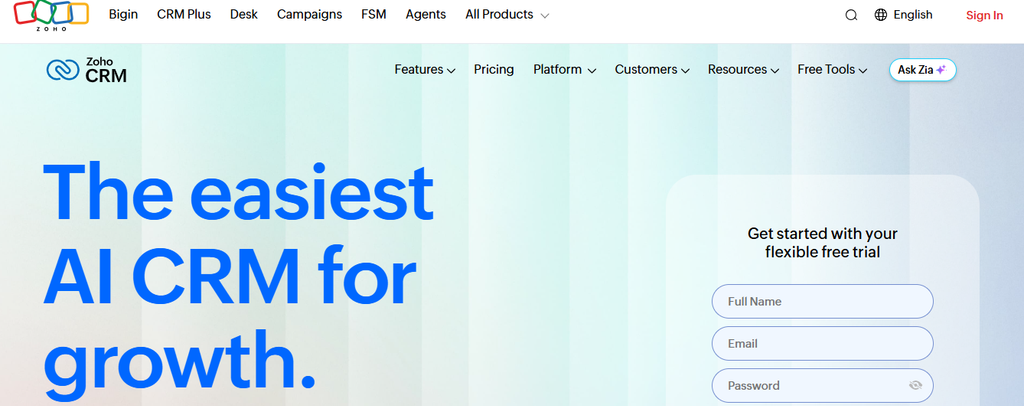
Zoho CRM is a much broader platform than Streak. Even its core editions support leads, accounts, contacts, deals, and sales activities, while paid tiers expand into forecasting, customization, automation, email integration, calling, and more advanced data controls. The breadth is a strength, but it can also create a steeper configuration burden for teams that only need a simple Gmail pipeline.
Higher editions add increasingly sophisticated functionality. Enterprise includes expanded AI capabilities, field-level encryption, account-based marketing features, developer sandbox capabilities, custom functions, and more extensive organizational controls. That makes Zoho attractive for growing operations, although smaller teams should avoid paying for complexity they will not use.
Zoho CRM Key Features
- Lead and deal management: Covers the full core sales-record structure.
- Sales forecasting: Paid editions help teams plan expected revenue.
- Email integration: Connects email activity with CRM records.
- Workflow automation: Automates repetitive sales processes.
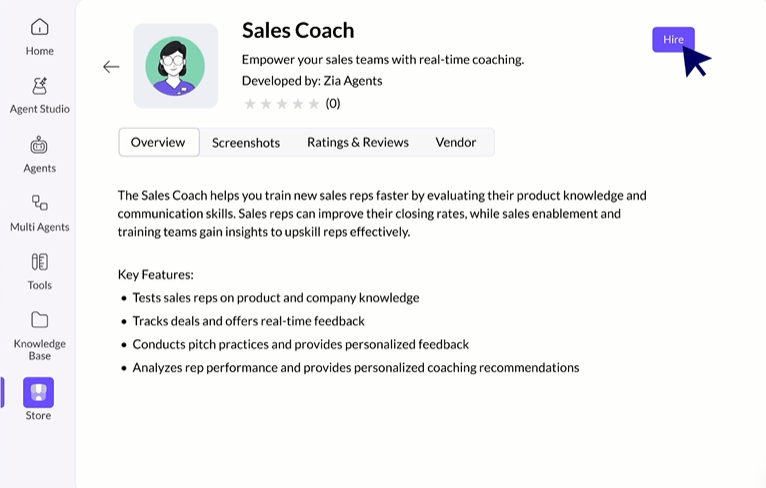
- Zia AI capabilities: Higher editions introduce deeper prediction, analysis, and AI tools.
Zoho CRM Pros
- Free edition for up to three users.
- Broad CRM feature set.
- Multiple paid tiers for different business stages.
- Extensive customization.
- Advanced AI and security available for larger organizations.
Zoho CRM Cons
- The platform can be more complex than Gmail-native alternatives.
- Advanced AI is concentrated in higher editions.
- Enterprise administration may exceed small-team requirements.
- Per-user costs rise as advanced capabilities are added.
Zoho CRM Pricing Plans
Free supports up to three users at $0.
Standard costs $20 per user monthly, or $14 per user/month annually.
Professional costs $35 monthly, or $23 annually.
Enterprise costs $50 monthly, or $40 annually.
Ultimate costs $65 monthly, or $52 annually.
10. Gmelius

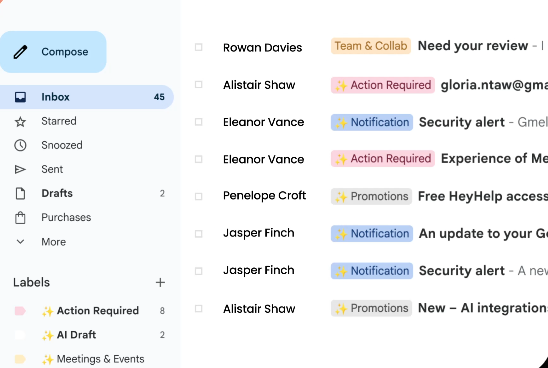
Gmelius has evolved toward AI-assisted email operations and team collaboration inside Gmail and Google Workspace. Its Meli plan provides an AI assistant that can draft replies, sort and classify messages, schedule meetings, follow up, and help manage inbox workload. Growth adds shared inboxes, shared labels, automation rules, automatic assignments, integrations, templates, SLA reporting, and email analytics.
For teams comparing it directly with Streak, the main limitation is that Gmelius is not structured like a classic pipeline-first CRM. CRM integrations, webhooks, advanced team analytics, custom user permissions, organization units, and Gmail/Drive backups appear on Pro. Enterprise is aimed at organizations with at least 50 users and uses custom pricing.
Gmelius Key Features
- AI email assistance: Drafts replies and helps process incoming messages.
- Shared inboxes: Growth lets teams collaborate on common addresses.
- Automation rules: Routes and processes repetitive email work.
- Auto-assignment: Distributes conversations to team members.
- Email analytics: Helps teams measure workload and service performance.
Gmelius Pros
- Deep Gmail and Google Workspace orientation.
- AI assistant available on the entry plan.
- Unlimited shared inboxes on Growth.
- Strong team email collaboration.
- Advanced analytics available on Pro.
Gmelius Cons
- It is less pipeline-centric than a traditional CRM.
- CRM integrations require Pro.
- Advanced permissions require Pro.
- Enterprise requires at least 50 users.
Gmelius Pricing Plans
Meli costs $21 per user/month, or $19 with yearly billing.
Growth costs $33 monthly, or $25 annually.
Pro costs $50 monthly, or $40 annually.
Enterprise uses custom pricing and has a 50-user minimum.
Gmail-Native vs Gmail-Integrated CRM: Which Is Better?
Gmail-Native CRM Keeps Context Switching Low
A Gmail-native CRM puts relationship information where many sales conversations already happen. You can read an email, review pipeline information, update a record, and plan the next action without moving constantly between browser tabs. That simplicity can be a major advantage for smaller teams.
The value becomes especially clear when your workflow revolves around email rather than calling, complex forecasting, customer service, and multiple prospecting channels. Streak was built around this concept, and focused products such as Mailtrackio also reduce the distance between sending an email and understanding engagement. You spend less time learning a separate interface.
There is a broader productivity reason to care about this. Microsoft’s 2024 Work Trend Index found that 75% of knowledge workers were already using AI at work, and 90% of AI users said it helped them save time. As more intelligence moves into everyday work tools, software that reduces unnecessary switching becomes increasingly valuable.
Gmail-Integrated CRM Gives You More Room to Expand
A Gmail-integrated CRM takes the opposite approach. Email is an important input, but the CRM remains the primary workspace for deals, reporting, forecasts, tasks, automation, prospecting, permissions, and management. Copper, Pipedrive, Salesflare, Nutshell, Zoho CRM, and several other products in this comparison follow that broader pattern to different degrees.
This approach becomes useful as your business grows. A sales manager may need reporting that spans several teams, while representatives need email synchronization, marketing needs clean contact data, and leadership wants forecasting. Trying to force every part of that process into an inbox can eventually become restrictive.
The downside is adoption. Your team must actually open, update, and trust the CRM. An impressive reporting dashboard means very little when representatives keep their real notes in email, personal spreadsheets, and messaging applications.
Your Buying Process Should Decide the Winner
Choose Gmail-native software when email is the center of the job and speed matters more than sophisticated administration. Choose a standalone or integrated CRM when your sales process extends far beyond the inbox and requires structured data across several channels. Neither model is automatically superior.
Buyer behavior also supports keeping communication context close at hand. HubSpot’s 2024 Sales Trends Report found that 71% of prospects preferred doing their own research rather than speaking directly with a person. By the time a prospect answers your email or enters your pipeline, the conversation may already be well advanced.
Must-know Tip: Business strategist M. Shannon Hernandez described the human side of modern selling in five words: “Referrals and relationships are gold.” Technology should strengthen those relationships rather than bury them beneath administration.
The practical answer is to map the buyer journey before choosing software. List where leads originate, how you contact them, which engagement signals matter, who owns each stage, what gets reported, and what happens after the sale. Then choose the product that removes the most friction from that real process.
Conclusion
Choosing among the 10 Streak alternative options comes down to the problem you need to solve rather than the number of features a vendor advertises. A team that needs calling, pipeline automation, forecasting, AI, and detailed administration should evaluate software differently from someone who mainly needs reliable visibility into email engagement.
Streak still makes sense when Gmail is the center of your workflow and its current feature structure matches your needs. Other teams may benefit from dedicated CRM platforms, relationship-management systems, shared-inbox tools, or focused email-engagement software.
Features such as email-open tracking, click tracking, activity history, engagement reporting, automation, and clear follow-up signals can help you understand what happens after outreach is sent. The right platform is the one that gives you useful information without adding unnecessary work.
Frequently Asked Questions
What is the best Streak alternative?
The best option depends on your main requirement. Mailtrackio focuses on email engagement, Copper emphasizes Google Workspace CRM workflows, Pipedrive focuses on visual pipeline management, Salesflare automates data capture, and Close is built strongly around outbound communication.
Is there a free alternative to Streak?
Yes. Attio offers a Free plan for up to three seats, while Zoho CRM provides a Free edition for up to three users. The limitations of free plans should be compared carefully with the features you currently use inside Streak.
What is the best Streak alternative for Gmail?
That depends on how deeply you want CRM functionality embedded into your email workflow. Copper has strong Google Workspace positioning, Gmelius works heavily inside Gmail, while Mailtrackio focuses more directly on tracking email engagement signals.
Which Streak alternative is best for email tracking?
Salesflare and Pipedrive include email engagement tracking within broader CRM workflows, while Mailtrackio takes a more focused email tracking approach. Your choice should depend on whether you need only engagement visibility or full pipeline management as well.
Which Streak alternative works with Outlook?
Pipedrive and Salesflare support Outlook-oriented workflows in addition to Gmail. This makes them useful candidates when your organization is moving away from Google Workspace or operates across different email ecosystems.
Is Pipedrive better than Streak?
Pipedrive is stronger when you want a dedicated visual sales workspace, broader automation, forecasting, integrations, lead management, and structured reporting. Streak may feel more natural when you want your CRM to remain closely embedded inside Gmail.
Is Copper better than Streak?
Copper may suit you better if you want strong Google Workspace integration combined with a more traditional CRM environment. Streak can remain more convenient for users who want to manage most sales activity without leaving Gmail.
What is the cheapest paid Streak alternative in this comparison?
Pricing depends on billing terms and required features. Among the verified CRM plans reviewed here, Nutshell Foundation starts at $13 per user/month with annual billing, while Pipedrive Lite starts at $14 per seat/month annually.
Which Streak alternative is best for outbound sales?
Close is particularly strong for outbound teams because it combines calling, email, SMS, workflows, dialers, and CRM records. Salesflare and Pipedrive can also support outbound processes where pipeline management and email follow-up are more important than heavy calling.
Which Streak alternative is best for relationship management?
folk is designed around relationship management and combines contact enrichment, pipelines, LinkedIn functionality, email campaigns, AI assistance, and communication synchronization. Attio is another flexible option when your relationships do not fit a rigid traditional CRM structure.
Should I switch from Streak just to save money?
No. Migration has a cost in time, training, workflow disruption, and data cleanup. Switch when an alternative provides a meaningful improvement in the capabilities you use, not simply because its entry price appears lower.
How should I migrate from Streak to another CRM?
Start by exporting and cleaning your contact and pipeline data. Define how Streak fields map to your new CRM, import a small test set first, connect email and calendar synchronization, verify ownership and permissions, and only then move the complete active pipeline.
What should I test during a Streak alternative free trial?
Recreate a real sales process instead of exploring random features. Import representative contacts, connect your email, create pipeline stages, send test messages, build a report, automate one repetitive task, and ask several team members to complete their normal daily work.
Is a full CRM necessary if I mainly track email engagement?
Not always. If your core requirement is knowing whether emails are opened, whether links are clicked, and how recipients engage, a focused email tracking product can be easier to operate. A full CRM becomes more valuable when you also need structured pipelines, forecasting, assignments, automation, and cross-team reporting.

Comments
0 responsesNo comments yet. Be the first to share your thoughts.