

Choose an AI assistant to open this article URL with a summary request. Review generated summaries against the original article.
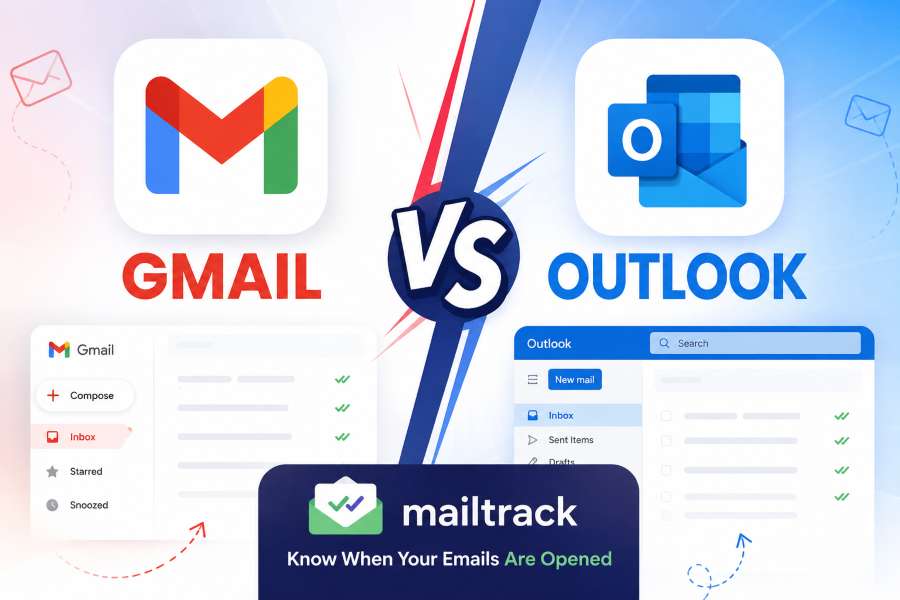
Email remains one of the most important communication tools for individuals, professionals, and businesses. Choosing the right platform can affect productivity, organization, collaboration, and workflow efficiency. The two biggest names in email services are Gmail and Outlook.
The Gmail vs Outlook comparison is not only about sending and receiving emails. Both platforms belong to larger ecosystems that influence how users manage documents, calendars, meetings, storage, and teamwork.
Gmail is developed by Google and works closely with Google Workspace tools like Drive, Docs, Sheets, and Meet. It is known for its simple interface, powerful search, and flexible cloud-based workflow.
Outlook is Microsoft’s email platform and is part of Microsoft 365. It provides deeper integration with tools like Word, Excel, Teams, OneDrive, and advanced business management features.
Both platforms offer excellent security, mobile apps, automation options, and productivity features. However, the better choice depends on your existing tools, business requirements, and preferred working style.
This guide explains the key differences between Gmail and Outlook to help you choose the right email solution.
The Real Difference Between Gmail and Outlook Users
Gmail and Outlook offer similar email features, but they are designed for different working styles and user needs.
Gmail is built around Google’s cloud ecosystem, offering a clean interface, smart organization, powerful search, and smooth integration with tools like Google Drive, Docs, and Meet. It is often preferred by users who value simplicity and fast collaboration.
Outlook focuses on structured productivity by combining email, calendars, contacts, and tasks in one platform. Businesses using Microsoft 365 often choose Outlook because it works seamlessly with Teams, Word, Excel, and SharePoint.
The biggest difference in the Gmail vs Outlook comparison comes down to the ecosystem behind each platform.
Gmail works best for:
- Google Workspace users
- Freelancers
- Startups
- Teams that need flexible collaboration
Outlook works best for:
- Large organizations
- Enterprise teams
- Microsoft 365 users
- Businesses needing advanced controls
Both platforms are powerful, but the best choice depends on the tools you already use and the way your team works.
Gmail vs Outlook Features: Tools, Integration, and Performance
Gmail and Outlook offer powerful features, but each platform is designed for different workflows. Understanding their key differences helps users choose the right email solution for their needs.
Gmail Features and Benefits
Gmail offers a simple and efficient email experience with powerful tools for everyday communication.
Powerful Search
Gmail uses Google’s search technology to quickly find emails, attachments, and conversations using keywords, senders, or dates.
Flexible Organization
Instead of folders, Gmail uses labels that allow users to organize emails in multiple ways.
Google Workspace Integration
Gmail connects smoothly with:
- Google Drive
- Google Calendar
- Google Meet
- Google Docs
This makes collaboration easier for Google users.
Strong Spam Protection
Gmail uses smart filtering systems to block spam, phishing attempts, and suspicious emails.
Outlook Features and Benefits
Outlook provides a structured email experience designed mainly for professional users.
Better Email Management
Outlook uses folders, categories, and rules to help users organize large inboxes.
Microsoft 365 Integration
Outlook works with:
- Microsoft Teams
- Word
- Excel
- OneDrive
This makes it useful for businesses using Microsoft tools.
Calendar and Security Tools
Outlook offers strong scheduling features, advanced security controls, and management options for organizations.
Which Email Service Fits Your Personal and Professional Needs?
Choosing between Gmail and Outlook depends on your business size, workflow, and the tools your team already uses. Both platforms offer strong features, but they support different working styles.
Gmail for Businesses
Gmail is a great choice for businesses using Google Workspace. It offers simple collaboration, easy management, and a modern cloud-based experience.
Small businesses and startups often choose Gmail because it is easy to learn and works well for flexible teams.
Key benefits include:
- Google Docs collaboration
- Easy Drive file sharing
- Wide third-party integrations
- Simple user experience
However, larger companies may need more advanced security and administrative features.
Outlook for Businesses
Outlook is designed for professional environments that require structured workflows and advanced management tools.
Businesses using Microsoft 365 benefit from:
- Office app integration
- Advanced calendar features
- Microsoft Teams collaboration
- Strong compliance controls
For industries with strict security needs, Outlook often provides greater control. In the Gmail vs Outlook comparison, Gmail suits flexible teams, while Outlook is often better for enterprise organizations.
How Gmail and Outlook Differ in Security, Storage, and Cost
Security, storage, and pricing are important factors when choosing an email platform. Both Gmail and Outlook offer reliable protection and flexible plans, but they differ in how they manage these areas.
Security Comparison
Both platforms provide essential security features, including:
- Two-factor authentication
- Encryption
- Spam protection
- Account recovery options
Gmail uses Google’s machine learning technology to identify suspicious emails and potential security threats. Outlook uses Microsoft security solutions with advanced controls designed for professional and business environments.
Storage and Pricing Differences
Gmail offers 15 GB of shared storage across Gmail, Google Drive, and Google Photos. Outlook provides 15 GB of mailbox storage, with additional OneDrive storage available through Microsoft plans.
For users managing many files, Outlook may provide more flexibility because email and cloud storage are handled separately.
Both platforms offer free versions, along with paid business plans. Gmail provides Google Workspace plans, while Outlook offers Microsoft 365 plans that include tools like Word, Excel, and Teams.
The better option depends on your preferred ecosystem and the features your personal or business workflow requires.
Finding the Best Email Solution for Your Workflow Needs
Choosing between Gmail and Outlook depends on your daily workflow, business requirements, and the tools you already use.
Choose Gmail If You:
- Prefer a simple and easy-to-use interface
- Work with Google Workspace applications
- Need powerful email search features
- Value quick team collaboration
- Prefer cloud-based productivity tools
Choose Outlook If You:
- Use Microsoft 365 for your business
- Manage many meetings and schedules
- Need advanced email organization
- Require stronger business controls
- Work mainly with Microsoft applications
The best email platform is not the one with the most features. It is the one that fits your workflow, improves productivity, and supports the way you work.
Conclusion
The Gmail vs Outlook comparison shows that both platforms offer strong email solutions with different advantages.
Gmail is ideal for users who want simplicity, fast search, and Google Workspace integration. Outlook is better for businesses that need advanced organization, Microsoft 365 tools, and enterprise features.
The best choice depends on your workflow, existing software, security needs, and productivity goals. Choose the platform that fits the way you work best.
FAQ’s
Is Gmail better than Outlook?
Gmail is better for users who want simplicity, fast searching, and Google integration. Outlook is better for users who need advanced business features.
Which is better for business, Gmail or Outlook?
Outlook is often preferred by larger companies because of Microsoft 365 integration and advanced security controls. Gmail works well for startups and Google Workspace users.
Does Outlook have better features than Gmail?
Outlook provides stronger business features, while Gmail offers a simpler interface and better search experience.
Is Gmail more secure than Outlook?
Both Gmail and Outlook provide strong security. The best choice depends on your security needs and business requirements.
Can I use Gmail with Outlook?
Yes. Gmail accounts can be connected and managed through the Outlook application.
Which email service is easier to use?
Gmail is generally considered easier for beginners because of its clean interface and simple navigation.

Comments
0 responsesNo comments yet. Be the first to share your thoughts.